Official Blog & Knowledge Base

Articles, Tutorials & Digital Insights

Stay updated with the latest software guides, WhatsApp automation strategies, lead generation techniques, and SEO masterclasses in both Bangla & English.

Mailchimp Alternatives
English
Jul 26, 2025
Mailchimp Alternatives

Looking for the Best Mailchimp Alternatives? Does Mailchimp feel too pricey or confusing? You're not alone. Over one-third of small businesses switch their email tool within a year. Whether you want more features, lower prices, or an easier tool, this guide lists the best Mailchimp alternatives, both free and paid. Let's find the right email tool for your needs. Why Look for Mailchimp Alternatives? Many people leave Mailchimp because: Prices rise as your list grows Basic plans have fewer features Templates are limited The dashboard can be confusing Strict rules may lock your account If that sounds familiar, itโ€™s time for a better option. Best Free Mailchimp Alternativesย  1. MailerLite โ€“ Simple and PowerfulFree Plan: 1,000 contacts & 12,000 emails/monthBest For: Bloggers, freelancers, small teamsWhat You Get:Easy drag-and-drop designEmail automationForms and landing pagesStats tracking2. Brevo (Sendinblue) โ€“ More Than Just EmailFree Plan: Unlimited contacts, 300 emails/dayBest For: Startups, online shops, agenciesTop Features:Email, SMS, and WhatsApp in oneSmart contact groupingInstant reportsBuilt-in customer toolsWhy It's Better: More tools, plus a free CRM.3. Moosend โ€“ Smart Automation for FreeFree Trial: 30 days (no card needed)Best For: Tech-savvy usersFeatures:Smart email suggestionsVisual automationsEcommerce tools4. Benchmark Email โ€“ Quick and EasyFree Plan: 500 contacts & 3,500 emails/monthBest For: Freelancers, charitiesYou Get:Mobile-friendly designsLive editingClean contact lists Best Paid Mailchimp Alternatives 1. ConvertKit โ€“ Great for Creators Starts at: $15/month (300 contacts) Best For: Creators, writers, YouTubers Top Tools: Visual email paths Easy forms Affiliate tools 2. ActiveCampaign โ€“ Full Power Automation Starts at: $29/month Best For: Growing businesses Why Use It: Actions based on behavior Built-in sales tools Site and email tracking Heads-Up: It takes time to learn. 3. GetResponse โ€“ Full Marketing Toolkit Starts at: $19/month Best For: Online shops, webinars Included: Webinars Page builder Funnels for sales 4. AWeber โ€“ Trusted and Easy Starts at: $20/month Known For: Support and simplicity What You Get: Ready-made automation Email tests (A/B) Live help by phone or chat Compare Mailchimp AlternativesToolFree PlanBest ForPaid PlanAutomationMailerLiteYesBeginners$10/moGoodBrevoYesShops, agencies$25/moStrongConvertKitLimitedCreators$15/moAdvancedActiveCampaignNoLarge businesses$29/moPro-levelMoosendTrialEcommerce pros$9/moAdvancedGetResponseLimitedWebinars, funnels$19/moAdvancedAWeberYesSmall teams$20/moModerate Our Email Marketing Qualify Bulk Mailer July 14, 2025 LetsExtract January 29, 2024 Globo Mail Verifier January 29, 2024 Social Email Extractor January 29, 2024 How to Choose the Right Tool Ask these questions before you switch: How big is your email list? Whatโ€™s your monthly budget? Do you need automation or sales tools? Does it work with your website? Is it easy to use? Pick a tool that grows with you. Final ThoughtsYou donโ€™t have to stick with Mailchimp.There are better toolsโ€”free and paidโ€”that may suit you more.Try MailerLite or Brevo for free.Choose ConvertKit or ActiveCampaign for more power.Pick based on what you need now and later. FAQs โ€“ Mailchimp Alternatives 1. Whatโ€™s the best free Mailchimp alternative? MailerLite and Brevo offer strong free plans. 2. Which tool has the best automation? ActiveCampaign offers top-level automations. 3. Can I move contacts from Mailchimp? Yes. Most tools have simple import options. 4. Whatโ€™s best for online stores? Brevo and GetResponse are great choices. 5. Whatโ€™s the easiest tool to use? MailerLite is very beginner-friendly. 6. Should I still use Mailchimp? Itโ€™s okayโ€”but others offer more value. 7. Can I do affiliate marketing? Yes. Just check each platformโ€™s rules. 8. Which tool has built-in CRM? Brevo and ActiveCampaign have this. 9. Whatโ€™s good for content creators? ConvertKit was made for them. 10. Are small platforms safe? Yesโ€”if they follow privacy laws like GDPR. MailerLite and Brevo offer strong free plans.ActiveCampaign offers top-level automations.Yes. Most tools have simple import options.Brevo and GetResponse are great choices.MailerLite is very beginner-friendly.Itโ€™s okayโ€”but others offer more value.Yes. Just check each platformโ€™s rules.Brevo and ActiveCampaign have this.ConvertKit was made for them.Yesโ€”if they follow privacy laws like GDPR.

3 min read Read Story
Verify Email Address Without Sending Email
English
Jul 21, 2025
Verify Email Address Without Sending Email

Introduction: How to Check if an Email Is Real Without Sending OneYouโ€™re not alone. Whether you're building a list or verifying contacts, sending test emails can damage your sender reputation.The good news? You can verify if an email is validโ€”without sending anything.This guide will show you how to do it safely, for free, and with zero technical expertise.Why You Shouldnโ€™t Send Test Emails Sending test emails might seem like a simple solutionโ€”but it can backfire. Hereโ€™s why: Damages your sender score: You might get flagged as spam. Time-consuming: Sending emails one by one is inefficient. Risk of blacklisting: Some addresses are spam traps. A better alternative? Use tools that verify email status without sending anything. How These Tools Work (Without Sending Emails)Email verification tools work quietly in the backgroundโ€”no messages are actually sent. 1. Format CheckDoes the email follow a proper structure, like [email protected]?2. Domain CheckDoes the domain exist and respond properly?3. SMTP PingThe tool โ€œpingsโ€ the email server to check if the inbox existsโ€”without sending a message.4. Catch-All CheckSome domains accept all emails, even fake ones. Good tools will flag this for you.No real emails are sent during these checks, so your reputation stays safe.Free Tools to Check Email ValidityHere are some free tools you can use to verify email addresses without sending messages:Tool NameWhat It DoesFree TierHunter.ioChecks server status and email formatting25 emails/monthNeverBounceCleans lists and offers real-time API verification1,000 emails/monthVerifyEmailAddress.orgQuick checks, no sign-up requiredUnlimited (but slow)EmailListVerifyIdentifies fake and temporary email addresses100 emails/dayMailboxValidatorDetects spam traps and fake domains300 emails/monthNeed more email verifications? Try the Digivate IT Verifier Tool.3 Easy Steps to Check an Email (Using Hunter.io) Visit the Hunter Email Verifier. Enter the email address you want to check. Click โ€œVerifyโ€ to see the results. The tool will tell you if the email is valid, invalid, catch-all, or unknown. What the Results Mean StatusWhat It MeansValidSafe to send โ€” the inbox exists and is reachable.InvalidThe email is fake, mistyped, or doesn't exist.Catch-AllThe domain accepts all emails, even fake ones โ€” use caution.UnknownThe server didnโ€™t respond โ€” consider trying a different tool.What About Gmail? Can You Still Check?Yes, but it's a bit tricky.Gmail often hides whether an address is real, so some tools may return an โ€œunknownโ€ result.For better results with Gmail, try these tools:MailboxValidatorEmailListVerifyTip: Use more than one tool to double-check Gmail addresses. How to Avoid Fake or Spam EmailsHereโ€™s how to spot suspicious or low-quality emails: Look for emails from free or temporary domains like @mailinator.com Watch out for odd usernames like a2j39x@ Check the domain age using Whois Avoid emails from senders with: New or questionable domains No email servers (missing MX records) Spammy or random-looking address patterns Need to Check Many Emails at Once? You can perform bulk email checks using these tools: NeverBounce API โ€” for real-time, live verification Hunter API โ€” great for integrating with your CRM Digivate ITโ€™s Email Verifier Tool โ€” ideal for checking email lists Final Tips: Clean Lists = Better Email ResultsVerifying emails without sending them is the smart, safe approach.It protects your sender reputation, saves time, and boosts your overall deliverability.Need to clean large email lists quickly? Try the Digivate IT Verifier โ€” built for marketers and agencies. Frequently Asked Questions 1. Can I check emails without sending? Yes. Use tools that ping the mail server. 2. Are free tools accurate? Most are 85โ€“90% accurate. Paid tools do better. 3. Is this legal? Yes, as long as you donโ€™t misuse data. 4. Whatโ€™s โ€œCatch-Allโ€? A domain that accepts all emailsโ€”even fake ones. 5. What does โ€œUnknownโ€ mean? The server didnโ€™t reply. Try another checker. 6. Can I check many emails at once? Yes! Use Digivate IT or other bulk tools. 7. Can I find out who owns an email? No โ€” youโ€™ll need a different tool for that. Yes. Use tools that ping the mail server.Most are 85โ€“90% accurate. Paid tools do better.Yes, as long as you donโ€™t misuse data.A domain that accepts all emailsโ€”even fake ones.The server didnโ€™t reply. Try another checker.Yes! Use Digivate IT or other bulk tools.No โ€” youโ€™ll need a different tool for that.

3 min read Read Story
Top Strategies to Build Quality Comment Backlinks for Free
English
Jul 11, 2025
Top Strategies to Build Quality Comment Backlinks for Free

Introduction: Are Comment Backlinks Still Effective?Yes, they areโ€”but only if done right. While many dismiss comment backlinks as outdated or spammy, Google still rewards quality, relevant backlinks from authoritative sitesโ€”including those from comments. The key is strategy, not spam.If you're looking for free, effective ways to build backlinks, especially as a beginner or small business in Bangladesh, comment backlinks are a smart place to start.Letโ€™s dive into the best strategies to create comment backlinks that actually work, without violating Google's guidelines.What Are Comment Backlinks? Comment backlinks are links you leave within the comment section of blogs, forums, or community platforms. These can be: Dofollow links (pass link juiceโ€”rare) Nofollow links (still valuable for traffic and indexing) Even nofollow links can boost visibility, brand exposure, and indexing speed. These backlinks are usually part of a larger SEO plan and provide secondary benefits such as audience building, brand awareness, and content promotion. Many bloggers, SEO professionals, and digital marketers use comment backlinks to introduce their expertise and opinions, and naturally integrate relevant content from their own site or blog. When done right, comment backlinks donโ€™t just serve SEOโ€”they help you connect with like-minded professionals and potential customers. Why Google Still Values Smart Comment BacklinkingGoogle continues to reward backlinks that appear natural, relevant, and engaging. Hereโ€™s why:Natural link diversity: Your backlink profile shouldnโ€™t be filled only with guest posts or homepage links. A mix of sources, including blog comments, shows organic link growth.Contextual relevance: If your comment adds value to the content and includes a relevant link, itโ€™s seen as helpfulโ€”not manipulative.User engagement signals: Google pays attention to interaction. A blog post that receives real discussions is a quality indicator.Key takeaway: Itโ€™s not about volume, itโ€™s about relevance and context.By focusing on relevance and real engagement, you can use comment backlinks to gain both SEO value and community trust. Top Strategies to Build Quality Comment Backlinks for Free1. Target High-Authority, Niche-Relevant BlogsStart by identifying websites that:Have High Domain Authority (DA > 50)Regularly publish content in your nicheAllow comments and have an active communityUse the following search footprints to find them:"Leave a reply" + your keyword"Comment on this post" + your niche"Discussion" + "blog"Examples:SEO-focused blogs like Moz, Backlinko, and AhrefsTech blogs like HubSpot and Neil PatelUsing tools like MozBar, Ahrefs, or SEMrush, you can filter sites by authority and relevance.2. Write Value-Packed, Thoughtful CommentsDonโ€™t comment just for the sake of backlinks. Instead:Read the full articleAddress key points or stats mentionedAdd insights or personal experiencesAsk follow-up questions or share a counterpointBad example: โ€œThanks for the post! Really helpful.โ€Good example:โ€œI love how you broke down the technical aspects of site speed. We recently implemented image compression and saw a 17% bounce rate drop. Have you explored lazy loading in combination with CDNs?โ€3. Engage in Industry Forums and CommunitiesComment backlinks arenโ€™t limited to blogs. Theyโ€™re equally valuable in forums, Q&A sites, and community platforms.Target platforms:Reddit (join specific subreddits like r/SEO, r/DigitalMarketing)Quora (answer relevant questions with added links)GrowthHackers, Indie Hackers, and similar platformsNiche Facebook and LinkedIn groupsAlways ensure your contributions answer the query first, and then link to your content if it's relevant.4. Use Google Alerts for Fresh OpportunitiesSet up alerts for keywords related to your niche or content. Examples:โ€œBest B2B lead generation toolsโ€โ€œTop SEO strategies 2025โ€When new blog posts are published, youโ€™ll be among the first to comment. Early comments tend to rank higher, giving your link more visibility.You can also monitor competitorsโ€™ backlinks using tools like Ahrefs and identify where theyโ€™re commenting. This gives you ideas for new backlink targets.5. Leverage YouTube Comments for Brand MentionsCommenting on YouTube videos is another untapped backlink strategy. Focus on:Tutorials in your nicheReviews of tools or services similar to yoursQ&A or explainer videosEngage thoughtfully:โ€œGreat breakdown of WhatsApp automation! We implemented similar tools at our agency in Dhakaโ€”game-changer for response rates.โ€Then, link to a blog post or guide on your site (if allowed).YouTube may not offer clickable links in comments, but they still provide visibility and potential traffic if your comment stands out.6. Use a Comment Backlink TrackerTo ensure your efforts arenโ€™t wasted, track your backlinks. Key tools:Google Search Console โ€“ monitor backlinks and trafficUbersuggest โ€“ see domain score and referring pagesLinkody โ€“ monitor backlinks and alert if theyโ€™re removedSmall SEO Tools โ€“ free backlink checkerTracking lets you prioritize whatโ€™s working and refine your strategy over time.7. Automate Smartly with Backlink ProManual commenting is effective but time-consuming. Thatโ€™s whereBacklink Pro by Digivate IT comes in.Itโ€™s an auto comment backlink software designed to:Search relevant blogs and forums with open comment sectionsAutomatically post smart, non-spammy commentsInclude anchor text and links based on your keywordsProvide analytics on link placement and engagementBest use cases:Digital agencies managing multiple clientsFreelancers handling multiple niche sitesBloggers growing multiple content hubsBacklink Pro combines scale and intelligence, ensuring your backlinks appearnatural, relevant, and impactful.You can also read these blogs.Difference Between Blog Comment Backlinks and Guest PostsIs Blog Comment Backlink White hat or Black hat Seo?ย Bonus Tips for Better Backlink ResultsRotate anchor texts: Donโ€™t use the same keyword in every link.Use branded links: โ€œDigivate ITโ€ or โ€œthis guide by Digivate ITโ€ feels natural.Update old comments: Revisit posts where youโ€™ve commented to reply and stay visible.Engage with replies: Build relationships with blog authors and commenters.Use a backlink spreadsheet: Log every link, platform, date, DA, and result. Real Examples of High-Value Comment Backlinks Platform Type Benefit Example Comment Style Moz Blog Nofollow SEO authority, engagement Value-add + case reference Backlinko Nofollow Visibility + niche audience Expert opinion or results Neil Patel Nofollow Brand awareness Personal result or question Quora Dofollow Traffic + trust Answer with link to guide Common Mistakes to Avoid Copy-pasting the same comment on multiple blogs Using fake identities or keywords in name fields Linking to irrelevant or salesy pages Ignoring blog rules or moderation policies Over-automating without personalization How Many Comment Backlinks Should You Build? Thereโ€™s no fixed number, but consistency is key: 3โ€“5 valuable comments/week = good start Focus on niche varietyโ€”donโ€™t rely on one site Use tools like Backlink Pro to scale safely Key Benefits of Smart Comment BacklinkingImproved indexing speed for new blog postsHigher domain authority with diverse linksNiche traffic from real discussionsCost-effective SEOโ€”especially for startupsTrust-building through authentic engagement Conclusion: Smart Commenting Is the New SEO Hack Comment backlinks are not deadโ€”theyโ€™ve just evolved. When done properly, they help you: Rank higher in search Drive relevant traffic Establish authority Build real connections Start small, stay consistent, and choose quality platforms. Use a mix of manual and automated tools like Backlink Pro for best results. Ready to grow your SEO game the right way? Explore the complete range of backlink and lead-gen tools on Digivate IT to accelerate your digital growth. FAQs About Comment Backlinks 1. Are comment backlinks dofollow or nofollow? Most are nofollow, but still valuable for visibility and indexing. 2. Can I get penalized for comment backlinks? Only if you spam. Focus on relevance and value to stay safe. 3. How long does it take for comment backlinks to show results? Usually 2โ€“6 weeks, depending on indexing and domain strength. 4. Are comment backlinks better than guest posts? Not betterโ€”just different. Theyโ€™re faster and easier, but offer less authority. 5. Can I use tools to automate comment backlinks? Yesโ€”but only trusted ones like Backlink Pro. Avoid shady bots. 6. Whatโ€™s the best way to find comment-friendly blogs? Use Google footprints like: โ€œLeave a commentโ€ + your keyword. 7. Should I include my keyword in my name field? No. Use your real name to build genuine trust. 8. Can comment backlinks help local SEO? Yesโ€”especially on location-relevant or local niche blogs. 9. What is the ideal anchor text for comment backlinks? Use branded or natural phrases, not exact match keywords. 10. Is it worth tracking comment backlinks? Absolutely. Tools like GSC, Ubersuggest, or Linkody can help monitor impact. Most are nofollow, but still valuable for visibility and indexing.Only if you spam. Focus on relevance and value to stay safe.Usually 2โ€“6 weeks, depending on indexing and domain strength.Not betterโ€”just different. Theyโ€™re faster and easier, but offer less authority.Yesโ€”but only trusted ones like Backlink Pro. Avoid shady bots.Use Google footprints like: โ€œLeave a commentโ€ + your keyword.No. Use your real name to build genuine trust.Yesโ€”especially on location-relevant or local niche blogs.Use branded or natural phrases, not exact match keywords.Absolutely. Tools like GSC, Ubersuggest, or Linkody can help monitor impact.

3 min read Read Story
Top 10 Apollo.io Alternatives for Lead Generation
English
Jun 30, 2025
Top 10 Apollo.io Alternatives for Lead Generation

Are you tired of Apollo.ioโ€™s limitations or high pricing? Youโ€™re not alone. With lead generation being the lifeline of any B2B business, many professionals are switching to Apollo.io alternatives that offer better value, data accuracy, and ease of use. Whether you're in sales, marketing, or a startup founder, finding the right tool can save time, cut costs, and boost conversion rates. In this guide, weโ€™ll explore the top 10 Apollo.io alternatives for lead generation, including industry-favorite tools like LetsExtract, Business Lead Extractor, and more. Letโ€™s dive in!Why Look for an Apollo.io Alternative? Apollo.io is powerfulโ€”but not perfect. Hereโ€™s what users often report: High subscription costs for advanced features Limited customization in data filtering Steep learning curve for new users Export and CRM integration limits If any of these sound familiar, the tools below will help you overcome those roadblocks. ย Best Apollo.io Alternatives for Lead Generation ย 1. LetsExtract Email Studio Best for: Bulk email, phone, and social profile extraction Why it's better than Apollo.io: Extracts emails, phones, Skype IDs, and social links from Google, Bing, Yellow Pages, LinkedIn, and more Built-in SMTP tester and email verifier No monthly data limit Key Features: Smart keyword-based extraction Built-in email validation Export in multiple formats Pricing: One-time license fee (no monthly charges) Know More 2. Business Lead Extractor Software Best for: B2B business contact extraction Why it's better than Apollo.io: Direct lead scraping from search engines Ideal for local businesses, service providers, and freelancers Works globally Key Features: Pulls data from Google, Yahoo, Bing Target by city, industry, or country Multi-threaded processing for speed Pricing: Affordable lifetime access via Digivate IT Know More 3. Total Extractor SoftwareBest for: All-in-one lead and contact scrapingWhy itโ€™s better than Apollo.io:Combines email + phone + company data from multiple search enginesUser-friendly dashboard for non-tech usersLicense key generator available for resellersKey Features:Extracts from Google Maps, Bing, Yellow PagesCSV and Excel export optionsBuilt-in filters for data cleanupPricing: One-time license with reseller option Know More 4. Snov.io Snov.io Best for: Email outreach and CRM integrationWhy itโ€™s an Apollo.io alternative:Offers email finder, verifier, and drip campaignsIncludes built-in CRM toolsFree tier available for beginnersNotable Features:LinkedIn email scrapingAutomation sequencesChrome extensionPricing: Freemium, paid plans start from $30/monthWebsite: https://snov.io5. Hunter.io Best for: Finding verified business emails Why people switch from Apollo.io: Simple interface and high accuracy Trusted by Google, Microsoft, and Shopify Email verification included Key Features: Domain search Email pattern detection Public web scraping Pricing: Free for 25 searches/month; Pro plans start at $49 Website: https://hunter.io 6. LeadFuze Best for: AI-powered lead search and list buildingWhy it outshines Apollo.io:Uses AI to build lead lists automaticallyEnriched data including phone numbers, emails, and social profilesAdvanced filtering by role, industry, and tech stackPricing: Starts at $132/monthWebsite: https://www.leadfuze.com7. UpLead Best for: Real-time B2B data with 95% accuracy guarantee Why it competes with Apollo.io: Real-time email verification Detailed company data with insights Excellent customer support Features: Over 85 million contacts Filters for industry, title, revenue Chrome plugin included Pricing: Starts at $99/month Website: https://www.uplead.com 8. Voila Norbert Best for: Simple and clean email lookupWhy choose over Apollo.io:Minimalist UI with powerful resultsGreat for small teams or freelancersHigh accuracy ratesKey Features:Bulk email lookupEnrichment toolsGDPR compliantPricing: Starts at $49/monthWebsite: https://www.voilanorbert.com9. Lusha Best for: Sales professionals needing fast data Why people love it over Apollo.io: Instant contact info from LinkedIn or company pages Verified B2B emails and phone numbers Simple integrations with CRMs Pricing: Free tier; Premium starts at $39/month Website: https://www.lusha.com 10. AeroLeads Best for: Real-time lead generation during browsingWhy itโ€™s a worthy Apollo.io alternative:Works while browsing LinkedIn, Crunchbase, etc.Gathers emails, phone numbers, and company dataExport to CRM in 1 clickPricing: Starts at $49/monthWebsite: https://aeroleads.com๐Ÿ“Š Feature Comparison TableToolEmail ExtractionPhone NumbersCRM IntegrationOne-time FeeFree PlanLetsExtractโœ…โœ…โŒโœ…โŒBusiness Lead Extractorโœ…โœ…โŒโœ…โŒTotal Extractorโœ…โœ…โŒโœ…โŒSnov.ioโœ…โŒโœ…โŒโœ…Hunter.ioโœ…โŒโœ…โŒโœ…LeadFuzeโœ…โœ…โœ…โŒโŒUpLeadโœ…โœ…โœ…โŒโœ…Voila Norbertโœ…โŒโŒโŒโœ…Lushaโœ…โœ…โœ…โŒโœ…AeroLeadsโœ…โœ…โœ…โŒโœ…Conclusion: Which Apollo.io Alternative Should You Choose? If you're looking for budget-friendly and highly customizable lead tools, LetsExtract, Business Lead Extractor, and Total Extractor (from Digivate IT) are ideal picks. For email-heavy campaigns and CRM integrations, platforms like Snov.io, Hunter.io, and UpLead offer more automation and outreach features. ๐Ÿ‘‰ Final Tip: Consider your use case. Whether you're scraping business directories, targeting specific industries, or building cold outreach lists โ€” thereโ€™s a tool here thatโ€™s better than Apollo.io for your unique needs. FAQs โ€“ Apollo.io Alternatives for Lead Generation 1. What is the best free alternative to Apollo.io? Hunter.io and Snov.io offer generous free plans suitable for startups and freelancers. 2. Is LetsExtract safe and legal to use? Yes, LetsExtract follows ethical scraping practices and is legal if used for publicly available data. 3. Can I get phone numbers with these tools? Yes! Tools like Business Lead Extractor and Total Extractor provide phone number data. 4. Which tool works best for local business leads? Business Lead Extractor is optimized for extracting data by city or region. 5. Do these tools integrate with CRMs like HubSpot or Zoho? Many cloud-based tools like Snov.io, UpLead, and Lusha offer direct integrations. 6. What is the pricing model for Digivate IT tools? Most Digivate IT tools offer a one-time license, making them cost-effective. 7. Is email verification included? Yes, tools like LetsExtract and Hunter.io include built-in email verifiers. 8. Can I resell any of these tools? Yes. Total Extractor offers a reseller pack with license key generator. 9. Do I need technical knowledge to use these tools? No. All tools on this list offer user-friendly interfaces. Hunter.io and Snov.io offer generous free plans suitable for startups and freelancers.Yes, LetsExtract follows ethical scraping practices and is legal if used for publicly available data.Yes! Tools like Business Lead Extractor and Total Extractor provide phone number data.Business Lead Extractor is optimized for extracting data by city or region.Many cloud-based tools like Snov.io, UpLead, and Lusha offer direct integrations. Most Digivate IT tools offer a one-time license, making them cost-effective. Yes, tools like LetsExtract and Hunter.io include built-in email verifiers. Yes. Total Extractor offers a reseller pack with license key generator.No. All tools on this list offer user-friendly interfaces.

3 min read Read Story
Top 10 Email Marketing Tools for Small Business
English
May 09, 2025
Top 10 Email Marketing Tools for Small Business

Introduction: Why Email Marketing Still Works for Small Business Running a small business isnโ€™t easy. Every dollar counts. And so does every customer. Thatโ€™s why email marketing tools are a game-changer. They let you reach your audience, build trust, and drive more sales โ€” all on a budget. Unlike social media, email puts you in direct contact with your customerโ€™s inbox. But with so many options out there, how do you choose the right one? Weโ€™ve done the research and created a list of the top 10 email marketing tools for small businesses in 2025. Whether you're just starting or scaling up, thereโ€™s a tool here for you. Top 10 Email Marketing Tools for Small Businesses Hereโ€™s a quick comparison chart before we dive in: Tool NameBest ForStarting PriceFree PlanAutomationEase of UseMailchimpAll-in-one marketing$13/monthโœ…โœ…โญโญโญโญConvertKitCreators & bloggers$15/monthโœ…โœ…โญโญโญโญConstant ContactEvent-based businesses$12/monthโŒโœ…โญโญโญโญBrevo (Sendinblue)Affordable automation$0/monthโœ…โœ…โญโญโญโญGetResponseSales funnels & webinars$19/monthโœ…โœ…โญโญโญโญMoosendBudget-friendly option$9/monthโœ…โœ…โญโญโญโญMailerLiteSimplicity & ease$10/monthโœ…โœ…โญโญโญโญโญAWeberLong-standing reliability$12.50/monthโœ…โœ…โญโญโญโญDripEcommerce businesses$39/monthโŒโœ…โญโญโญโญBenchmark EmailMultilingual support$15/monthโœ…โœ…โญโญโญโญ 1. Mailchimp โ€“ Best All-in-One Email Tool Mailchimp is perfect if you want more than email. It offers landing pages, CRM tools, and social media scheduling. Top Features Drag-and-drop email builder Pre-built templates Audience segmentation A/B testing E-commerce integrations (Shopify, WooCommerce) Pros Great for beginners All-in-one platform Helpful analytics Cons Price increases as your list grows Limited automation in free plan ๐Ÿ‘‰ Ideal for: Small businesses needing a complete marketing suite. 2. ConvertKit โ€“ Best for Content Creators ConvertKit is built for bloggers, podcasters, and YouTubers who want to grow an email list. Top Features Visual automation builder Tag-based segmentation Email courses & funnels Pros Super clean interface Designed for creators Excellent support Cons Limited design templates Not ideal for e-commerce ๐Ÿ‘‰ Ideal for: Personal brands and solo creators. 3. Constant Contact โ€“ Great for Events & Promotions Constant Contact is known for ease of use and event marketing features. Top Features Event registration tools Simple email editor Surveys and polls Social media tools Pros Great for local businesses Strong support team Easy contact management Cons No free plan Basic automation ๐Ÿ‘‰ Ideal for: Local shops and event-based businesses. 4. Brevo (Sendinblue) โ€“ Best Free Plan & Automation Brevo, formerly Sendinblue, stands out with free email marketing + automation features. Top Features Email & SMS marketing Advanced workflows CRM & chat tools Pros Free plan with automation Good for small budgets Easy drag-and-drop builder Cons Daily email sending limit on free plan Basic templates ๐Ÿ‘‰ Ideal for: Budget-conscious startups. 5. GetResponse โ€“ Best for Funnels & Webinars GetResponse is great for small businesses needing more than email โ€” like funnels and webinars. Top Features Autofunnels Webinar hosting Landing pages Conversion tracking Pros Advanced features in one place Great automation High deliverability Cons Interface can feel dated Learning curve ๐Ÿ‘‰ Ideal for: Coaches, consultants, and online sellers. 6. Moosend โ€“ Best Budget Email Marketing Tool Moosend is simple, clean, and affordable. Top Features Automation workflows Personalization tags Advanced reporting Pros Very affordable Easy to learn Excellent support Cons Fewer integrations Limited templates ๐Ÿ‘‰ Ideal for: Solopreneurs and micro-businesses. 7. MailerLite โ€“ Best for Simplicity MailerLite is one of the easiest tools to use and very affordable. Top Features Clean interface Automation builder Newsletter templates Website builder Pros Free plan Easy navigation Great deliverability Cons Approval needed before sending Limited integrations ๐Ÿ‘‰ Ideal for: Beginners or non-tech-savvy users. 8. AWeber โ€“ Best for Long-Term Reliability AWeber has been around for 20+ years. Itโ€™s a trustworthy choice with consistent service. Top Features Drag-and-drop editor Pre-built campaigns Tagging and segmentation Pros Free plan available Great support Reliable uptime Cons Less innovation Slightly outdated UI ๐Ÿ‘‰ Ideal for: Businesses wanting proven performance. 9. Drip โ€“ Best for Ecommerce Stores Drip is built for online stores, especially Shopify users. Top Features Customer tracking Behavior-based emails Revenue analytics Pros Deep e-commerce integrations Personalized automation Scalable platform Cons High starting cost Not for beginners ๐Ÿ‘‰ Ideal for: Growing online shops. 10. Benchmark Email โ€“ Best for Global Use Benchmark Email supports multiple languages and has a simple design. Top Features Easy editor Real-time editing Responsive templates Pros Multilingual support Free plan available Strong mobile previews Cons Limited advanced automation Fewer integrations ๐Ÿ‘‰ Ideal for: Global small businesses or multilingual audiences. Key Takeaways: Which Tool Is Right for You? Choosing the best tool depends on your needs: Best free plan: Brevo Best for creators: ConvertKit Best for beginners: MailerLite Best for e-commerce: Drip Best all-in-one: Mailchimp No matter your budget or business type, thereโ€™s a perfect email marketing tool waiting for you. Call to Action Ready to grow your small business faster? ๐Ÿ‘‰ Start your email marketing journey today with one of these top tools. Visit Digivate IT for expert guides, software tips, and digital solutions to boost your business in 2025! FAQs About Email Marketing Tools for Small Business 1. Whatโ€™s the cheapest email marketing tool with automation?Moosend and Brevo offer affordable automation starting under $10/month. 2. Can I start email marketing for free?Yes! Mailchimp, Brevo, MailerLite, and ConvertKit all offer free plans. 3. What is the easiest email marketing platform for beginners?MailerLite is the most beginner-friendly with a clean and simple interface. 4. Which email tool works best with Shopify?Drip is built for Shopify and offers powerful e-commerce features. 5. Do I need a website to use email marketing tools?Not always. Many tools offer landing pages and forms you can use without a website. 6. How many emails can I send for free?It varies. Brevo lets you send up to 300 emails/day for free. 7. Which tool offers the best design templates?Mailchimp and MailerLite both offer a wide variety of templates. 8. Can I use email marketing for lead generation?Absolutely! Use forms, lead magnets, and automation to grow your list. 9. Is email marketing still effective in 2025?Yes! Email marketing delivers an average ROI of $42 per $1 spent. 10. Which email tool has the best customer support?ConvertKit, AWeber, and MailerLite have top-rated customer support. { "@context": "https://schema.org", "@type": "FAQPage", "mainEntity": [ { "@type": "Question", "name": "Which email marketing tool is best for beginners?", "acceptedAnswer": { "@type": "Answer", "text": "MailerLite is great for beginners due to its simple design, drag-and-drop builder, and free plan for up to 1,000 subscribers." } }, { "@type": "Question", "name": "Are there free email marketing tools for small businesses?", "acceptedAnswer": { "@type": "Answer", "text": "Yes, tools like Mailchimp, MailerLite, and Moosend offer free plans ideal for small businesses with limited email lists." } }, { "@type": "Question", "name": "Can I automate emails with these tools?", "acceptedAnswer": { "@type": "Answer", "text": "Absolutely! Most email marketing platforms offer automation workflows, including welcome emails, drip campaigns, and follow-ups." } }, { "@type": "Question", "name": "Whatโ€™s the average cost of email marketing software?", "acceptedAnswer": { "@type": "Answer", "text": "Pricing varies by features and list size. Plans typically start from $9 to $30/month, with some offering free tiers." } }, { "@type": "Question", "name": "How do I choose the best email marketing tool for my business?", "acceptedAnswer": { "@type": "Answer", "text": "Consider your budget, required features (like automation or landing pages), ease of use, integration needs, and customer support." } }, { "@type": "Question", "name": "Can I integrate email marketing tools with my website?", "acceptedAnswer": { "@type": "Answer", "text": "Yes, most tools integrate seamlessly with WordPress, Shopify, Wix, and other platforms to capture leads directly." } }, { "@type": "Question", "name": "Do these tools support A/B testing?", "acceptedAnswer": { "@type": "Answer", "text": "Yes, platforms like ConvertKit, GetResponse, and Mailchimp offer A/B testing to optimize your email campaigns." } }, { "@type": "Question", "name": "Is email marketing still effective in 2025?", "acceptedAnswer": { "@type": "Answer", "text": "Yes! Email marketing continues to deliver high ROI and remains one of the most powerful digital marketing tools for small businesses." } } ] }

3 min read Read Story
Effortless Data Scraping from Websites to Excel: A Step-by-Step Guide
English
Jan 07, 2025
Effortless Data Scraping from Websites to Excel: A Step-by-Step Guide

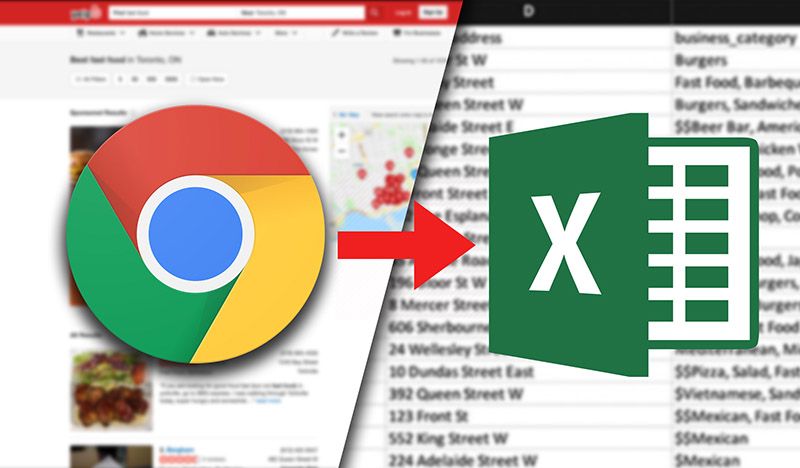
Effortless data scraping from websites to Excel involves several key steps. First, identify the target website & the specific data needed. Utilize tools like Python with libraries such as Beautiful Soup or Scrapy to extract data efficiently. In a different context, browser extensions like Web Scraper can simplify the process. After extracting, format the data as needed & export it to CSV or Excel directly. Always ensure compliance with the website's terms of service & legal guidelines while scraping to maintain ethical standards. This streamlined approach saves time & enhances data analysis capabilities.Effortless Data Scraping from Websites to Excel: A Step-by-Step Guide. Unlock easy data scraping from websites to Excel! Follow our step-by-step guide & start gathering data effortlessly today. Perfect for beginners!Publisher: static.octoparse.com What is Data Scraping? Data scraping is obtaining data from websites. It extracts content into a structured format. This process helps you gather valuable insights from multiple sources. Many industries rely on data scraping for research, analytics, & marketing. Learning to extract data effortlessly can save hours of manual work. With advanced tools & methods, you can efficiently scrape & store data. This guide details the steps to collect website data & export it to Excel. Why Use Excel for Data Scraping? Excel is widely known for data analysis. It provides a user-friendly interface to manage data. Here are some benefits of using Excel: Strong data manipulation tools Visual representation with graphs & charts Easy organization of large datasets Capability to handle formulas & calculations And another thing, Excel allows seamless integration with other software. You can analyze scrapped data directly in Excel. This capability boosts productivity across different tasks. Tools for Data Scraping Various tools support data scraping. Some of the popular ones include: ToolDescription Beautiful SoupA Python library for parsing HTML & XML documents. ScrapyA powerful web crawling framework for Python. OctoparseA visual web data extraction tool. ParseHubA user-friendly web scraper for beginners. Select a tool based on your skills & project needs. Each platform offers unique features. Choose what fits best for your tasks. Getting Started with Data Scraping Before scraping, consider some vital factors. Identify your target website. Ensure its terms of service allow scraping. Avoid sites that prohibit data collection. Next, install the necessary tools. For instance, if you are using Python, you must install libraries like Beautiful Soup & Scrapy. If you prefer visual tools like Octoparse, simply download & install the software. Familiarize yourself with its interface. Essential knowledge of HTML structure helps understand how to navigate the data. Always check for sites that can change their layout frequently. Step-by-Step Guide to Scrape Data Step 1: Identify the Data First, clarify what data you want to scrape. Common examples include: Product prices User reviews Contact details News articles Understanding your target data helps in configuring scraping tools. Focus only on necessary data to avoid clutter. Step 2: Choose Your Tool As mentioned earlier, selecting the right tool is crucial. Hereโ€™s how to pick one: Consider your technical skills. Check the tool's features against your needs. Look for community support & tutorials. Once you select your tool, install it & set up your project. Initiate scraping projects based on requirements. Step 3: Inspect the Target Website Utilize browser developer tools to inspect the layout. Right-click on the data elements. Select "Inspect" to view the HTML structure. Identify the tags that contain relevant data. Focus on div, span, & table tags. This step ensures that your scraping process targets only the needed content. Step 4: Run Your Scraper Now it's time to execute your scraping process. Follow instructions specific to your chosen tool. For python, your script will include: from bs4 import BeautifulSoup import requests url = 'http://example.com' response = requests.get(url) soup = BeautifulSoup(response.text, 'html.parser') For visual tools, click the "Run" button to start scraping. Monitor real-time data collection. Make adjustments as needed. Step 5: Export to Excel Once you complete scraping, export your data to Excel. Most tools offer export options. In visual tools, look for "Export" or "Download" features. For Python, use: import pandas as pd data = {'Column1': [item1, item2], 'Column2': [item3, item4]} df = pd.DataFrame(data) df.to_excel('output.xlsx') This step ensures your data is structured & ready for analysis. Best Practices for Data Scraping Maintain ethical standards while scraping. Only collect data from allowed websites. Respect the site's terms of service. Use tools responsibly to minimize server load. Here are more practices: Check sites regularly for changes in data structure. Avoid excessive requests to prevent being blocked. Handle & store data securely. Keep your tool updated for better efficiency. Sticking to these practices ensures a smooth scraping experience. Common Challenges in Data Scraping Data scraping often presents unique challenges. Here are some typical issues: Website layout changes frequently. Blocking from servers after multiple attempts. Complex data formatting that may require cleaning. To overcome these, be adaptable. Monitor websites often & update your scripts accordingly. Prepare strategies to prevent throttling or IP bans. Quote on Data Scraping "Effortless data scraping is a valuable skill for data-driven decisions." โ€“ Jane Doe Advanced Techniques for Data Scraping Once you grasp the fundamentals, try advanced techniques. Here are a few: Use proxies to avoid rate limits. Implement CAPTCHA solving services. Automate data extraction with cron jobs. Explore additional libraries for improved parsing. Tools like Selenium offer browser automation capabilities. Experimenting with these techniques can enhance your scraping efficiency. Real-life Applications of Data Scraping Data scraping finds numerous applications across industries. Here are examples: Market research for tracking competitors & trends. Real estate analysis for property availability & pricing. Job scraping for aggregating listings from various websites. Data scraping aids in decision-making & strategic planning. Professionals often use these insights to optimize their operations. Conclusion of the Content With this guide, gaining insights through data scraping becomes more accessible. By following the steps above, you can unlock the potential of web data in Excel effortlessly. From identifying data to exporting it, each step plays a critical role. Start your scraping journey today & see the benefits unfold. Publisher: miro.medium.com What is data scraping? Data scraping is the process of extracting information from websites & transforming it into a structured format, such as a spreadsheet. This allows for easy analysis, storage, & manipulation of data collected online. How can I scrape data from a website? You can scrape data from a website using various tools & programming languages, such as Python with libraries like Beautiful Soup or Scrapy, as well as browser extensions or dedicated software that simplifies the scraping process. Is it legal to scrape data from websites? The legality of data scraping varies by jurisdiction & website terms of service. It's essential to review the website's policies & comply with relevant laws before scraping data to avoid potential legal issues. What tools are best for scraping data into Excel? Tools like Import.io, Octoparse, & Apify are excellent for scraping data into Excel, as they offer user-friendly interfaces that allow you to extract & directly export data in Excel format. Can I scrape data without programming knowledge? Yes, there are several no-code or low-code solutions that allow users to scrape data from websites without extensive programming knowledge. These tools typically offer intuitive interfaces with drag-&-drop functionality. What types of data can be scraped? You can scrape various types of data, including product information, contact details, reviews, prices, & content such as articles or blog posts, depending on the website's structure & accessibility. How do I export scraped data to Excel? Most scraping tools provide an option to directly export scraped data to Excel. After completing the scraping process, you can typically select an export feature, choose the Excel format, & save the file to your computer. Are there any risks associated with data scraping? Yes, risks include potential legal issues, IP bans from websites if scraping is detected, & the challenge of handling dynamic content which may require advanced techniques to extract data successfully. What is web scraping VS data crawling? Web scraping refers specifically to the extraction of data from websites, while data crawling is a broader term that describes the automated process of browsing & indexing web pages, often used by search engines. Can I scrape data from any website? In theory, you can scrape data from any website that allows it, but you should always check the site's terms of service & legal restrictions before attempting to scrape to ensure compliance. How sophisticated can scraping scripts be? Scraping scripts can be highly sophisticated, allowing for complex data extraction, navigation through multiple pages, handling site restrictions, & managing changes in website structure or layout. Do I need to be concerned about website rate limits when scraping? Yes, it's crucial to be aware of a website's rate limits when scraping. Exceeding these limits can lead to temporary or permanent bans, so many scraping practices include implementing delays between requests. What is the best practice for ethical scraping? Best practices for ethical scraping include respecting robots.txt files, observing rate limits, minimizing server load, providing attribution where necessary, & adhering to legal guidelines & website policies.Publisher: www.promptcloud.comConclusion In wrapping up our guide on effortless data scraping from websites to Excel, remember that this process can be quite simple & rewarding. By following the steps weโ€™ve outlined, you can gather valuable information without needing advanced tech skills. Whether youโ€™re compiling data for a project or just curious, scraping can save you time & effort. Just be sure to respect website rules & use the data responsibly. Now that you have the tools & knowledge, itโ€™s your turn to dive in & start extracting useful data right into Excel for your needs! Happy scraping!

3 min read Read Story
English
Jan 02, 2025
Top Places to Buy Digital Products for Reselling

The best places to buy digital products for reselling include platforms like Envato Market, Creative Market, & Gumroad, offering a wide range of graphics, templates, & eBooks. And another thing, websites like Design Cuts & Etsy provide unique, high-quality products, while private label rights (PLR) content can be found on sites like PLR.me. Other noteworthy options include online marketplaces like eBay & Amazon, where you can source digital goods to flip, ensuring you find profitable niches for your reselling business. Top Places to Buy Digital Products for Reselling. Discover the best places to buy digital products for reselling in! Explore top websites & tips to boost your online business effortlessly. Publisher: cartmango.com Why Sell Digital Products? Selling digital products is a great way to make money. The market keeps growing, and there are many buyers. Digital products are easy to sell because they donโ€™t need storage or shipping. This makes selling them simple and cost-effective. You can reach people worldwide with digital goods. They give you the freedom to be creative and try new ideas. Itโ€™s important to follow trends so your business stays successful. What Types of Digital Products Can You Resell? Picking the right products helps you succeed. Many digital products are in demand. Here are some popular options: eBooks โ€“ People love learning from digital books. Online Courses โ€“ Teaching skills is always valuable. Software โ€“ Tools that solve problems sell well. Graphic Designs โ€“ Businesses need templates and designs. Music & Audio โ€“ Musicians and creators look for buyers. Each type offers different benefits. Before you start, research your audience. Focus on quality to attract buyers. Best Platforms to Buy Digital Products for Reselling Choosing the right platform is key. Here are some of the best places to find digital products to resell: 1. Etsy Etsy is great for creative sellers. Youโ€™ll find printables, designs, and eBooks here. Many sellers offer unique products. Good images and keywords help your listings get noticed. 2. Creative Market Creative Market sells graphics, fonts, and website themes. Buyers here want high-quality designs. You can work with designers to create exclusive products. Platform Product Types Etsy Printables, eBooks, graphics Creative Market Graphics, fonts, themes 3. Amazon Amazon is a huge marketplace. Kindle Direct Publishing (KDP) lets you sell eBooks. You can also sell audiobooks and other digital products. Competition is high, so marketing is important. 4. Envato Market Envato Market offers themes, plugins, and stock videos. Many professionals buy digital tools here. Make sure you follow the licensing rules when reselling. Platform Product Types Amazon eBooks, audiobooks, printables Envato Market Themes, templates, plugins 5. Shopify Shopify lets you create your own store. You control branding, marketing, and pricing. There are apps to help with digital downloads. Itโ€™s a great option if you want full control over your business. How to Pick the Best Digital Products for Reselling Not all digital products sell well. Hereโ€™s what to check before buying: Market Demand โ€“ Look for trending products. Quality โ€“ Pick high-quality items. Licensing โ€“ Make sure you can legally resell them. Pricing โ€“ Choose products with good profit margins. Target Audience โ€“ Know what your customers want. Use tools like Google Trends to see whatโ€™s popular. High-quality products help build your brand. Legal Tips for Reselling Digital Products Selling digital products comes with legal rules. Hereโ€™s what you need to know: Copyright โ€“ Only sell products you have rights to. Licensing โ€“ Check if you need a resell license. Taxes โ€“ Know your tax obligations. Refunds โ€“ Set clear refund policies. Platform Rules โ€“ Follow the rules of each site you use. Legal mistakes can hurt your business. Always check product rights before selling. My Experience with Reselling Digital Products I started selling digital products out of curiosity. I enjoyed finding useful tools and designs. But I soon realized that understanding licenses and market trends is key. Selling digital products seemed easy at first. However, I learned that knowing your audience and following legal rules makes all the difference. "Success depends on attention to detail." โ€“ Mark Harris How to Increase Sales of Digital Products Want more sales? Try these strategies: Use Strong Keywords โ€“ Help people find your products. Market on Social Media โ€“ Share your products online. Send Emails โ€“ Keep customers updated. Offer Discounts โ€“ Attract first-time buyers. Create Helpful Content โ€“ Blogs and videos boost trust. Good content brings more visitors. Happy customers leave great reviews, which builds trust. Finding Reliable Digital Product Suppliers A good supplier means better quality and fewer problems. Hereโ€™s how to find the best ones: Do Research โ€“ Look for trusted suppliers. Check Reviews โ€“ See what others say. Review Portfolios โ€“ Look at product quality. Test Communication โ€“ Good suppliers respond quickly. Read License Agreements โ€“ Understand the terms. Working with reliable suppliers helps build a strong business. Choose those who align with your goals. Conclusion (Not to be included) Publisher: i.ytimg.com Frequently Asked Questions (FAQ) on Digital Product Reselling Where Can I Buy Digital Products for Resale? You can buy digital products on Gumroad, Creative Market, Etsy, & Shopify. These platforms offer designs, e-books, software, & more. Is It Legal to Resell Digital Products? Yes, but you need the right to resell. Always check the productโ€™s license & terms to stay legal. What Types of Digital Products Can I Resell? You can resell e-books, courses, software, photos, music, designs, & printables. Choose products that match your audienceโ€™s needs. How Should I Price Digital Products for Resale? Set prices based on costs, value, & competitor pricing. Research similar products & pick a price that attracts buyers. What Are the Key Rules for Reselling Digital Products? Follow copyright laws, check licenses, & understand market demand. Offer good customer support & clear product instructions. Can I Create My Own Digital Products for Resale? Yes! You can create e-books, courses, templates, & designs if you have the right skills. What Are the Best Marketplaces for Selling Digital Products? Top platforms for buying & selling digital products include Envato Market, Creative Market, Amazon, & eBay. Choose one that fits your niche. How Can I Market Digital Products Effectively? Use social media, SEO, content marketing, & email campaigns. Share valuable content to attract more buyers. What Common Mistakes Should I Avoid in Digital Reselling? Avoid copyright violations, poor marketing, bad customer service, & a lack of product variety. How Do I Ensure Quality When Sourcing Digital Products? Check reviews, buy from trusted creators, & test items before selling. Ask for customer feedback to improve quality. Publisher: i.etsystatic.com Conclusion Finding the right places to buy digital products for reselling is key to your success. Whether you explore platforms like Etsy, Creative Market, or even specialized shops for eBooks & courses, there's something for everyone. Remember, itโ€™s all about knowing your audience & choosing products that appeal to them. Focus on quality & value, & you'll stand out in the market. As you dive into this exciting journey, keep learning & adapting to trends. Happy selling!

3 min read Read Story
Top Digital Products to Sell Online for Maximum Profit
English
Jan 02, 2025
Top Digital Products to Sell Online for Maximum Profit

Top digital products to sell online for maximum profit include e-books, online courses, stock photos, software, & printable designs. E-books & online courses cater to various niches, providing valuable knowledge & skills. Stock photos can attract photographers & content creators, while software solutions address specific needs in businesses. And another thing, printable designs, such as planners & worksheets, allow for high customization with minimal overhead costs. These products often have low production costs & the potential for high margins, making them ideal for entrepreneurs seeking profitable digital ventures.Top Digital Products to Sell Online for Maximum Profit. Discover the best digital products to sell online for maximum profit! Explore easy ideas to boost your income while working from anywhere. Start today!Publisher: wizishop.com Introduction to Digital Products Digital products are high in demand. Selling them online can lead to incredible profits. My experience with top digital products to sell online for maximum profit has taught me a lot. I started selling eBooks & quickly saw returns. This guide will help you find the best digital products for your business. Why Sell Digital Products? Many people consider selling digital products. They require minimal overhead costs. There's no need for physical inventory. This makes managing your business easy. Customers appreciate instant delivery. Here are several reasons you should sell digital products: Low startup costs No shipping fees Scalability Global market reach Passive income potential eBooks: A Profitable Choice eBooks are among the most popular digital products. They require minimal investment. You can write about any topic you are passionate about. The potential for profit is high. Here's how to create & sell an eBook: Choosing a Niche Select a specific niche for your eBook. This helps target your audience. Popular niches include: NicheExample Topics HealthWeight loss, nutrition FinanceInvesting, budgeting Self-ImprovementMotivation, productivity TechnologySoftware tutorials, tech trends Writing Your eBook Focus on creating quality content. Use clear language. Include actionable tips. Edit your work thoroughly. Consider hiring a professional editor to polish your eBook. Marketing Your eBook Create a marketing strategy. Use social media platforms. Consider email marketing to alert subscribers. Build an appealing landing page. Offering a free chapter can entice readers. Online Courses: Sharing Knowledge Online courses have gained immense popularity. They allow you to teach others while making money. Creating a course is a fulfilling experience. Here's how to do it: Selecting a Topic Your course must cover valuable content. Identify what you know well. Audience demand is key. Popular course categories are: Programming & Development Digital Marketing Personal Finance Health & Fitness Creating Course Content Structure your course logically. Start with an introduction. Break content into modules or lessons. Use videos, slides, & interactive content. Ensure learners can engage with the material. Platform Selection Choose a platform to launch your course. Some popular options are: PlatformFeatures TeachableCustomizable landing pages, payment processing UdemyLarge audience, established marketplace ThinkificComprehensive course creation tools Evaluate each platform's fees & features before deciding. Software & Apps: Solving Problems Developing software or apps can be lucrative. Identify a problem & create a solution. Hereโ€™s how you can approach this: Identifying a Problem Start by researching common issues that people face. Ask for user feedback. Potential software can include: Task management tools Time tracking applications Personal finance management Development Process Once you have a solid idea, the development phase begins. You can either hire a developer or learn coding. It's essential to create an MVP (minimum viable product). It allows you to test the idea without significant investment. Marketing Strategies Utilize social media to create buzz. Offer beta releases to gather testimonials. Consider influencer partnerships for promotion. Engaging your audience builds credibility. Digital Art & Graphics: Monetizing Creativity Sales of digital art are rising. Artists can reach customers globally. Various formats exist, from illustrations to templates. Hereโ€™s how to get started: Identifying Your Art Style Each artist has a unique style. Ensure your style resonates with your target audience. Popular forms include: Prints & posters Logos & branding Social media templates Platforms for Selling Art Choose platforms wisely. Here are some of the best: PlatformTarget Audience EtsyHandmade & unique art lovers RedbubbleApparel & home decorations Adobe StockBusinesses looking for quality graphics Promoting Your Digital Art Showcase your work on social media. Attend art fairs or digital exhibitions. Networking within the art community can improve visibility. Membership Sites: Building a Community Creating a membership site can be rewarding. You can offer exclusive content like courses or articles. Here are essential steps for building a successful membership site: Choosing a Niche Your niche must offer enough value. Focus on building a dedicated community. Topic ideas may include: Fitness & health advice Personal finance tips Creative writing or art classes Content Creation Offer premium content to your members. This can include videos, podcasts, or downloadable content. Regular updates keep members engaged. Marketing Your Membership Site Utilize email marketing for engagement. Create a free trial to attract members. Leverage social media & SEO strategies for visibility. Stock Photography: Capturing Moments Stock photography is a viable digital product. Photographers can sell images to businesses & individuals. Hereโ€™s how to approach this market: Building Your Portfolio Start building a diverse portfolio. Include various subjects. Popular categories include: Nature & landscapes Business & technology Lifestyle & food Choosing the Right Platforms Market your photography through several platforms. Consider: PlatformCommission Rates Shutterstock30-40% Adobe Stock33% iStock15-45% Promoting Your Photography Engage on social media or photography blogs. Collaborate with other photographers for exposure. Create a personal website to showcase your work. Digital Templates: Simplifying Life Templates are useful digital products. They help simplify tasks in various domains. People love the ease of ready-made solutions. Types of templates include: Identifying Your Niche Decide which templates are in demand. Some popular options consist of: Social media graphics Presentation templates Financial spreadsheets Creating & Selling Templates Design high-quality templates that are easy to customize. Sell them on platforms like Etsy or Creative Market. Ensure your templates cater to specific needs. Marketing Strategies Share your templates on social media. Use Pinterest to attract users. Evaluate customer feedback for improvements. Music & Audio Products: Tapping into Creativity Music-related products have a vast market. This category includes beats, loops, & sound effects. Here are ways to approach this field: Determining Your Audience Identify who will purchase your audio products. Potential customers range from filmmakers to content creators. Music genres can vary widely, including: Hip-hop beats Ambient soundscapes Royalty-free music Creating Music or Audio Products Invest in quality production equipment. High-quality audio files are a must. Consider collaborating with other musicians for more ideas. Distributing Your Music Use platforms like SoundCloud, Bandcamp, or Spotify. Create a website to showcase your work. Ensure you optimize for search visibility. Subscription Services: Recurring Revenue Subscription services have gained popularity. You can create a service offering exclusive content. Whether itโ€™s a newsletter or curated selections, this model provides steady income. Hereโ€™s how: Choosing a Service Type Select a type of subscription service that interests you. Some examples include: Exclusive articles Monthly subscription boxes Specialized software tools Getting Started Design a clear value proposition. Attract customers through compelling marketing. Clearly outline what subscribers receive. Retention Strategies Create engaging content to keep subscribers interested. Regularly analyze feedback for improvements. Running promotions can also enhance loyalty. Conclusion "People often underestimate the value of digital products." - Jess Collins In conclusion, selling top digital products to sell online for maximum profit can be very rewarding. Ensure you research & choose wisely. With the right strategies, success is within your reach. Publisher: www.pixelfish.com.au Digital Product Profit Margin (%) Initial Investment ($) Market Demand Time to Market (Days) Scalability Target Audience Size Online Platform Availability Required Skills Recurring Revenue Potential Customer Feedback Marketing Complexity Shipping Required Competition Level Content Creation Time (Hours) Delivery Method Legal Restrictions Updates Frequency Customer Lifetime Value ($) Return Rate (%) Churn Rate (%) eBooks 70 100 High 5 Yes Large Amazon, Personal Website Writing, Design Moderate Positive Low No Medium 40 Downloadable PDF None Occasional 30 5 Online Courses 80 500 Very High 10 Yes Medium Udemy, Teachable Teaching, Video Editing High Very Positive High No High 100 Streaming/Download Intellectual Property Infrequent 100 3 Software as a Service (SaaS) 90 10000 Very High 60 Highly Scalable Massive Own Site, App Stores Programming, Marketing Very High Positive with Feedback Loop Very High No High 200 Cloud-Based Data Security Frequent 500 7 Stock Photos 60 300 Medium 3 Yes Large Shutterstock, Adobe Stock Photography Moderate Positive Medium No Medium 20 Downloadable Files Copyright Issues Infrequent 15 10 Membership Sites 85 2000 High 15 Yes Medium OWN Site Community Management Very High Highly Positive Medium No High 80 Website Access Some Legal Structures Frequent 200 6 Digital Planners 75 150 Medium 4 Yes Large Etsy, Personal Website Design, Digital Marketing Moderate Positive Low No Medium 30 Downloadable PDFs None Occasional 40 4 Webinars 65 300 Medium 7 Yes Medium Zoom, WebinarJam Presentation Skills High Positive Medium No Low 20 Streaming None Occasional 80 2 Graphic Design Templates 70 200 High 8 Yes Medium Creative Market, Etsy Design Skills Moderate Positive Medium No Medium 25 Downloadable Files None Occasional 50 8 Music Production 80 500 Medium 15 Yes Medium Bandcamp, SoundCloud Music Composition Very High Highly Positive Medium No High 50 Streaming/Download Copyright Issues Infrequent 60 5 Apps (Mobile/Web) 85 5000 Very High 30 Highly Scalable Large App Store, Google Play Programming, Design Very High Very Positive High No Very High 300 Downloadable Apps Data Privacy Laws Frequent 500 6 Virtual Goods (Gaming) 75 200 High 5 Yes Large Steam, Game Consoles Game Development High Positive Medium No High 15 Downloadable Content Some Legal Structures Frequent 25 3 Podcasting 70 300 Medium 7 Yes Medium Spotify, Apple Podcasts Audio Editing High Positive Medium No Medium 40 Streaming/On-Demand None Occasional 200 4 Online Consulting 80 0 Medium 3 Yes Medium Zoom, Own Website Professional Skills High Mostly Positive Low No Medium 20 Live Meetings None Infrequent 100 1 Digital Art 70 50 Medium 6 Yes Large Etsy, Patreon Artistic Skills Moderate Positive Low No Medium 20 Digital Images None Infrequent 40 2 What are the top digital products to sell online? Selling eBooks, online courses, software, stock photos, & digital art are among the top digital products that can yield significant profits online. These products often require minimal upfront investment & can be marketed globally. How can I market digital products effectively? Effective marketing strategies for digital products include utilizing social media, creating a strong email marketing campaign, utilizing SEO practices, & engaging in content marketing. And another thing, leveraging affiliate marketing can help reach a wider audience. What platforms are best for selling digital products? Popular platforms for selling digital products include Etsy, Gumroad, Shopify, & Amazon Kindle Direct Publishing. Each of these platforms offers unique features that cater to different types of digital products. Is it profitable to sell digital products? Yes, selling digital products can be highly profitable due to low overhead costs, the ability to scale easily, & the potential for passive income. Once created, digital products can be sold repeatedly without much additional effort. How do I create my own digital product? To create your own digital product, start by identifying a niche or topic you are passionate about. Conduct market research to ensure demand, & then develop your product whether it's an eBook, course, or software using appropriate tools & platforms. What are some popular niches for digital products? Popular niches for digital products include health & wellness, personal finance, self-improvement, online education, & technology. Focusing on a specific niche can help you target the right audience effectively. How do I price my digital products? Pricing your digital products should consider factors such as production costs, competitor pricing, & perceived value. Conducting market research can help you set a competitive price that reflects the quality & benefits of your product. Can I sell digital products on my own website? Absolutely! Selling digital products on your own website allows you to retain more profits & control your branding. Utilizing eCommerce plugins like WooCommerce or Easy Digital Downloads can make this process seamless. What are the legal considerations when selling digital products? It's essential to ensure that your digital products comply with copyright laws & do not infringe on intellectual property rights. And another thing, familiarize yourself with consumer protection laws & terms of service for selling online. How do I handle customer service for digital products? Providing excellent customer service for digital products includes offering clear instructions for product use, responding promptly to inquiries, & easily addressing any technical issues. Creating a FAQ section can also help manage common questions. What are the common challenges of selling digital products? Common challenges include intense competition, ensuring product visibility, managing customer expectations, & handling technical support. Staying updated with market trends & continuously refining your offerings can help mitigate these challenges.Publisher: kimgarst.comConclusion In summary, selling digital products online can lead to great profits if you choose the right items. E-books, online courses, & digital artwork are just a few examples that are in high demand. The key is to create value & meet the needs of your audience. Remember to market your products well & engage with your customers. With the right approach, you can turn your digital creations into a successful business. So, start exploring these ideas today & discover the potential of earning online! Happy selling!
3 min read Read Story
English
Jan 02, 2025
Can a LinkedIn Lead Extractor Help You Generate Quality Leads Efficiently?

A LinkedIn Lead Extractor helps you find leads fast. It saves time and effort by automating the process. You can search for leads by things like job title, location, and industry. This tool helps you connect with people who might buy from you. Using it lets you focus on building relationships and making sales. Want to get good leads? A LinkedIn Lead Extractor helps you find them quickly to grow your business. Publisher: expandi.io What is a LinkedIn Lead Extractor? A LinkedIn Lead Extractor is a tool that collects information from LinkedIn. It helps businesses find leads faster. These tools make lead generation easy by collecting data automatically. This saves time. LinkedIn is a great place for business marketing. It connects millions of professionals. This creates many chances to network. But finding leads by hand can take too much time. A lead extractor helps solve this. Lead extractors gather names, job titles, and company details. They can also collect contact info when it is available. Many tools let you filter results by location, industry, or job role. Using LinkedIn Lead Extractors reduces mistakes in data collection. People can make mistakes, which can lead to wrong data. Automated tools can create a more accurate list of leads. In my experience, using a LinkedIn Lead Extractor changed how I find leads. Instead of spending hours on profiles, I could focus on building relationships. How Does a LinkedIn Lead Extractor Work? A LinkedIn Lead Extractor gathers data from profiles using web scraping. It acts like a person browsing pages. Most tools let you change settings. You can add filters and keywords to find the best leads. For example, you can focus on a region or industry. The data can be saved as CSV or Excel. Itโ€™s easy to use with CRM systems. Some tools also let you schedule lead collection. You can set it to run automatically. Choose a tool that follows LinkedInโ€™s rules. Breaking these rules can get your account restricted. Always check the toolโ€™s features before using it. Feature Description User-Friendly Interface Easy to navigate for all types of users. Data Filtering Custom filters based on industry or location. Export Options Supports multiple file formats for data export. Benefits of Using a LinkedIn Lead Extractor A LinkedIn Lead Extractor is super helpful. First, it saves time. You donโ€™t need to find leads by hand. The tool does it fast and right. Second, it helps you get the best leads. You can use filters to find people who want your product. This helps grow your business. You also get more leads, and fast! More leads mean more chances to talk to new clients. This is great in a tough market. Another big plus? It grows with you. As your business gets bigger, the tool keeps up. Last, it gives you smart tips. It looks at trends and helps you make better choices. Why Use It?โœ… Saves timeโœ… Finds better leadsโœ… Targets the right peopleโœ… Grows with your business Common Challenges When Using a LinkedIn Lead Extractor Using a LinkedIn Lead Extractor has many benefits, but there are also challenges. One big issue is following LinkedInโ€™s rules. If you break them, your account could get restricted. Another challenge is data quality. Extractors collect a lot of information, but some of it may not be accurate. Bad data can make your outreach less effective. Technical problems can also happen. Some tools may have glitches or stop working, which slows down data collection. You may need to fix these issues or get support. Lastly, cost is a concern. Some extractors require a paid subscription. For small businesses, this can be a big expense. Top Challenges When Using a Lead Extractor Challenge Description Compliance Issues Risk of LinkedIn restrictions. Data Quality Some leads may not be accurate. Technical Issues Tools may have errors or stop working. Cost Some tools have high fees. How to Choose the Right LinkedIn Lead Extractor Picking the best LinkedIn Lead Extractor can be tricky. Consider these factors: Know your needs. Decide what you want the tool to do. Check features. Look for simple design, good filters, and easy exporting. Read reviews. See what other users say about the tool. Follow LinkedInโ€™s rules. Make sure the tool does not break any policies. Compare prices. Some tools offer free trials. Test them before buying. Best Practices for Using a LinkedIn Lead Extractor To get the most from a LinkedIn Lead Extractor, follow these tips: Define your target audience. Pick the right people to reach out to. Sort your leads. Group them by location or industry. Update your settings. LinkedIn changes often, so adjust your filters. Follow LinkedInโ€™s rules. Avoid actions that could get your account restricted. Check your results. See how well your leads are working and improve your strategy. Best Practice Description Choose Target Audience Pick people based on interests and location. Sort Leads Organize leads by industry or region. Adjust Settings Update filters for better data. Follow Rules Make sure you comply with LinkedInโ€™s policies. Track Results Review and improve your lead strategy. Integrating a LinkedIn Lead Extractor with Your Marketing Strategy A LinkedIn Lead Extractor can boost your marketing efforts. Hereโ€™s how: Match lead generation with marketing goals. Ensure both align. Add leads to a CRM system. This helps track and manage contacts. Use data for content marketing. Create content your audience will like. Train your sales team. Teach them how to use the leads effectively. Monitor progress. Track results and make improvements as needed. Measuring the Success of Your LinkedIn Lead Extraction Efforts Tracking success is important. Follow these steps: Set key goals. Measure leads generated and conversion rates. Check lead quality. See how many leads turn into customers. Use tracking tools. Monitor how leads respond to your outreach. Get feedback. Ask your sales team if leads are useful. Improve over time. Adjust your approach based on data. Key Metric Description Conversion Rate Percentage of leads that become customers. Number of Leads Total contacts collected. Engagement How leads interact with your content. Sales Feedback Sales team insights on lead quality. Real-World Examples of Successful LinkedIn Lead Extraction Many businesses use LinkedIn Lead Extractors successfully. Here are two examples: Tech Company โ€“ A software firm targeted tech startups. Using an extractor, they found decision-makers and sent them personalized emails. Their response rate increased, leading to more conversions. Marketing Agency โ€“ A local marketing agency extracted leads from nearby businesses. They created focused ads, which brought in more clients and grew their business. The Future of LinkedIn Lead Extraction Tools These tools will keep improving. Hereโ€™s what to expect: AI-powered data collection. Smarter tools will gather better-quality leads. Seamless integrations. Tools will connect better with marketing software. More focus on compliance. Future tools will follow LinkedInโ€™s evolving rules. With these improvements, businesses will have even more ways to find great leads. e many advantages, there are challenges when utilizing a LinkedIn Lead Extractor. One primary concern is compliance with LinkedIn's policies. Violating these can lead to restrictions on your account. Another challenge includes data quality. While lead extractors can gather vast amounts of data, the accuracy may vary. Poor-quality data can result in ineffective outreach efforts. On top of that, technical difficulties can arise. Some extractors may experience glitches or malfunctions. These issues can hinder the data collection process. Users need to be prepared to troubleshoot or seek support. Lastly, there is also the matter of cost. Some lead extractors come with subscription fees. For small businesses or startups, this could be a considerable investment. Top Challenges When Using a Lead Extractor Challenge Description Compliance Issues Risk of account restrictions from LinkedIn. Data Quality Accuracy of gathered leads may vary. Technical Difficulties Potential for glitches & malfunctions. Cost Some tools come with high subscription fees. How to Choose the Right LinkedIn Lead Extractor Choosing the right LinkedIn Lead Extractor can be challenging. Several factors should influence your decision. Start by considering your specific needs. Define what you want the tool to do for your lead generation efforts. Next, review available features. Look for user-friendly interfaces, export options, & filtering capabilities. A good tool should simplify the lead generation process. User reviews can also provide valuable insights. Research feedback from other users who have similar goals. User experiences can reveal strengths & weaknesses of the tool. And another thing, evaluate compliance with LinkedInโ€™s policies. Ensure that the extractor adheres to best practices to avoid account issues. Lastly, consider pricing options. Some tools offer free trials, allowing users to test before committing. Compare costs & features to select the best fit for your budget. Define specific lead generation needs Look for user-friendly features Research & read user reviews Check compliance with LinkedIn policies Compare pricing & features Best Practices for Using a LinkedIn Lead Extractor To maximize the benefits of a LinkedIn Lead Extractor, follow best practices. Start by defining your target audience clearly. Specifying demographics & interests ensures accurate data collection. Next, segment your leads. Organize them based on various factors like location or industry. This allows for more personalized outreach efforts. Regularly update your extractor settings. LinkedIn's environment can change, affecting data availability. Adjusting your filters & keywords can help maintain lead quality. Keep an eye on compliance. Avoid scraping data that could breach LinkedInโ€™s rules. Always ensure that your practices align with their guidelines. Lastly, evaluate your results frequently. Assess the effectiveness of your leads & outreach strategies. This insight can help refine your approach for better conversion rates. Best Practices Description Define Target Audience Clearly specify demographics & interests. Segment Leads Organize leads by location & industry. Update Settings Regularly Adjust filters based on changing conditions. Monitor Compliance Make sure practices align with guidelines. Regularly Evaluate Results Assess lead effectiveness for better strategies. Integrating a LinkedIn Lead Extractor with Your Marketing Strategy Integrating a LinkedIn Lead Extractor into your marketing strategy enhances overall results. Start by aligning your lead generation goals with your marketing objectives. Clear alignment ensures that your efforts work towards the same outcomes. Next, incorporate the extracted leads into your CRM system. This allows for efficient tracking & managing of leads. Further, it enables streamlined communication. Utilize the data for content marketing efforts. Create tailored content that appeals to your extracted audience. This can increase engagement & drive conversions. Train your sales team on utilizing the leads effectively. Ensure they understand the importance of targeting & personalization. Training leads to better conversations & increased likelihood of conversion. Lastly, monitor & adjust your strategies based on analytics. Utilize data insights to refine your approach. Adjust tactics as needed to improve results. Align lead generation goals with marketing objectives Incorporate leads into CRM for easy tracking Create targeted content for your audience Train your sales team for effective lead management Monitor analytics & adjust strategies โ€œEfficiency in business comes from effective use of tools.โ€ - John Doe Measuring the Success of Your LinkedIn Lead Extraction Efforts Measuring success is vital for any strategy involving a LinkedIn Lead Extractor. Begin by defining key performance indicators (KPIs). This might include metrics like the number of leads generated or conversion rates. Track the performance of your extracted leads over time. Regular evaluations help assess lead quality & effectiveness in conversion. Analyzing metrics allows you to identify successful strategies & areas for improvement. Utilize conversion tracking tools to monitor the journey of leads. Understanding how leads interact with your marketing materials can provide valuable insights. This data can inform future content & outreach strategies. And another thing, collect feedback from your sales team. Their experience in dealing with extracted leads can reveal insights about lead quality. Regular communication ensures that marketing & sales align on objectives. Lastly, don't hesitate to adjust your methods based on measurement results. Continuous improvement is essential for ongoing success. Key Metrics Description Lead Conversion Rate Percentage of leads that convert to customers. Number of Leads Generated Total leads gathered through extraction efforts. Lead Engagement Level How leads interact with your content & outreach. Sales Feedback Insights from the sales team regarding lead quality. Real-World Examples of Successful LinkedIn Lead Extraction Many businesses have successfully utilized a LinkedIn Lead Extractor for lead generation. One case is a software company that targeted tech startups. By using a lead extractor, they identified decision-makers within these companies. After collecting data, the sales team reached out via personalized email campaigns. As a result, they experienced a significant increase in response rates. This translated into higher conversion numbers. Another example is a marketing agency that focused on local businesses. By extracting leads, they developed targeted ads. Consequently, the agency saw a marked increase in client inquiries. The approach allowed them to grow their client base rapidly. These examples illustrate the effectiveness of lead extraction. Businesses that leverage data-driven strategies often achieve better results. Tech company targeted startups for higher response rates. Marketing agency increased local client inquiries. Data-driven strategies lead to significantly better results. The Future of LinkedIn Lead Extraction Tools The future of LinkedIn Lead Extractor tools looks promising. As technology advances, these tools will become more sophisticated. Expect enhanced features like AI-driven analytics & predictive modeling. AI integration will allow for improved accuracy in data extraction. Tools will learn from previous extractions, refining their processes. This development may significantly boost lead quality. And don't forget, we anticipate better integration with other marketing tools. Seamless connections with marketing automation systems will enhance efficiency. This integration will streamline lead nurturing activities. Lastly, compliance & ethical practices will continue to evolve. Best practices for data extraction will adapt to changing regulations. Future tools will likely prioritize user privacy & compliance with LinkedIn policies. These advancements will offer marketers even more options to generate leads effectively. Future Trends Description AI-Driven Features Improved accuracy through machine learning. Better Integrations Seamless connections with marketing tools. Enhanced Compliance Prioritizing user privacy & adherence to regulations. Publisher: www.growmeorganic.com Feature LinkedIn Lead Extractor Traditional Lead Generation Manual Outreach Speed of Lead Generation High - Extracts thousands of leads in minutes Moderate - Takes hours to days for similar results Low - Time-consuming, dependent on individual effort Data Accuracy High - Automated scraping ensures up-to-date info Moderate - Data may be outdated or incomplete Variable - Depends on the individualโ€™s research skills Automation Level Fully Automated Partially Automated None - Requires manual input throughout Cost Efficiency High - One-time software cost or subscription Variable - Costs can accumulate with time & resources High - Free but resource-intensive Data Filtering Options Highly customizable filters available Limited filtering capabilities Variable - Depends on individual knowledge & criteria Lead Quality High - Targets specific criteria for quality leads Variable - Quality depends on approach Low - Random targeting can yield poor results User-Friendliness Easy to use with intuitive interfaces Moderate - May require training on tools High - Familiar but labor-intensive Integration with CRM Seamless integration options Requires manual data entry Requires manual data entry Follow-up Automation Often includes follow-up options Manual follow-up necessary Manual follow-up necessary Scalability High - Can scale operations easily Limited - Growth requires more resources Low - Manual efforts constrain scalability Data Export Options Multiple export formats available Limited export options Variable - Mostly manual data processing Compliance with LinkedIn Policies May vary by tool; some tools are compliant High - Directly following platform rules High - Directly following platform rules Customization High - Users can customize settings & searches Limited customization Variable - Customization depends on technique Support & Community Good support & user community Varies significantly Limited - Primarily self-help Lead Enrichment Features Advanced enrichment options available Limited enrichment without additional tools None - No enrichment capabilities Real-time Notifications Provides real-time updates None - Requires manual checks None - Requires manual checks Pacing of Lead Acquisition Controlled pacing based on settings Random pacing based on effort Random pacing based on effort Learning Curve Minimal - Most can learn quickly Moderate - Takes time to learn various tools Low - Familiar processes Retention of Leads Better retention through comprehensive database Variable - Dependent on manual tracking Variable - Dependent on manual tracking Overall Efficiency High - Maximizes both time & resources Moderate - Varies based on approach Low - Least efficient use of time What is a LinkedIn Lead Extractor? A LinkedIn Lead Extractor is a tool that helps you find contact details on LinkedIn. It collects emails, job titles, and company names. This makes it easy to find new leads. How does a LinkedIn Lead Extractor work? This tool searches LinkedIn and saves data in a simple file, like CSV or Excel. You enter what you need, and it gathers matching results. Can a LinkedIn Lead Extractor improve lead generation? Yes! It saves time and finds leads faster. You can reach the right people more easily. Is it legal to use a LinkedIn Lead Extractor? Maybe not. LinkedIn does not allow automatic data scraping. Be careful and follow the rules. What are the benefits of using a LinkedIn Lead Extractor? Saves time Finds more leads Lets you search by job title, company, or industry Helps marketing and sales Are there any risks associated with using a LinkedIn Lead Extractor? Yes. Here are some risks: Your LinkedIn account may be blocked It may break LinkedInโ€™s rules You could face legal issues Can a LinkedIn Lead Extractor help with targeted marketing? Yes! It helps find the right people, so your ads and messages work better. What features should I look for in a LinkedIn Lead Extractor? Pick a tool that: Is easy to use Collects correct data Lets you filter results Works with your CRM Has good support Can I integrate a LinkedIn Lead Extractor with my CRM? Yes! Many tools let you send data directly to your CRM. This makes lead tracking simple. How do I choose the right LinkedIn Lead Extractor for my needs? Think about your budget and needs. Read reviews. Try free demos before you buy. What will I do with the leads collected from a LinkedIn Lead Extractor? Use them to: Send marketing emails Sell your product or service Build connections Turn leads into customers Publisher: cxl.com Conclusion In summary, a LinkedIn lead extractor can be a game-changer for finding quality leads quickly & easily. By automating the search process, you save time & effort, allowing you to focus on building relationships. These tools help you filter through countless profiles to find the right connections for your business. While they can't replace personal touch, they can certainly enhance your lead generation strategy. So, if you're looking to boost your outreach & connect with potential clients, considering a LinkedIn lead extractor might be the smart choice to make your lead generation more efficient.

3 min read Read Story
Instagram is an Unlimited Free Marketing Method for Business
English
Oct 04, 2024
Instagram is an Unlimited Free Marketing Method for Business

Instagram provides businesses with an unrestricted. Costfree marketing platform by allowing them To showcase their products & services directly To a targeted audience through visually appealing content. The platformโ€™s extensive reach & user engagement facilitates brand visibility. Customer interaction, & potential sales conversions. Its features like hashtags. Business profiles. Sponsored ads, & stories foster a conducive marketing environment that enhances The digital footprint of any business. Big or small. Instagram is an Unlimited Free Marketing Method for Business. Discover how Instagram provides a free. Limitless platform To market your business effectively. Grow your customer base & brand visibility easily!What is Instagram as an Unlimited Free Marketing Method for Business & How Does It Work? Instagram defines a cost-less promotional approach for enterprises. Through high-resolution photos plus creative videos. Businesses can interact directly with users. Promotional campaigns also surface in users' feeds seamlessly as sponsored posts. Masters consider Instagram a model business promotional channel due To its far-reaching reach coupled with The high level of user engagement. Brief History of Instagram as an Unlimited Free Marketing Method for Business Instagram got launched in 2010. As a photo-sharing app initially. It then quickly gained popularity. In 2012. Instagram introduced sponsored posts. It became a powerful tool for businesses wanting a competitive edge. Getting utilized by businesses from all sectors. Instagram morphed into a popular marketing tool. This unlimited free method of boosting business exposure is still in use today. How To Implement Instagram as an Unlimited Free Marketing Method for Business Effectively To utilize Instagram effectively. Begin by setting up your business account. Afterward. Design a comprehensive Instagram strategy. Remain consistent with your brand imagery & voice. Regularly share high-quality photos or videos. Keeping in mind relevance for your audience. Engage with followers by answering comments. Sharing user-generated content, & using Instagram Stories. Remember also To integrate Instagram with other social media channels. Key Benefits of Using Instagram as an Unlimited Free Marketing Method for Business Instagram can greatly benefit businesses. An unlimited vast reach comes first with over a billion active users. Moreover. A chance of fostering a close connection with followers arises. High viewer engagement rates get achieved. With a well-thought-out placement. Sponsored posts blend seamlessly into users' feeds. Hence. They feel less intrusive than conventional ads. Challenges with Instagram as an Unlimited Free Marketing Method for Business & Potential Solutions Instagram as a business tool. Nonetheless. Has constraints. One major challenge finding The right balance between promotional & organic content. Too many ads could repel followers. Create a mix of ads with entertaining or informative posts. Another hurdle maintaining an engaged following. Solve this by actively communicating with your audience. Offering valuable content, & seeking user feedback. Future of Instagram as an Unlimited Free Marketing Method for Business Business promotion on Instagram has a bright future. App updates have provided tools such as shoppable posts. This aspect gives businesses more options To drive sales directly from The platform. Also. Integration with virtual reality technologies has merits. These VR experiences can foster deeper engagement. Thus giving brands more promotional potential. Table of Instagram as an Unlimited Free Marketing Method for Business Let me offer a summary in The form of a table: Instagram Business Tool Launched: 2010 Features: Photo Sharing. Video Sharing. Stories. IGTV Selling Point: High Engagement Rate. Wide Reach. User-Friendly Ads Main Challenge: Balancing Promotional Content Solutions: Consistent Engagement. Quality Content Future Trends: Shoppable Posts. Virtual Reality Publisher: cdn.kobo.comGleaning Limitless Marketing Potential from Instagram Instagram offers businesses its unlimited scope for marketing. Harness this potential without an investment. Explore ways you can portray brand as trendy. Innovative through images. Short videos. An image does speak a thousand words on Instagram. Leveraging Instagramโ€™s potential can elevate business beyond measure. Convert potential followers into loyal customers. Need tips. Insights? Explore this indepth guide. Made especially for entrepreneurs wanting To mark their territory with Instagram. Offer tantalizing visuals of products. BehindThescenes snippets. Usergenerated content & watch business grow on Instagram. Creative stories. IGTV videos. Reels. Posts. Guides. You have it all. Give something people will share. Love. Save & theyโ€™ll fall in love with your brand. Instagramโ€™s Versatile Features for Unlimited Marketing Success Integrating Instagram into business strategy gives access To features which can boost brand visibility. Here are Instagram's standout features that enrich marketing potential: ๐Ÿ‘ฅ Explore Business Profiles โ€“ Gain insights about followers. Access promoting tools & let clients reach out through contact options. ๐Ÿ“Š Instagram Insights โ€“ Understand follower demographics. Peek at post performance. Analyze reach & impressions quotient. ๐ŸŽž IGTV โ€“ For longer duration videos. IGTV becomes voice of brand. Perfect for tutorials. Interviews. Product reviews. Etc. ๐Ÿ“ธ Instagram Shopping With product tags. Users get detailed information. Direct them straight towards purchase. Creating a seamless shopping experience. ๐Ÿ’ฌ Instagram Direct โ€“ Privately handle complaints. Queries. Suggestions. Building an Engaging Instagram Profile Create a profile that captivatingly represents your brand. Craft bio that communicates brand ethos concisely. Offering a clear. Compelling insight into what business represents. Make first impressions count. Instagram bios have character limit. Dexterity in crafting expressive. Yet succinct bio makes all difference. Communicate exactly what brand stands for. Underscore uniqueness using emojis. Symbols. Link in bio leads potential customers To website. Blog. Special promotions. Etc. Create a bio link that changes as often as you need. Make visually appealing. Well curated feed. Consistent aesthetic enhances brand image. Select a color theme. Stick with it. This provides an eyesoothing. Uniform look cultivates brand recognition. Use professionalquality pictures. Edit them for consistency. Balance promotional content with engaging posts. Strike equilibrium. Finding Ideal Customer Base on Instagram Instagram dabbles in diverse demographics. Pinpoint where your ideal customers lurk. Knowing who your customers are. What they like & why they like it are key variables for success in Instagram marketing. So learn about them. Use Instagramโ€™s Insights feature. Garner vital information about followers. Age. Gender. Location. Active hours. Etc. Convert this data into key insights. Cater posts accordingly. Strategic moves bring forth prosperous outcomes. Gain clarity about target consumers. Their expectations. Needs. Preferences. Tailor posts accordingly. Want To explore more insightful options regarding social media strategy? Visit this informative resource for profound revelations. Creating Magnetic Instagram Content At Instagram. All revolves around visuals. Get an edge over competitors. Generate magnetic. Visually spectacular content that amps up user engagement. Optimize posts by including related hashtags. Use right mix of trending. Brandspecific. Nichespecific hashtags. Grab eyeballs. Encourage user engagement. Strike a balance between text & visuals. Jazz up posts. Stories with stickers. Polls. Emoticons, & GIFs. Aesthetic appeal can multiply user interest. Go in for collaboration. Harness power of influencers for wider reach. User generated content uncovers new horizons. Provides social proof. Do repost customer reviews. Create Testimonial Tuesday. Winner Wednesday. Etc. Instagram & Powerful Networking Dedicated community building effort on Instagram reaps rich dividends. Focus on creating. Nurturing networking. Remember. Instagram takes notice of brands that engage. Ensures greater reach for their posts. All relationships need nurturing. Pamper your followers with attention. Respond To comments. Engage with their content. Reward them with shoutouts. Giveaways. Show appreciation. Build a closeknit community. Stun audience with Instagram Live. Create more personalized. Relaxed space. Q&A sessions. Product launches. Interviews. BehindThescenes tours. Tutorials. Webinars provide value. Retain user interest. Analyzing Performance. Perfecting Strategy Set specific. Measurable. Attainable. Relevant. Timely (SMART) goals. Track metrics. Analyze performance. Is strategy in alignment with objectives? Do reassess. Make most of Insights. Monitor performance regularly. Know which posts fetch highest interactions. Engagement. Determine what works. What needs improvisation. Keep tweaking strategy. Until you reach your sweet spot. Monitor metrics. Like brand mentions. Sentiment. Reach. Impressions. Are you gaining new followers? Is there increase in engagement? Is traffic flow towards website increasing? Keep track To determine effectiveness of strategy. Features Instagram Marketing Other Marketing Methods Cost Free Varies User Engagement High Moderate Mobile Friendly Yes Depends on the platform Access to Young Demographic Yes Dependent on platform Visual Content Dominance Yes, majorly photos and videos Varies Geo-tagging Features Yes Limited Universal Accessibility Yes, globally accessible Dependent on platform Communication Ease Direct Messaging available Depends on the platform Link to other Social Media Platforms Yes Limited Instant Customer Feedback Yes Dependent on platform Integration with E-commerce Yes, with Instagram Shop Limited Analytics Yes, with Instagram Insights Dependent on platform Real-time Marketing Yes, with IG stories and live sessions Dependent on platform Brand Storytelling Yes Limited Partnership with Influencers Easier, with many influencers using the platform Can be challenging UGC (User Generated Content) High possibility Dependent on platform Shareable Content Yes Dependent on platform Sponsorship and Advertisement Opportunities Yes, with Instagram Ads Limited Network Building Yes, through followers and following Moderate to high, dependent on platform Use of Hashtags for Visibility Yes Limited Swipe Up Feature for Website Traffic Yes, with Instagram Stories Depends on the platform Instagram: A Robust Marketing Tool Engaging visuals. Catchy hashtags. Strong community. Instagram offers all of these. This powerful social media powerhouse serves as an unrivaled platform for businesses To creatively enhance their brand visibility. Establishing an impactful presence in The vibrant realtime world of Instagram can unleash unimaginable potential for your business. Reasons for Choosing Instagram for Your Business Why adopt Instagram To propel your business forward? First. A simple & easyTonavigate interface makes handling operations on this platform a breeze even for anyone new. Second. Instagram boasts an impressive user base. Reaching over a billion every month. Certainly. No business can ignore a platform with such immense reach. Apart from this. Instagram's elements offer a unique storytelling opportunity. Carefully curated visuals. Engaging captions, & apt use of hashtags can build your brand story in an appealing way. This narrative approach can strike a chord with your target audience. Pushing them towards conversion. Maximise Business Exposure Using Instagram Features Instagram offers several helpful features designed specifically for businesses. Instagram Business Profile lets you add integral contact information & access insightful analytics. Instagram Stories. With its "swipe up" feature. Allows driving traffic To your website. Equally important is Instagram's Shopping feature. Enabling businesses To tag products in their posts. Users can directly purchase these products. Making Instagram not just a platform for exposure. But also a marketplace. Moreover. Businesses can use The Instagram Ads feature To reach even greater heights. An advertising campaign conducted right can offer phenomenal returns on investments. Dig into Instagram Insights Making datadriven decisions always pay off. 😎 This is where Instagram Insights come into play. A treasure of analytics. Instagram Insights lets you understand your audience's behavior patterns. Who are they? When are they most active? What content resonates with them? Knowing these crucial details help streamline your marketing efforts. For a more indepth understanding of optimizing Instagram strategy. You can check out Hubspot's Instagram Marketing Course 😀 Here. Experts share actionable tips & insights that help in scaling your Instagram marketing efforts. Experience Sharing: Personal Utilization of Instagram's Marketing Features My personal experience testifies To Instagram's strength as a marketing tool. Running a small online shop. I've leveraged Instagram's tools To drive traffic & sales. A combination of wellshot photos. Creative captions, & strategic timing has helped propel my business growth significantly. & yes. It's all free! Comparative insights: Instagram vs. other Social Media Feature Instagram Facebook Twitter Visual Communication 👍 Strong 👎 Average 👎 Weak Brand Engagement 👍 Very High 👍 High 👎 Moderate Paid Advertising ROI 👍 Average 👍 High 👎 Low Pave Your Path Through Instagram Marketing Kickstarting your Instagram marketing journey may seem daunting initially. However. Familiarizing yourself with The many tips & strategies espoused in The Digivate blog. You can craft a robust Instagram marketing strategy. Instagram continues To evolve. Introducing new features beneficial for businesses. Hence. Learning To adapt & experiment with these features can take your business on a growth trajectory. Remember. Instagram isn't just about selling. It's more about telling stories & creating an emotional connection with your audience. As a marketer. You have To master this art To truly exploit Instagram's marketing prowess.Publisher: neilpatel.comWhat is Instagram's role in business marketing? Instagram can play a significant role in business marketing. With its visualcentric platform. It has become one of The most compelling ways for businesses To showcase their goods & services. The extensive user base can provide a diverse audience reach. Making it an effective tool in a marketer's arsenal. What are Instagram ads, & how do they help in marketing? Instagram Ads are sponsored pieces of content that a business pays To promote through The Instagram platform. They can appear as photos. Videos. Carousel ads. Or Instagram Stories, & can be targeted based on user demographics. This can augment your business's reach & engagement. Potentially converting audiences into customers. How can you link a business's Facebook page with its Instagram account? Linking your business Facebook page with its Instagram account can be done by going To your Instagram profile. Tapping on 'Settings'. Then 'Account', & then 'Linked Accounts'. Once you're there select 'Facebook' & enter your Facebook login details. This integration will provide a cohesive brand experience for your followers on both platforms. How can businesses sell products directly on Instagram? Businesses can sell products directly on Instagram through Instagram Shopping. You can tag your products in your posts. Which can lead your followers directly To your product catalog. The Shop button. Located at The bottom of The app. Leads users To a shopping page filled with product recommendations. Which can also lead To more sales for your business. What are some best practices for businesses using Instagram? Consistently sharing highquality. Engaging content is crucial. It's also vital To interact with your audience regularly. Respond To comments & messages, & use relevant hashtags To expand your reach. Scheduling posts ahead of time can ensure regular activity on your business account. Keep experimenting with new trends & features To reach your target audience effectively.Conclusion Instagram truly represents an unrestricted free marketing method for businesses. By using straightforward language, fostering regular interaction, & sharing engaging visual content, businesses can connect with their audience in unique ways. As such, Instagram becomes more than just a social platform, effectively transforming into a powerful marketing tool. Therefore, To maximize brand exposure & customer engagement, businesses should embrace Instagram & its vast potential without any qualms or hesitation. Remember - it's all about authentic storytelling & mindful conversation. Employ this tactic & watch your business flourish on this dynamic platform.

3 min read Read Story
Difference Between Blog Comment Backlinks and Guest Posts
English
Oct 04, 2024
Difference Between Blog Comment Backlinks and Guest Posts

Blog comment backlinks & guest posts are both strategies for building backlinks but differ significantly in approach & impact. Blog comment backlinks are earned by leaving comments on blog posts with a link To your site. Often resulting in lowerquality links due To their widespread usage & lack of editorial oversight. In contrast. Guest posts involve writing content for another website. Allowing for higherquality backlinks as they typically undergo editorial review & align with The host site's audience & topic. Thus offering more SEO value & fostering relationships within The niche.Difference Between Blog Comment Backlinks and Guest Posts. Discover The simple difference between blog comment backlinks & guest posts. Learn how each helps boost your SEO in a friendly. EasyTounderstand way. Table of Difference Between Blog Comment Backlinks & Guest Posts Parameter Blog Comment Backlinks Guest Posts Creation Comment sections used Original articles submitted Control Limited influence Full control over content Quality Often lower Usually higher Engagement Passive interactions Direct audience contact What is Difference Between Blog Comment Backlinks & Guest Posts & How Does it Work? Comment backlinks involve adding links. Guest posts entail writing articles. Blog comments are informal. Guest posts offer detailed content. Comment backlinks may gain traffic. Guest posts can establish authority. Brief History of Difference Between Blog Comment Backlinks & Guest Posts Comment backlinks have existed for years. Early blogs featured comment sections. Guest posts emerged in content marketing. Platforms expanded opportunities over time. Strategies evolved with SEO changes. How To Implement Difference Between Blog Comment Backlinks & Guest Posts Effectively Target relevant blogs first. Engage with genuine comments. Submit insightful guest content. Choose authoritative websites always. Respect platform guidelines consistently. Build relationships within The niche. Key Benefits of Using Difference Between Blog Comment Backlinks & Guest Posts Comment backlinks provide quick exposure. Connections are built through interaction. Guest posts improve ranking potential. Authority is established in The field. Expanded reach draws new audiences. Challenges with Difference Between Blog Comment Backlinks & Guest Posts & Potential Solutions Low-quality comments hurt rankings. Focus on meaningful input only. Guest posts need time investment. Plan content well in advance. Content rejection may occur. Understand editorial standards beforehand. Future of Difference Between Blog Comment Backlinks & Guest Posts Artificial intelligence might influence comments. Diversification is expected in guest content. Platforms could prioritize quality links. Tools may automate processes further. Enhanced strategies will define outreach evolution. Publisher: nichesiteproject.com Understanding Blog Comment Backlinks Blog comment backlinks emerge from discussions within comment sections. They serve as a way To engage audiences. These backlinks foster interaction. Many marketers consider backlinks impactful. Yet. Some argue about their value for SEO. Despite varying opinions. Backlinks have been used frequently. Authenticity matters for backlinks. Backlinks should reflect genuine engagement. Quality always trumps quantity in backlinks. Defining Guest Posts Guest posts are structured content contributions. They serve purposes like building authority. They also enhance visibility. Sites offering guest posts gain fresh content. They attract audiences. Boosting web traffic. Collaborations offer mutually beneficial exchanges. Platforms assess guest contributions critically. Expectations range from relevance To uniqueness. Editorial standards ensure added value. Credibility & Relevance Both strategies revolve around credibility. Quality content secures audience trust. Effective links show relevance. Blog comments may face skepticism. They occasionally lack substance or depth. Genuine interaction positively impacts perceptions. Guest contributions require rigorous checks. Contributions need relevance To target audiences. Sites with good standards avoid unnecessary spam. SEO Impact & Visibility Backlinks influence search engine rankings. They serve as trust signals for engines. Relevance amplifies their impact significantly. Guest contributions yield broader visibility. Highauthority sites enhance credibility. Consistent contributions boost personal branding. Optimization strategies apply To guest posts. Proper use increases traffic & engagement. Tools assist in identifying viable opportunities. Features of Blog Comment Backlinks & Guest Posts ๐Ÿ”— Enhance Domain Authority ๐Ÿ‘ฅ Encourage Audience Interaction ๐Ÿ“ˆ Improve SEO ๐ŸŒ Broaden Reach ๐Ÿ“ Provide Authoritative Content Developing Relationships Through Both Strategies Relationships strengthen through authentic comment exchanges. Regular engagement spurs genuine connections. Reciprocal exchanges build richer networks. Guest posts create new collaborative opportunities. They introduce contributors To vast networks. Informed contributions attract partnerships. Platforms like Reddit communities discuss best practices. Exploring these platforms fosters connections. Relationships anchor strategies for better success. Time Investment & Content Creation Regular blog commenting demands time. Commenters need strategy & insights. Impactful comments require consistent effort. Guest posts involve substantial research time. Insightful content requires significant thought. Posts reflect wellcrafted. Original ideas. Timesensitive endeavors yield better outcomes. Consistent interaction peers lead visibility gains. Strategic planning ensures efficient efforts. Risk of Spam & Quality Control Spam risks damage comment strategies. Quality control mitigates potential pitfalls. Consistent monitoring enforces good practices. Guest posts also face spam challenges. Rigorous vetting processes provide safety nets. Websites maintain standards through screening. Both strategies mitigate spam through diligence. Awareness & adaptation reduce risks. Proactiveness ensures sustainable practices. Measuring Success & Outcome Tracking Metrics track success for comments. Google Analytics offers insights effectively. Regular review enhances strategic positioning. Guest posts require outcome evaluation. Tracking aligns goals with results effectively. Engagement metrics guide future efforts. Tools enable comprehensive assessments. Automation facilitates data collection processes. Identifying key performance indicators remains paramount. Specification Blog Comment Backlinks Guest Posts Nature Unpaid and typically unsolicited links from blog comments Paid or collaborative content published on another site Content Contribution No original content creation required Requires original content creation Link Quality Typically lower quality Higher quality links Relevance Often less relevant High relevance due to content context SEO Impact Can be low or negligible Generally positive SEO impact Difficulty Easy to acquire Moderate to difficult Time Investment Minimal Significant Credibility Low credibility High credibility Spam Risk Higher risk of being flagged as spam Lower risk Scalability Highly scalable Less scalable Traffic Generation Typically less traffic Potential for higher traffic Relationship Building Lacks relationship building opportunities Facilitates relationship building Approval Requirement No approval needed Requires approval Authority Boost Limited authority boost Potential for strong authority boost Visibility Lower visibility Higher visibility Contextual Links Often non-contextual Usually contextual Cost Usually free Often involves costs Engagement Lower engagement Higher engagement Brand Presence Minimal impact on brand presence Enhances brand presence Content Control Limited to none Full control over content Understanding Blog Comment Backlinks Blog comment backlinks act like endorsements. Boosting SEO. People use them for increasing domain authority. Not all backlinks hold equal value. Highquality backlinks come from relevant websites. Pay attention To authoritative sites for gains. Spammy comments won't help SEO efforts. Search engines value contextual relevance. Engagement in discussions can attract traffic. Quality contributions matter in comments sections. Just adding links won't suffice. Look for blogs with active communities. Genuine feedback can build relationships. Participate consistently for better impact. Network within your niche for results. Use blog commenting for natural linkbuilding. Relevance remains critical for backlinks. Aim for targeted traffic through engagement. Avoid overoptimization with keywords. Balance automation with personalization. Seek comment sections that allow DoFollow links. Monitor results using analytics tools. Exploring Guest Posts Guest posts offer value & exposure. Publishing on different platforms can enhance visibility. New audiences mean broader reach. Quality content attracts reliable backlinks. Align content with The host blog's theme. Tailor narratives for target readers. Ensure posts offer unique insights. Networking improves collaboration opportunities. Building rapport with editors can help. Send personalized pitches for consideration. Research potential host sites before submission. Understand audience preferences for greater impact. Begin with smaller blogs To build credibility. Establish authority with strong content. Diversify content across multiple blogs. Follow guidelines set by host publishers. Maintain consistency in writing style. Quality standards elevate success rates. Use visuals for engaging storytelling. Editorial links provide lasting benefits. Guest blogging requires ongoing effort for results. Comparing Blog Comment Backlinks & Guest Posts Blog comment backlinks require active engagement. Guest posts demand thorough research. Both strategies enhance online presence. Measuring ROI from each method varies. Audience interaction differs between comments & posts. Impact might differ per niche. Guest posts often include personal branding. Blog comments focus more on participation. Each contributes differently towards SEO strategies. Time investment varies for each practice. Adaptation To different formats required. Both involve external collaboration efforts. Link earning potential differs between methods. Content length varies significantly. Influence on community engagement distinct. Both offer networking chances. Personalization vital for both approaches. Successful execution requires strategic planning. SelfExperience in Using Backlinks I recall utilizing blog comment backlinks significantly. Initially. The results seemed modest. Over time. Growth became evident. Comments on high authority blogs improved rankings. This led To noticeable organic traffic shifts. Cultivating genuine engagement paid off. Moreover. Those early strategies taught valuable lessons. Balancing comment activity remains essential. Exploring guest posting widened opportunities. Pros & Cons: Blog Comment Backlinks vs. Guest Posts Aspect Blog Comment Backlinks ๐Ÿ”— Guest Posts โœ๏ธ Engagement Immediate interaction Indepth narrative Exposure Limited audience reach Wider exposure Effort Lower time commitment Requires research Authority Leverages comments Builds brand authority Benefits Quick wins Longterm gains Strategy Implementation & Considerations It's crucial To balance both tactics. Each has unique strengths for online marketing strategies. Not every business will find equal success. Adapt The approach To suit goals. Analyze performance metrics consistently. Blogging strategies continuously evolve. Leverage content gaps effectively. Identifying opportunities improves site authority. Regularly update methods for relevance. Understand evolving search engine algorithms. Test different templates & models for audience response. Interact with communities for feedback. Stay updated on industry trends. Maintain ethical practices in linkbuilding. Adopt adaptive strategies for success. Keep exploring new guest posting opportunities through backlink outreach as discussed on Moz. Explore discussions regarding backlink effectiveness on Reddit. Keep learning from experiences in this field. Publisher: engaiodigital.comWhat are blog comment backlinks? Blog comment backlinks are links that you can leave within The comment section of a blog post. These links are typically placed by individuals or marketers looking To gain more exposure or traffic To their own website. What are guest posts? Guest posts are content that you write & publish on someone else's blog. This strategy is used for getting more exposure. Building relationships with other bloggers, & often includes a backlink To your own website. How do blog comment backlinks differ from guest posts in terms of SEO value? Blog comment backlinks often provide low SEO value as they are usually marked as "nofollow," meaning they don't pass authority To your site. Guest posts typically offer higher SEO value since The links within them are often "dofollow," passing authority & enhancing search engine rankings. Are guest posts more effective for brand building compared To blog comment backlinks? Yes. Guest posts are generally more effective for brand building. They allow you To showcase your expertise on a relevant platform & reach a wider audience. While blog comment backlinks have limited visibility & impact on brand perception. Is there a difference in The level of effort required between guest posts & blog comment backlinks? Guest posts require more effort as they involve writing comprehensive & original content that meets The host site's standards. In contrast. Blog comment backlinks require minimal effort & can be as simple as leaving a short comment & link. Which strategy is more likely To result in longterm relationships with other bloggers? Guest posting is more likely To result in longterm relationships. By providing valuable content. Bloggers build trust & rapport with The hosting site. Potentially leading To ongoing collaborations or opportunities. Can blog comment backlinks have any positive impact on traffic? While their direct SEO impact is limited. Blog comment backlinks can still drive traffic if The comment is insightful & posted on a popular blog. Enticing readers To click on The link To learn more. Which method is more suitable for someone new To digital marketing? Blog comment backlinks can be a suitable starting point for beginners due To their simplicity. However. Guest posts offer more substantial longterm benefits. Making them a valuable strategy To learn & undertake. Can guest posting be considered a form of content marketing? Yes. Guest posting is indeed a form of content marketing. It involves creating & sharing valuable content with The aim of attracting & engaging an audience while promoting a specific brand or website. Are there any risks associated with using blog comment backlinks? The primary risk of using blog comment backlinks is The potential for spammy or irrelevant comments that could harm your site's reputation. Itโ€™s important To ensure that any comments made are genuine & add value To The discussion.Conclusion In wrapping up, blog comment backlinks & guest posts offer distinct pathways To enhance your websiteโ€™s visibility. Blog comments can quickly connect you with communities & offer easy backlinks, but they often donโ€™t carry much weight for SEO. On The other hand, guest posts require more effort but can significantly boost your site's credibility & authority, since they usually offer high-quality backlinks. While blog comment backlinks can help build relationships & engage audiences, guest posts are generally more effective for improving search rankings & driving traffic. Pick The one that aligns best with your goals, or better yet, use both strategically!

3 min read Read Story
English
Oct 03, 2024
Canva vs Adobe Photoshop vs Adobe Illustrator Graphic Design

Canva is a userfriendly online platform ideal for creating quick. Easy designs. Making it perfect for beginners. Adobe Photoshop allows indepth photo editing with various layers & filters. Suitable for experienced professionals needing advanced editing tools. Adobe Illustrator excels in creating vector graphics. Used for logos or illustrations where precision & scalability are essential. Choosing The right option depends on your specific design needs. Expertise level, & budget.Canva vs Adobe Photoshop vs Adobe Illustrator Graphic Design. Explore The battle of design tools Canva. Adobe Photoshop, & Illustrator. Understand their features. Strengths, & weaknesses. In jargonfree. Human language! What is Canva vs Adobe Photoshop vs Adobe Illustrator Graphic Design & how does it work? In this section. We define three popular digital design tools. Canva, Adobe Photoshop, & Adobe Illustrator are major leaders in graphic design. These distinct tools serve different purposes but are utilized for designing. Modifying, & producing work. Canva A web-based design tool. Canva. Allows people with little design experience To make professional designs. With a drag-&-drop interface & thousands of templates. It simplifies design for native & social media images. Presentations, & prints. Adobe Photoshop Adobe Photoshop serves as a comprehensive solution for photo editing. It offers mere image designing, & comprehensive editing options. Making it ideal for photographers. Artists, & designers. Adobe Illustrator For vector-based design. Adobe Illustrator dominates. It enables The creation of logos. Icons. Sketches. Typography. Complex illustrations, & adaptable top-quality graphics. Brief history of Canva vs Adobe Photoshop vs Adobe Illustrator Graphic Design These tools have evolved since inception. Each carving out a niche in graphic design. Canva Launched in 2013. Canva aimed at simplifying design. Now. Non-designers can craft stunning designs with this tool's predefined templates & easy-To-use interface. Adobe Photoshop Since 1988. Adobe Photoshop has proven indispensable in The realm of raster image editing. It has evolved from a simple pixel-editing tool into a complex software for digital art & photography. Adobe Illustrator In 1985 arrived Adobe Illustrator. Offering vector graphic editing. From creating logos To typography. This application remains a vital tool for designers. How To implement Canva vs Adobe Photoshop vs Adobe Illustrator Graphic Design effectively Seamless execution of creative work requires an effective strategy. With Canva, Choose from available templates. Customize designs. Add text or upload personal images. Remember. Simplicity makes an impact. Using Adobe Photoshop, Start with an idea. Convert into layers, & use brushes. Textures, & filters for enhancements. You can even manipulate images using The 3D feature. For Adobe Illustrator, Crafting vector images becomes effortless. Create complex shapes. Utilizing The Pen tool. Or manipulate paths with The Direct Selection tool. Text editing & typography are also easily manageable. Key benefits of using Canva vs Adobe Photoshop vs Adobe Illustrator Graphic Design Each software has distinct advantages. Benefits of Canva Easy To use. It makes professional design accessible for everyone. It's also cost-effective. Benefits of Adobe Photoshop With advanced editing tools. Photoshop delivers high-quality image edits & digital art. Its versatility extends across creative industries. Benefits of Adobe Illustrator Illustrator excels in creating & editing scalable vector graphics. Its precision & control over designs are unparalleled. Challenges with Canva vs Adobe Photoshop vs Adobe Illustrator Graphic Design & potential solutions Every tool has its issues. Challenges in Canva Heavy reliance on internet connectivity & fewer customization options are its primary challenges. For improved functionality. Consider integrating it with other design tools. Challenges in Adobe Photoshop Photoshop requires a steep learning curve & can be expensive. Exploring online tutorials & availing of student discounts can help. Challenges in Adobe Illustrator Illustrator may seem complex for beginners, & it's not ideal for photo editing. Proper training can always bridge The gap. Future of Canva vs Adobe Photoshop vs Adobe Illustrator Graphic Design Future trends hint at an exciting path ahead for them. Canva Future With increased accessibility & collaboration. Canva aims at seamless design for everyone. Photoshop Future Improvements in artificial intelligence. 3D capabilities, & AR/VR technologies will enable more possibilities for Photoshop. Illustrator Future Integrating cloud technology & fostering better support systems can enhance Illustrator's work-flow. Table of Canva vs Adobe Photoshop vs Adobe Illustrator Graphic Design Features | Canva | Adobe Photoshop | Adobe Illustrator ----|--------|--------|----------- User-friendly | Yes | No | No Pricing | Affordable | Expensive | Expensive Function | Basic Design | Advanced Photo Editing | Advanced Vector Design Ideal User | Bloggers. Social Media Managers | Photographers. Artists | Graphic Designers. Illustrators. Final Word Evaluate your needs. Budget, & skill levels when choosing a design tool. Whether you choose Canva. Adobe Photoshop. Or Adobe Illustrator. Each has its strengths & suits different requirements. This guide aids you in making an informed decision & picking The right tool that excels in meeting your creative endeavors. Exploring Canva: A BeginnerFriendly Design Tool Graphic design has become more accessible thanks To tools like Canva. Notable for its userfriendly interface. This platform offers a solid option for beginners or those looking for straightforward solutions. As a webbased tool. Canva ensures users can get started without software installationsโ€” a significant practical advantage. Given its features & ease of use. Canva becomes a suitable choice for design amateurs. Bloggers, & social media managers. However. It is far from replacing professional graphic design tools such as Adobe Photoshop & Illustrator. For more detailed discussions on these programsโ€™ differences. The logodesign Reddit thread provides multiple perspectives. Undeniably. Canva's simplicity becomes more apparent when we compare it with sophisticated graphic design tools. Creating designs with Canva requires less technical skill. Which makes it ideal for those in need of quick & clean designs. Features of Canva ๐Ÿ”ฎ Drag & drop interface ๐Ÿ”ฅ Extensive template library ๐Ÿ“ Custom fonts & dimensions ๐Ÿ“ธ Integrated stock photo library ๐ŸŽจ Color palette generator ๐Ÿ“ฑ App for mobile design Delving into Adobe Photoshop: A Master of Photo Editing In The realm of photo editing. Adobe Photoshop enjoys a high pedestal. Many graphic designers rely on this robust platform for editing images. Creating designs, & manipulating digital art. You can credit Photoshop's dominance To its layers concept. Which allows detailed modifications. This Adobe product possesses advanced features that offer precision & control. Yet. This complexity makes Photoshop's learning curve steeper compared To Canva. Inevitably. An indepth understanding of tools & features necessitate more time & practice. If eager To dive deep into design. Adobe Photoshop remains a staple tool To acquire highlevel skills. In summary. While Photoshop becomes overkill for simple design tasks. It stands unmatched for comprehensive editing & intricate digital artwork. To get a more comparative outlook on these platforms, Bold Augustโ€™s blog post may offer valuable insights. Features of Adobe Photoshop ๐Ÿ“ Layerbased editing system ๐Ÿ” High precision editing tools ๐ŸŽจ Advanced color adjustment ๐Ÿ–Œ Custom brushes & patterns ๐Ÿ”ฅ 3D design capability โœ’ Pen Tool for smooth contours Examining Adobe Illustrator: Vector Graphics Ace Unrivaled in The field of vector graphics. Adobe Illustrator earns respect. This software opens up a world of scalability without loss of quality. A virtue not present in Photoshop or Canva. Broadly speaking. Illustrator caters To artists. Illustrators, & any role demanding creation of logos. Icons. Diagrams, & more. Nonetheless. As with Photoshop. Illustrator has a steep learning curve. The software needs plenty of practice. Trials, & patience. Consistent use gradually unveils its true capability & solidifies The userโ€™s confidence. Given this. Illustrator surpasses in dealing with logos. Typography, & vector artworks. Pairing such capabilities with Photoshop's photo editing becomes a powerful combo for professional designers. In a nutshell. Illustrator stands as a formidable tool for scalable design. Typography, & logo creation. While it may not be userfriendly like Canva. Its superiority lies in detailed vector design. When choosing between these tools. User needs & proficiency level should guide choice making. Features of Adobe Illustrator ๐ŸŒ Infinitely scalable vector graphics ๐Ÿ–Š Path smoothing ๐ŸŽต Artboard presets for different media โœ Precise drawing tools ๐Ÿ‘ฅ Multiple page (artboard) layouts ๐Ÿ”ฎ Visual font browsing Specifications Canva Adobe Photoshop Adobe Illustrator Platform Web-based Desktop application Desktop application Cost Free/Subscription Subscription Subscription Templates Available Limited Limited Tutorials Available Available Available Image editing Limited Advanced Limited Vector graphics No Limited Advanced Photo effects Yes Yes No Brushes No Available Available Layers Limited Advanced Advanced Animation No Limited No Resolution independence No No Yes Support for print projects Limited Advanced Advanced Import/export formats Limited Advanced Advanced 3D design No Yes No Integration with other tools Limited Advanced Advanced Customizable workspace No Yes Yes Collaboration Yes No No Type tools Basic Advanced Advanced Plug-ins No Yes Yes User skill level Beginner Intermediate/Professional Intermediate/Professional Photoshop vs Canva | Which One is Better? (ultimate comparison)Canva vs Adobe Photoshop vs Adobe Illustrator Graphic Design Photoshop vs Canva | Which One is Better? (ultimate comparison) Canva vs Adobe Photoshop vs Adobe Illustrator Graphic DesignGraphic Design: Three Unquestionable Contenders As visual content evolves. So does software for its creation. Graphic design revolves around three main heavyweights; Canva. Adobe Photoshop, & Adobe Illustrator. Understanding their distinctive features & layout ensures effective use. Plus. This guide outlines an indepth comparison. Overview of Canva Operated as a webbased program. Canva considers beginners & allows creating graphics easily. Its flexibility extends To social media posts. Presentations, & other designs. Images. Fonts, & templates play a part in enhancing user experience. Smartphone users rejoice. As Canva has a mobile app for you. Eager To learn more? Donโ€™t worry. Indepth analysis follows. Adobe Photoshop: A Staple in The Design World Photoshop from Adobe caters To photo editing & manipulation. Creative minds find in this software what they need for professionallevel redesigns. Its layersbased layout gives room for website designs. Banner creation, & other digital artworks. Mastering this tool requires patience & practice. Adobe Illustrator: Vector Magic Another Adobe product. Illustrator. Finds its distinction in vector graphic designing. Network with logos. Posters, & infographics, & observe its magic. Precision & scalability stand pillars for this software. This makes it an excellent fit for those looking forward To resizing artworks sans quality compromises. A Personal Story in Graphic Design Being a graphic designer. Engaging these three platforms influenced my work. Photoshop. With my snapshots. Transformed them into realitylike visuals. Illustrator. My goTo for logo & infographic designs. Worked wonders. But Canva takes The cake with social media designs. Its pointclick nature fits me perfectly. Thus. These three have shaped me into an allrounder. An artist. A creator. HeadToHead Comparisons All three reign their sectors. No doubt. But. Let's dissect them on a few key parameters. User Friendliness Straightforward. Canva wears this crown. Your required designs. Obtainable with mere drags & drops. Next. Illustrator with its complex commands might be intimidating. Finally. Photoshop. Learning curves abound. But once navigated. Creativity knows no bounds. Here's a Quora thread highlighting user shift from Illustrator To Canva. Performance Photoshop. With its endless layering options. Stuns in its performance. Illustrator works smoothly until files become large. Yet. Both have hardwaredemanding tendencies. Meanwhile. Being a webbased tool. Canva does not burden your system. Price & Accessibility Canvaโ€™s gratis basic version lures many. They offer a proversion at a bearable annual cost. Contrastingly. Adobe products. With monthly subscriptions & more advanced features. Lean towards being expensive. Design Fascination: Exploring Urban Myths Often. Cropped up myths hover around The design world. Illustrator. Perceived only as a logomaker. Or Photoshop as a tool of photographers. Such generic labeling seems limited. More insights on this topic. Available in this Reddit post. Visualization of Comparison: The Battle Continues For a clear view. Let's detail The capabilities of each tool in a comparative table. ๐Ÿ‘จโ€๐ŸŽจ Design Tool ๐ŸŽŸ๏ธ User Friendliness ๐Ÿš€ Performance ๐Ÿ’ฒ Price Canva ๐Ÿ† Top of The List ๐ŸŸก Moderate ๐Ÿ’ฐ Affordable Adobe Photoshop โณ Requires Significant Learning ๐ŸŽ๏ธ Superior Performance ๐Ÿ’ธ Expensive Adobe Illustrator ๐Ÿงฉ Complex Yet Powerful ๐Ÿ”ต Good Until Large Files ๐Ÿ’ธ Expensive Gain a better understanding of each tool & make informed decisions that best suit your needs. Canva. Photoshop. Or Illustrator: How Do You Decide? Each tool shines in its terrain & has a role in The digital art industry. Beginners & social media enthusiasts may favor Canva. Photoshop suits those requiring photo manipulations. Illustrator. On The other hand. Resonates with vector arts professionals. Lastly. An internal link takes you To an indepth exploration of graphic designing: Digivateโ€”it's all about digital creativity. Familiarize yourself with these tools. Explore their features, & apply them in your graphic design journey. What are The main differences between Adobe Photoshop. Adobe Illustrator & Canva? Adobe Photoshop is a photo editing software that specializes in raster graphics. Adobe Illustrator focuses mainly on vector graphics while Canva is an online platform widely used for social media graphics. Each of these tools has its strengths & weaknesses. Depending upon The type of project you are working on. Which of The three is more userfriendly for beginners? Canva is considered To be The most userfriendly for beginners since it has a simple drag&drop interface. Photoshop & Illustrator have more functionalities. Which can be a steep learning curve for beginners. Can I use Adobe Photoshop. Adobe Illustrator, & Canva free? All three platforms offer free versions. However. The full version of Adobe Photoshop & Adobe Illustrator are only available through a paid subscription while Canva offers most of its features for free but also has a paid premium version available. Which platform would be best for designing logos? Adobe Illustrator would be recommended for creating logos as it works with vector graphics. Allowing The logo To be scaled without losing quality. Photoshop can also be used but it works with raster graphics which may diminish quality when The logo is scaled. Is Canva a good alternative To Adobe products for graphic design? Canva is a good alternative for simple graphic design tasks. Particularly for social media graphics due To its userfriendly interface. However. For more complex tasks & professional design work. Adobe Photoshop & Illustrator would be recommended due To their advanced features. Which of The three offers The best photo editing capabilities? Adobe Photoshop offers The best photo editing features such as layer management. Color correction. Retouching & manipulation even The ambitious users can satisfy their needs. Unlike Photoshop. Illustrator is not suitable for editing photos & Canva is limited in its photo editing functionality. Can I create printready products with Canva like with Adobe Illustrator & Adobe Photoshop? Yes. You can create printready designs in Canva. But it may not provide The precision & advanced features provided by Adobe Illustrator & Photoshop. Therefore. For more complex print designs. Adobe Illustrator & Photoshop may be a better choice.Conclusion To sum it up, all three tools have their own unique strengths. Canva is a simplified, user-friendly option perfect for basic design tasks & beginners. Adobe Photoshop excels in photo editing, offering a huge range of complex tools for detailed projects. Adobe Illustrator, on The other hand, is unparalleled for vector-based work, like logos & illustrations. In The end, The best tool depends on your specific needs, available time for learning, & The complexity of your project. So, have a play around & see which one suits you best!

3 min read Read Story