Official Blog & Knowledge Base

Articles, Tutorials & Digital Insights

Stay updated with the latest software guides, WhatsApp automation strategies, lead generation techniques, and SEO masterclasses in both Bangla & English.

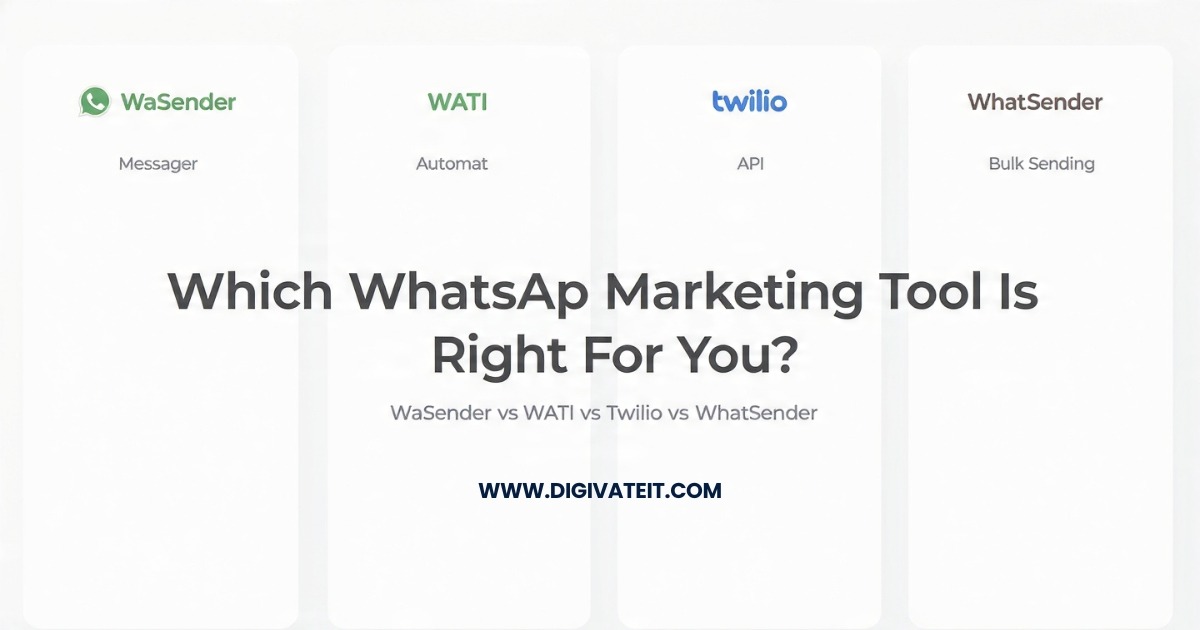
WaSender vs WATI vs Twilio vs WhatSender: Which WhatsApp Marketing Tool Is Best for Your Business?
English
Feb 08, 2026
WaSender vs WATI vs Twilio vs WhatSender: Which WhatsApp Marketing Tool Is Best for Your Business?

Introduction: A Real Question We Hear Every Week At Digivate IT, clients ask us one question again and again. “Which WhatsApp tool should I actually use?” Not the cheapest. Not the fanciest. Just the one that works. Over the last few years, we have tested all four tools in live projects. Some worked well. Some caused stress. A few surprised us. This article shares what we learned from real use, not brochures. Why WhatsApp Tools Matter More Than Ever WhatsApp is no longer optional. Customers reply faster on WhatsApp than email or SMS. Support tickets close quicker. Sales teams follow up instantly. But here’s the problem. Using WhatsApp manually breaks down fast. Once messages grow, mistakes happen. Numbers get blocked. Teams lose context. That is where tools come in. Quick Reality Check (Before the Comparison) There is no “perfect” WhatsApp tool. Each option makes trade-offs between: Cost Safety Control Convenience Your best choice depends on how you actually work. Comparison Table (Plain and Simple) AreaWaSenderWATITwilioWhatSenderOfficial WhatsApp APINoYesYesNoBulk MessagingYesLimitedNoYesAutomation LevelBasicAdvancedCustom-builtVery basicPricing StyleOne-timeMonthlyUsage-basedOne-timeLearning CurveEasyEasyHardVery easyTypical UserSMB ownersGrowing teamsDevelopersFirst-timers WaSender: What Actually Happens in Real Use We first used WaSender for a local service business. They needed quick follow-ups. No team inbox. No API approval delays. It worked. Campaigns went live the same day. Bookings increased within weeks. What We Like One-time cost helps cash flow Easy for non-technical users Campaign setup is fast Where It Can Hurt It is not the official API Bad usage can trigger bans Automation stays simple Our honest take: If you respect limits and send value, WaSender performs very well for SMBs. Buy WaSender WATI: Safe, Polished, and Structured WATI feels different from day one. Everything is approved. Logged. Controlled. This is great for companies with teams and rules. But small businesses often feel restricted. What Works Well Official WhatsApp API Shared team inbox Reliable automation Where Clients Struggle Monthly fees add up Template approvals slow campaigns Less freedom in promotions Our honest take: WATI shines when compliance matters more than speed. Twilio: Powerful, but Only If You Code Twilio is not a marketing tool. It is a developer platform. We used Twilio inside a SaaS product. It was powerful. It was also complex. Strengths We Saw Total control over logic Very stable delivery Scales globally Real-World Friction No ready dashboard Everything needs development Costs grow quietly Our honest take: Twilio is excellent for products, not campaigns. WhatSender: Simple, but Limited WhatSender feels like the quickest start. Install. Import contacts. Send. Many beginners love that. But growth hits a wall fast. What It Does Well Easy setup One-time price Quick tests Where It Falls Short No serious automation Higher ban risk Not built for scaling Our honest take: Good for learning. Not for long-term growth. Which Tool Fits Which Business? Instead of rules, here is what we recommend based on experience. Local businesses & agencies: WaSender Support teams & brands: WATI SaaS platforms: Twilio Beginners testing WhatsApp: WhatSender This pattern repeats across projects. Real Outcomes We Have Seen Appointment reminders sent via WaSender reduced no-shows. WATI helped teams reply faster without confusion. Twilio enabled deep WhatsApp integration inside apps. Results depend on usage, not tools alone. Safety, Compliance, and Common Mistakes Most bans come from behavior, not software. Avoid these mistakes: Messaging without consent Sending too fast Repeating sales-only content Respect users. Share value. Tools then work. Why Digivate IT Often Suggests WaSender For most small businesses, WaSender hits the balance. Cost stays predictable Setup is quick Clients stay in control That said, we recommend differently when needed. Talk to Digivate IT for honest WhatsApp advice. FAQs (From Real Client Questions) Will WaSender get my number banned? Only if misused. Strategy matters more than software. Is WATI required for WhatsApp marketing? No. It depends on compliance needs. Can Twilio replace marketing tools? No. It replaces infrastructure, not campaigns. Is WhatSender enough for business growth? Usually not beyond early testing. Which tool do you use internally? It depends on the project goals. Final Thoughts This comparison is not about features. It is about fit. Choose the tool that matches how your business actually works. If you want help choosing, Digivate IT is here to guide you.
3 min read Read Story
Best Email Marketing Software Seller in Bangladesh
English
Dec 16, 2025
Best Email Marketing Software Seller in Bangladesh

Looking for reliable email marketing software in Bangladesh?Want tools that actually convert leads into customers?You are not alone. Businesses across Bangladesh struggle with email deliverability, lead quality, and automation. Digivate IT solves these problems with proven software and local support.Why Email Marketing Still Works in BangladeshEmail marketing delivers ROI up to 4200% globally.It outperforms social media in direct conversions.For Bangladeshi businesses, email works because:Internet usage is rising fastBusinesses need low-cost promotionDirect communication builds trustThe key is the right software and seller. Email Marketing Software Offered by Digivate ITDigivate IT provides four powerful tools. Each solves a real problem.Bulk Mailer Pro – High-Performance Email SendingWhat Is Bulk Mailer Pro?Bulk Mailer Pro is a professional bulk email sending software.It is built for speed, control, and inbox delivery.Key FeaturesSMTP & API supportHTML email builderEmail schedulingBounce handlingReporting System Best Use CasesProduct promotionsNewslettersTransactional emailsAffiliate campaignsIdeal for agencies and growing businesses.https://youtu.be/uzTtt05pd4Q Bulk Mailer Pro Details LetsExtract – Smart Email Data ExtractionWhat Is LetsExtract?LetsExtract collects emails from:WebsitesSearch enginesLocal business listingsIt saves time and improves targeting.Core BenefitsKeyword-based extractionLocation targetingDuplicate removalFast scanning engine Real-World ValueUse LetsExtract to:Build B2B lead listsFind niche prospectsResearch competitorsPerfect for lead generation teams.https://youtu.be/i7c0FZHV86Q LetsExtract Details Globo Mail Verifier – Clean Your Email ListsWhy Email Verification MattersBad emails destroy sender reputation.ISPs block senders with high bounce rates.Globo Mail Verifier solves this problem.Verification FeaturesSyntax checkDomain validationSMTP mailbox checkCatch-all detection Business ImpactHigher inbox placementLower bounce ratesBetter campaign ROIEssential for serious email marketers.https://youtu.be/1M_VNNQZ4kU Globo Mail Verifier Details Social Email Extractor – Find Emails from Social PlatformsWhat Makes It UniqueSocial Email Extractor finds emails from:FacebookLinkedInInstagramTwitter (X)Key AdvantagesProfile-based extractionPage & group scanningExport-ready formats Best ForFreelancersDigital agenciesSales teamsTurn social traffic into email leads.https://youtu.be/pZe_bD8cB3o?si=8Itu0b4bZHXpeOoO Social Email Extractor Details Software Comparison TableSoftware NamePrimary FunctionBest ForBulk Mailer ProEmail sendingCampaign managementLetsExtractEmail extractionLead generationGlobo Mail VerifierEmail validationList cleaningSocial Email ExtractorSocial lead captureSales prospectingWhy Choose Digivate ITDigivate IT is a trusted email marketing software seller in Bangladesh.We focus on results, not hype.What Makes Digivate IT DifferentLocally tested software for Bangladeshi ISPsOne-time license optionsDedicated Bangla & English supportBusiness-grade compliance focusWe sell tools businesses actually use. How Digivate IT Ensures Compliance & SafetyEmail marketing must be ethical.Digivate IT promotes:Permission-based marketingCAN-SPAM complianceGDPR-aware usageLearn more from:FTC Email Rules (ftc.gov)GDPR Guidelines (europa.eu)Responsible marketing protects your brand. Who Should Use These ToolsThese tools are ideal for:SMEs in BangladeshFreelancers & agenciesE-commerce storesSaaS businessesBeginner to advanced users supported. Final Thoughts – Choose the Right PartnerEmail marketing success depends on tools + strategy.Digivate IT delivers both.With:Proven softwareLocal expertiseHonest guidanceDigivate IT is the best email marketing software seller in Bangladesh.Contact Digivate IT today and grow smarter. Frequently Asked Questions (FAQs) 1. Is bulk email marketing legal in Bangladesh? Yes, if you follow permission-based practices. 2. Which software is best for beginners? Bulk Mailer Pro is beginner-friendly. 3. Can I use these tools for B2B marketing? Yes, all tools support B2B use. 4. Does Digivate IT provide installation support? Yes, full setup assistance is available. 5. How accurate is Globo Mail Verifier? It offers industry-standard accuracy. 6. Can Social Email Extractor find LinkedIn emails? Yes, from public profiles. 7. Are one-time licenses available? Yes, selected tools support lifetime licenses. 8. Do these tools support CSV export? Yes, all tools support CSV. 9. Is training provided? Yes, basic guidance is included. 10. How do I contact Digivate IT? Visit the official Digivate IT website or support page. Yes, if you follow permission-based practices.Bulk Mailer Pro is beginner-friendly.Yes, all tools support B2B use.Yes, full setup assistance is available.It offers industry-standard accuracy.Yes, from public profiles.Yes, selected tools support lifetime licenses.Yes, all tools support CSV.Yes, basic guidance is included.Visit the official Digivate IT website or support page.

3 min read Read Story
টেলিগ্রাম মার্কেটিং গাইড: কী, কিভাবে করবেন, সুবিধা-অসুবিধা ও গ্রুপ বনাম চ্যানেল বিশ্লেষণ
বাংলা
Oct 02, 2025
টেলিগ্রাম মার্কেটিং গাইড: কী, কিভাবে করবেন, সুবিধা-অসুবিধা ও গ্রুপ বনাম চ্যানেল বিশ্লেষণ

ডিজিটাল মার্কেটিংয়ের জগতে প্রতিদিনই নতুন প্ল্যাটফর্ম যুক্ত হচ্ছে। তবে সব প্ল্যাটফর্ম সবার জন্য সমান কার্যকর নয়। ফেসবুক, ইনস্টাগ্রাম বা ইউটিউবের মতো জনপ্রিয় না হলেও টেলিগ্রাম আস্তে আস্তে ব্যবসা ও মার্কেটিং দুনিয়ায় নিজের জায়গা তৈরি করছে। প্রশ্ন হলো— টেলিগ্রাম মার্কেটিং কীভাবে কাজ করে, কেন করবেন, আর গ্রুপ নাকি চ্যানেল—কোনটা ভালো? এই গাইডে আমরা সবকিছু ধাপে ধাপে জানবো। টেলিগ্রাম মার্কেটিং কী?সহজভাবে বললে, টেলিগ্রাম মার্কেটিং মানে হলো টেলিগ্রামের গ্রুপ, চ্যানেল ও বট ব্যবহার করে ব্র্যান্ড বা ব্যবসাকে প্রচার করা।এর মাধ্যমে আপনি সরাসরি অডিয়েন্সের কাছে পণ্য, সেবা বা কনটেন্ট পৌঁছে দিতে পারেন।উদাহরণ: একটি অনলাইন বুকস্টোর চাইলে তাদের নতুন বইয়ের আপডেট বা অফার টেলিগ্রাম চ্যানেলে পোস্ট করতে পারে।আবার গ্রুপ খুলে পাঠকদের সাথে বই নিয়ে আলোচনা করতে পারে। টেলিগ্রাম দিয়ে মার্কেটিং কিভাবে করবেন? টেলিগ্রাম মার্কেটিং শুরু করতে খুব বেশি ঝামেলা নেই। তবে কিছু স্টেপ ফলো করলে কাজ সহজ হয়: চ্যানেল তৈরি করুন – ব্র্যান্ড আপডেট, প্রোডাক্ট লঞ্চ, অফার শেয়ার করার জন্য। গ্রুপ ব্যবহার করুন – কাস্টমারদের সাথে সরাসরি যোগাযোগ ও ফিডব্যাক নেওয়ার জন্য। বট সেটআপ করুন – অটোমেটিক রিপ্লাই, অর্ডার নেওয়া বা FAQ পরিচালনার জন্য। কনটেন্ট শেয়ার করুন নিয়মিত – ছবি, ভিডিও, ডিসকাউন্ট কোড ইত্যাদি। অডিয়েন্স এনগেজ করুন – প্রশ্ন করুন, পোল চালান বা কনটেস্ট আয়োজন করুন। টেলিগ্রাম গ্রুপ বনাম চ্যানেল: মূল পার্থক্য অনেকেই গ্রুপ আর চ্যানেলকে একইভাবে দেখে, কিন্তু এদের মধ্যে স্পষ্ট পার্থক্য আছে: বৈশিষ্ট্য গ্রুপ চ্যানেল উদ্দেশ্য আলোচনা ও কমিউনিটি তৈরি তথ্য প্রচার বা ব্রডকাস্ট সদস্য সংখ্যা সর্বোচ্চ ২ লাখ আনলিমিটেড পোস্ট সবাই করতে পারে শুধু অ্যাডমিন ইন্টারঅ্যাকশন বেশি কম কোনটা মার্কেটিংয়ের জন্য ভালো?চ্যানেল ভালো যদি শুধু অডিয়েন্সের কাছে ব্র্যান্ড আপডেট পৌঁছাতে চান।গ্রুপ ভালো যদি চান কাস্টমাররা আপনার সাথে আলোচনা করুক, প্রশ্ন করুক এবং কমিউনিটি তৈরি হোক।তাই সবচেয়ে কার্যকর কৌশল হলো—চ্যানেল ও গ্রুপ দুটোই ব্যবহার করা।টেলিগ্রামে বিজনেস করা যায় কি?অবশ্যই যায়। বাংলাদেশে এখন অনেকেই টেলিগ্রাম ব্যবহার করে ব্যবসা করছেন। যেমন:অনলাইন কোর্স বিক্রিফ্রিল্যান্স সার্ভিস অফারডিজিটাল প্রোডাক্ট (ই-বুক, সফটওয়্যার)ফিজিক্যাল প্রোডাক্ট (পোশাক, গ্যাজেট)কিছু আইটি ট্রেনিং সেন্টার তাদের প্রাইভেট টেলিগ্রাম চ্যানেলে শিক্ষার্থীদের ক্লাস নোট, ভিডিও ও আপডেট শেয়ার করছে।আবার অনেক অনলাইন শপ টেলিগ্রামের মাধ্যমে কাস্টমারকে এক্সক্লুসিভ অফার দিচ্ছে। টেলিগ্রাম মার্কেটিংয়ের সুবিধা ডেলিভারি রেট প্রায় ১০০% → মেসেজ সবাই পায়। কম খরচে শুরু করা যায় → শুরুতে ফ্রি। বড় অডিয়েন্স ম্যানেজ সহজ → লাখ লাখ ইউজারও সামলানো যায়। ডিরেক্ট যোগাযোগ → গ্রাহকের সাথে সরাসরি আলাপের সুযোগ। টেলিগ্রাম মার্কেটিংয়ের অসুবিধা বাংলাদেশে এখনো ইউজার সংখ্যা সীমিত। গ্রুপে বেশি স্প্যাম হলে ইউজাররা বের হয়ে যায়। ফেসবুক বা হোয়াটসঅ্যাপের মতো দ্রুত গ্রোথ পাওয়া কঠিন। ডিজিভেট আইটি এর টেলিগ্রাম মার্কেটিং সফটওয়্যার TGTools TexApi TexSender উপসংহার টেলিগ্রাম হয়তো এখনো বাংলাদেশের মেইনস্ট্রিম মার্কেটিং প্ল্যাটফর্ম নয়। তবে নির্দিষ্ট টার্গেট অডিয়েন্স, বিশেষ করে টেক-সচেতন গ্রাহক বা নির্দিষ্ট কমিউনিটির জন্য এটি দারুণ কার্যকর। চ্যানেল + গ্রুপ মিশ্রণ ব্যবহার করে আপনি ব্যবসার জন্য নতুন কাস্টমার আনতে এবং লয়াল কমিউনিটি তৈরি করতে পারবেন। সাধারণ কিছু প্রশ্ন ১. টেলিগ্রাম মার্কেটিং কী? টেলিগ্রামে গ্রুপ, চ্যানেল ও বট ব্যবহার করে পণ্য বা সেবা প্রচার করাই টেলিগ্রাম মার্কেটিং। ২. টেলিগ্রামে ব্যবসা শুরু করা কতটা সহজ? খুব সহজ। শুধু একটি চ্যানেল বা গ্রুপ তৈরি করেই শুরু করা যায়। ৩. টেলিগ্রাম গ্রুপ আর চ্যানেলের মধ্যে পার্থক্য কী? গ্রুপে সবাই আলোচনা করতে পারে, আর চ্যানেলে শুধু অ্যাডমিন পোস্ট করতে পারে। ৪. টেলিগ্রাম চ্যানেল নাকি গ্রুপ—কোনটা মার্কেটিংয়ে ভালো? দুটোর উদ্দেশ্য আলাদা। তথ্য শেয়ারের জন্য চ্যানেল, আর এনগেজমেন্টের জন্য গ্রুপ। ৫. টেলিগ্রামে কি ফিজিক্যাল প্রোডাক্ট বিক্রি করা যায়? হ্যাঁ, পোশাক, বই, গ্যাজেটসহ ফিজিক্যাল প্রোডাক্টও বিক্রি করা সম্ভব। ৬. টেলিগ্রাম মার্কেটিংয়ের সবচেয়ে বড় সুবিধা কী? মেসেজ ডেলিভারি রেট প্রায় ১০০% হওয়ায় অডিয়েন্স সরাসরি আপডেট পান। টেলিগ্রামে গ্রুপ, চ্যানেল ও বট ব্যবহার করে পণ্য বা সেবা প্রচার করাই টেলিগ্রাম মার্কেটিং।খুব সহজ। শুধু একটি চ্যানেল বা গ্রুপ তৈরি করেই শুরু করা যায়।গ্রুপে সবাই আলোচনা করতে পারে, আর চ্যানেলে শুধু অ্যাডমিন পোস্ট করতে পারে।দুটোর উদ্দেশ্য আলাদা। তথ্য শেয়ারের জন্য চ্যানেল, আর এনগেজমেন্টের জন্য গ্রুপ।হ্যাঁ, পোশাক, বই, গ্যাজেটসহ ফিজিক্যাল প্রোডাক্টও বিক্রি করা সম্ভব।মেসেজ ডেলিভারি রেট প্রায় ১০০% হওয়ায় অডিয়েন্স সরাসরি আপডেট পান।

3 min read Read Story
Backlink Pro সফটওয়্যার: লাইসেন্স, দাম, বৈশিষ্ট্য ও SEO গাইড
বাংলা
Oct 01, 2025
Backlink Pro সফটওয়্যার: লাইসেন্স, দাম, বৈশিষ্ট্য ও SEO গাইড

পরিচিতি: Backlink Pro কেন গুরুত্বপূর্ণ?আপনার ওয়েবসাইট সার্চ ইঞ্জিনে ভালো র‍্যাঙ্ক করছে না?Backlink Pro – একটি অটো কমেন্ট ব্যাকলিংক সফটওয়্যার, যা স্বয়ংক্রিয়ভাবে ওয়েবসাইটের জন্য উচ্চমানের ব্যাকলিংক তৈরি করে।বাংলাদেশের ব্লগার, ফ্রিল্যান্সার এবং ছোট-বড় ব্যবসায়ীরা এটি ব্যবহার করছেন তাদের ডিজিটাল উপস্থিতি শক্তিশালী করতে এবং ট্রাফিক বাড়াতে।Backlink Pro-এর মূল বৈশিষ্ট্যসমূহঅটোমেটেড ব্যাকলিংক ক্রিয়েশনBacklink Pro স্বয়ংক্রিয়ভাবে ওয়েবসাইটে কমেন্ট বা পোস্টের মাধ্যমে ব্যাকলিংক তৈরি করে।একাধিক ওয়েবসাইটে একই সঙ্গে কাজ করা যায়।সময় বাঁচায় এবং SEO কার্যকারিতা উন্নত করে।অসীম ব্যাকলিংক তৈরিব্যবহারকারীরা প্রয়োজন অনুযায়ী অসীম ব্যাকলিংক তৈরি করতে পারেন।Google-এর নিয়ম অনুযায়ী মানসম্মত ব্যাকলিংক নিশ্চিত করা হয়।ব্যবহারকারী বান্ধব ইন্টারফেসসহজ এবং স্পষ্ট UI, যা নতুন ব্যবহারকারীর জন্যও সুবিধাজনক।Drag & Drop ফিচার এবং step-by-step মেনু।রিপোর্টিংExcel, PDF ও HTML রিপোর্টিং সুবিধা আছে।মাল্টি-থ্রেডিং ও VPS সমর্থনদ্রুত ব্যাকলিংক তৈরির জন্য মাল্টি-থ্রেডিং প্রযুক্তি ব্যবহার করা হয়।VPS এবং Windows-এ সহজে ব্যবহারযোগ্য।নিরাপত্তা ও বৈধতার‍্যান্ডম ইমেইল ও নাম ব্যবহার করে স্বাভাবিক ব্যাকলিংক তৈরি হয়।ব্ল্যাকলিস্ট ফিচার দিয়ে অপ্রয়োজনীয় ওয়েবসাইট এড়িয়ে চলা সম্ভব। সফটওয়্যার এর ভিডিও সমূহ: নিউ ভার্সন সফটওয়্যার এর ভিডিও: https://youtu.be/UGo6CThQZ4Y?si=XCp8yS9nyEtcYz99 ওল্ড ভার্সন সফটওয়্যার এর ভিডিও: https://youtu.be/ze-uKEFGwS4?si=BYoASkcouI-Br6eJBacklink Pro - এর দাম ও বাংলাদেশে প্রাপ্যতাFeature / VersionPrice (BDT)License TypeNotesওল্ড ভার্সন (Old Version)৪৯৯ টাকা১ বছরবেসিক ফিচারসহ পুরোনো ভার্সননিউ ভার্সন (New Version)৬৯৯ টাকা১ বছরনতুন ফিচার ও আপডেটসহওল্ড + নিউ ভার্সন (Combo)৯৯৯ টাকা১ বছরউভয় ভার্সন একসাথে ব্যবহারযোগ্য অর্ডার করতে ক্লিক করুন Backlink Pro সেটআপ ও ব্যবহার (Step-by-Step)১. ডাউনলোড ও ইনস্টলেশনWindows 7/8/10/11 সমর্থিত।.NET Framework 4.8 বা তার উপরে প্রয়োজন।২. ইমেইল ও নাম সেটআপস্বাভাবিক কমেন্টের জন্য র‍্যান্ডম ইমেইল ও নাম ব্যবহার করুন।৩. ক্যাম্পেইন তৈরিওয়েবসাইট URL এবং পোস্ট লিঙ্ক দিন।থ্রেড সংখ্যা, টাইমার এবং ব্ল্যাকলিস্ট কাস্টমাইজ করুন।৪. রিপোর্ট দেখাExcel বা HTML ফরম্যাটে রিপোর্ট ডাউনলোড করুন। Backlink Pro ব্যবহার করে SEO উপকারিতা SERP র‍্যাঙ্কিং বৃদ্ধি – Google-এর প্রথম পৃষ্ঠায় ওঠার সম্ভাবনা।ওয়েবসাইট ট্রাফিক বৃদ্ধি – অর্গানিক ভিজিটর সংখ্যা বৃদ্ধি পায়।সময়সাশ্রয় – স্বয়ংক্রিয় প্রক্রিয়া দ্বারা সময় বাঁচায়।বাজেট-বান্ধব – কম খরচে কার্যকর SEO টুল।প্রয়োগের বাস্তব উদাহরণব্লগ/নিউজ সাইট২০+ high-authority ব্যাকলিংক তৈরি করে Google SERP-এ উল্লেখযোগ্য র‍্যাঙ্ক উন্নতি হয়েছে।Fiverr Gig Indexingঅনেক ফ্রিল্যান্সারের Fiverr Gig Google-এ index হয়ে গেছে, যার ফলে অর্গানিক অর্ডার বৃদ্ধি পেয়েছে।Facebook Page Post IndexingFacebook পোস্ট সার্চ ইঞ্জিনে index হয়ে সেলস বৃদ্ধি ঘটিয়েছে। এটি বিশেষভাবে ই-কমার্স পেজগুলোর জন্য কার্যকর।YouTube Video Indexingব্যাকলিংক তৈরি করে YouTube ভিডিও দ্রুত index হয়েছে এবং reach ও views উল্লেখযোগ্যভাবে বেড়েছে।Pro Tip: সর্বোচ্চ কার্যকারিতা পেতে উচ্চমানের, সম্পর্কিত ওয়েবসাইটে ব্যাকলিংক তৈরি করুন।সচেতনতা ও সতর্কতাOveruse এড়িয়ে চলুন – খুব বেশি ব্যাকলিংক একসাথে তৈরি করলে Google penalty হতে পারে।Quality over Quantity – মানসম্মত ব্যাকলিংক সর্বদা অগ্রাধিকার।Legal & Safe ব্যবহার – শুধুমাত্র বৈধ ওয়েবসাইটে ব্যাকলিংক তৈরি করুন। কমেন্ট ব্যাকলিংক: White-Hat নাকি Black-Hat SEO?কমেন্ট ব্যাকলিংক হলো যখন কোনো ওয়েবসাইট বা ব্লগ পোস্টে কমেন্ট করার সময় আপনার ওয়েবসাইটের লিংক যোগ করা হয়।তবে প্রশ্ন হলো, এটা কি White-Hat SEO নাকি Black-Hat SEO?✅ White-Hat কমেন্ট ব্যাকলিংকপ্রাসঙ্গিক (relevant) ব্লগ বা ফোরামে মানসম্মত কমেন্ট করা।আলোচনায় ভ্যালু যোগ করা এবং প্রকৃত অভিজ্ঞতা শেয়ার করা।Admin অনুমোদিত ও স্প্যামমুক্ত কমেন্ট — এভাবে করা হলে Google এটাকে স্বাভাবিক লিংক হিসেবে ধরে এবং এটি White-Hat SEO এর অংশ হতে পারে।❌ Black-Hat কমেন্ট ব্যাকলিংকএলোমেলো ওয়েবসাইটে স্প্যাম কমেন্ট করা।অটোমেটেড সফটওয়্যার দিয়ে হাজার হাজার কমেন্ট জেনারেট করা।আলোচনায় ভ্যালু না থাকা, শুধু লিংক ফেলার উদ্দেশ্যে কমেন্ট — এগুলো Google এর কাছে Black-Hat SEO হিসেবে গণ্য হয় এবং সাইট পেনাল্টি পাওয়ার ঝুঁকি থাকে। উপসংহারযদি আপনি প্রাসঙ্গিক ও মানসম্মত সাইটে স্বাভাবিক কমেন্ট করেন → White-Hat।যদি স্প্যামি, এলোমেলো ও অটো-কমেন্ট ব্যবহার করেন → Black-Hat।তাই Backlink Pro-এর মতো অটো-কমেন্ট সফটওয়্যার ব্যবহার করার সময় সাবধান হতে হবে। Quality ও Relevancy নিশ্চিত করলে এর থেকে SEO-তে উপকার পাওয়া যায়, কিন্তু অতিরিক্ত করলে বিপরীত ফলও হতে পারে। অর্ডার করতে ক্লিক করুন প্রশ্নোত্তর Backlink Pro বাংলাদেশে নিরাপদ কিনা? হ্যাঁ, Digivate IT থেকে লিগ্যাল লাইসেন্স কিনলে সম্পূর্ণ নিরাপদ। কতদিনে SEO ফলাফল দেখা যায়? সাধারণত ১–৩ মাসে noticeable SERP improvement হয়। কোন ধরনের ওয়েবসাইটে ব্যাকলিংক সবচেয়ে কার্যকর? High-authority ও সম্পর্কিত ওয়েবসাইটে ব্যাকলিংক বেশি ফলপ্রসূ। কি এটা নতুনদের জন্য সহজ? হ্যাঁ, user-friendly interface এবং step-by-step guide সহ। Windows ছাড়া অন্য OS-এ চালানো যায় কি? বর্তমানে শুধুমাত্র Windows 7/8/10/11 সমর্থিত। হ্যাঁ, Digivate IT থেকে লিগ্যাল লাইসেন্স কিনলে সম্পূর্ণ নিরাপদ।সাধারণত ১–৩ মাসে noticeable SERP improvement হয়।High-authority ও সম্পর্কিত ওয়েবসাইটে ব্যাকলিংক বেশি ফলপ্রসূ।হ্যাঁ, user-friendly interface এবং step-by-step guide সহ।বর্তমানে শুধুমাত্র Windows 7/8/10/11 সমর্থিত।

3 min read Read Story
গুগল ম্যাপ থেকে কিভাবে লিড জেনারেট করা যায়? বিস্তারিত গাইড
বাংলা
Oct 01, 2025
গুগল ম্যাপ থেকে কিভাবে লিড জেনারেট করা যায়? বিস্তারিত গাইড

কেন গুগল ম্যাপ লিড জেনারেশনের জন্য গুরুত্বপূর্ণ? আপনি কি নতুন ক্লায়েন্ট খুঁজতে হিমশিম খাচ্ছেন? অথবা ব্যবসার সেলস বাড়াতে চান দ্রুততম উপায়ে? আজকের ডিজিটাল যুগে গুগল ম্যাপ শুধু লোকেশন দেখানোর জন্য নয়, বরং ব্যবসার জন্য অপরিসীম লিড সোর্স হয়ে উঠেছে। প্রায় ৯২% গ্রাহক অনলাইনে লোকাল ব্যবসা খোঁজেন (BrightLocal 2024 রিপোর্ট)। আর তার বড় অংশ আসে গুগল ম্যাপ থেকে। তাহলে প্রশ্ন হচ্ছে—গুগল ম্যাপ থেকে কিভাবে লিড সংগ্রহ করবেন? চলুন জেনে নেই স্টেপ-বাই-স্টেপ বিস্তারিত গাইড। গুগল ম্যাপ থেকে লিড জেনারেশনের মূল ধারণা গুগল ম্যাপ লিড কী? গুগল ম্যাপ লিড হলো সেই সব গ্রাহকের তথ্য (ফোন নম্বর, ইমেইল, ওয়েবসাইট, ঠিকানা) যাদেরকে আপনি টার্গেট করে আপনার ব্যবসার সেবা/পণ্য অফার করতে পারেন। উদাহরণস্বরূপ: আপনি যদি একটি ডিজিটাল মার্কেটিং এজেন্সি চালান, তাহলে “ডেন্টিস্ট near me” বা “রেস্টুরেন্ট in Dhaka” লিখে খুঁজলে গুগল ম্যাপে অসংখ্য ব্যবসার তালিকা পাওয়া যাবে। এখান থেকেই আপনি সম্ভাব্য ক্লায়েন্টের তথ্য সংগ্রহ করতে পারবেন। কিভাবে গুগল ম্যাপ থেকে লিড সংগ্রহ করবেন? ম্যানুয়াল মেথড (বিনামূল্যে) আপনি চাইলে একেবারে ম্যানুয়ালি গুগল ম্যাপ থেকে লিড বের করতে পারেন। যদিও এতে সময় বেশি লাগে, কিন্তু নতুনদের জন্য এটি শেখার দারুণ উপায়। ধাপগুলো হলো: গুগল ম্যাপ ওপেন করুন। সার্চ করুন (যেমন: “Digital Marketing Agency in Dhaka”)। ব্যবসার লিস্টে ক্লিক করুন। ফোন নম্বর, ইমেইল, ওয়েবসাইট কপি করুন। এক্সেল শিটে তথ্যগুলো সেভ করুন। ✅ সুবিধা: বিনামূল্যে। ❌ অসুবিধা: সময়সাপেক্ষ ও সীমিত।অটোমেটেড মেথড (সফটওয়্যার টুল ব্যবহার করে)বড় স্কেলে লিড জেনারেট করতে গুগল ম্যাপ ডাটা এক্সট্র্যাক্টর সফটওয়্যার সবচেয়ে কার্যকরী সমাধান। এগুলো ব্যবহার করলে কয়েক মিনিটেই শত শত ব্যবসার তথ্য সংগ্রহ করা যায়।জনপ্রিয় সফটওয়্যার টুলGM Extractor – গুগল ম্যাপ থেকে দ্রুত ফোন, ইমেইল, ওয়েবসাইট সংগ্রহ করতে পারে।Business Lead Extractor – লোকাল ও ইন্টারন্যাশনাল ব্যবসার কন্টাক্ট ডিটেইল সহজে বের করে।Google Bing Extractor – শুধু গুগল নয়, Bing সার্চ থেকেও ডেটা টেনে আনে।Google Maps Blaster – সহজ ইন্টারফেস সহকারে প্রচুর ডেটা CSV/Excel ফরম্যাটে এক্সপোর্ট করে।এই সব টুলসের রিসেলার প্যাক ও লাইসেন্স Digivate IT থেকে পাওয়া যায়।সফটওয়্যার দিয়ে কিভাবে কাজ করবেনটুল ইনস্টল করুন।আপনার কীওয়ার্ড (যেমন “Restaurant in Banani”) দিয়ে সার্চ করুন।টুল স্বয়ংক্রিয়ভাবে শত শত ব্যবসার ডেটা সংগ্রহ করবে।এক্সেল ফাইলে এক্সপোর্ট করুন।লিড লিস্ট ব্যবহার করে ইমেইল মার্কেটিং/WhatsApp মার্কেটিং চালু করুন।✅ সুবিধা: দ্রুত, স্কেলেবল, প্রফেশনাল।❌ অসুবিধা: সফটওয়্যার কিনতে হয়।কিছু সফটওয়্যার এর ভিডিও টিউটোরিয়ালhttps://www.youtube.com/watch?v=8F3K_SqabZo&thttps://www.youtube.com/watch?v=emlqrW8nOwY&tগুগল ম্যাপ লিড কিভাবে কাজে লাগাবেন?মার্কেটিং ও আউটরিচ আইডিয়াইমেইল মার্কেটিং – সংগ্রহ করা ইমেইল লিস্টে ভ্যালু-ড্রিভেন কন্টেন্ট পাঠান।WhatsApp মার্কেটিং – সরাসরি মেসেজ দিয়ে অফার শেয়ার করুন।Telegram মার্কেটিং – সরাসরি মেসেজ দিয়ে অফার শেয়ার করুন।টেলিমার্কেটিং – ফোন কলের মাধ্যমে ক্লায়েন্টকে কনভিন্স করুন।ফেসবুক কাস্টম অডিয়েন্স – লিড লিস্ট আপলোড করে টার্গেটেড অ্যাড চালান। তুলনামূলক চার্ট: ম্যানুয়াল বনাম সফটওয়্যার পদ্ধতি সময় লাগে ডেটা ভলিউম খরচ দক্ষতা ম্যানুয়াল বেশি সীমিত ফ্রি বেসিক সফটওয়্যার ভিত্তিক কম আনলিমিটেড Paid প্রো বাস্তব উদাহরণ একটি ডিজিটাল এজেন্সি গুগল ম্যাপ থেকে ৫০০+ রেস্টুরেন্টের ডেটা সংগ্রহ করে WhatsApp ক্যাম্পেইন চালায়। ফলাফল? মাত্র ১ মাসে ৫০+ নতুন ক্লায়েন্ট পেয়েছে। উপসংহারগুগল ম্যাপ হলো লিড জেনারেশনের গোপন অস্ত্র। সঠিকভাবে ব্যবহার করলে ব্যবসা দ্রুত বাড়ানো সম্ভব।ছোট পরিসরে শুরু করতে চাইলে ম্যানুয়াল মেথড ব্যবহার করুন।আর যদি প্রফেশনাল ও স্কেলেবল লিড জেনারেশন চান, তবে Digivate IT থেকে সফটওয়্যার সলিউশন নিন।আপনার ব্যবসার লিড জেনারেশন যাত্রা শুরু করুন আজই! প্রশ্নোত্তর গুগল ম্যাপ থেকে ফ্রি লিড জেনারেট করা যায় কি? হ্যাঁ, ম্যানুয়ালি কপি করে লিড জেনারেট করা যায়। তবে সময় লাগে। সফটওয়্যার ব্যবহার করলে কি গুগল একাউন্ট ব্লক হবে? না, ভালো সফটওয়্যার ব্যবহার করলে কোনো সমস্যা হয় না। কোন ব্যবসার জন্য গুগল ম্যাপ লিড সবচেয়ে কার্যকরী? লোকাল ব্যবসা যেমন রেস্টুরেন্ট, হাসপাতাল, ডেন্টিস্ট, এজেন্সি ইত্যাদির জন্য। লিড সংগ্রহের পর কিভাবে ব্যবহার করবো? ইমেইল মার্কেটিং, WhatsApp মার্কেটিং, বা ফোন কলের মাধ্যমে আউটরিচ করুন। Digivate IT কি সফটওয়্যার রিসেলার সেবা দেয়? হ্যাঁ, Digivate IT বিভিন্ন লিড জেনারেশন সফটওয়্যার রিসেলার প্যাক সরবরাহ করে। এক্সেল ছাড়া আর কোন ফরম্যাটে লিড ডাউনলোড করা যায়? CSV, TXT এবং ডাটাবেস ফরম্যাটে এক্সপোর্ট করা সম্ভব। বাংলাদেশে গুগল ম্যাপ লিড জেনারেশন কতটা কার্যকরী? অত্যন্ত কার্যকরী, বিশেষত লোকাল ব্যবসার জন্য যেখানে অনলাইন সার্চ বেশি হয়। হ্যাঁ, ম্যানুয়ালি কপি করে লিড জেনারেট করা যায়। তবে সময় লাগে।না, ভালো সফটওয়্যার ব্যবহার করলে কোনো সমস্যা হয় না।লোকাল ব্যবসা যেমন রেস্টুরেন্ট, হাসপাতাল, ডেন্টিস্ট, এজেন্সি ইত্যাদির জন্য।ইমেইল মার্কেটিং, WhatsApp মার্কেটিং, বা ফোন কলের মাধ্যমে আউটরিচ করুন।হ্যাঁ, Digivate IT বিভিন্ন লিড জেনারেশন সফটওয়্যার রিসেলার প্যাক সরবরাহ করে।CSV, TXT এবং ডাটাবেস ফরম্যাটে এক্সপোর্ট করা সম্ভব।অত্যন্ত কার্যকরী, বিশেষত লোকাল ব্যবসার জন্য যেখানে অনলাইন সার্চ বেশি হয়।

3 min read Read Story
WhatsApp Marketing vs Telegram Marketing: Which Works Better for Your Business?
English
Sep 25, 2025
WhatsApp Marketing vs Telegram Marketing: Which Works Better for Your Business?

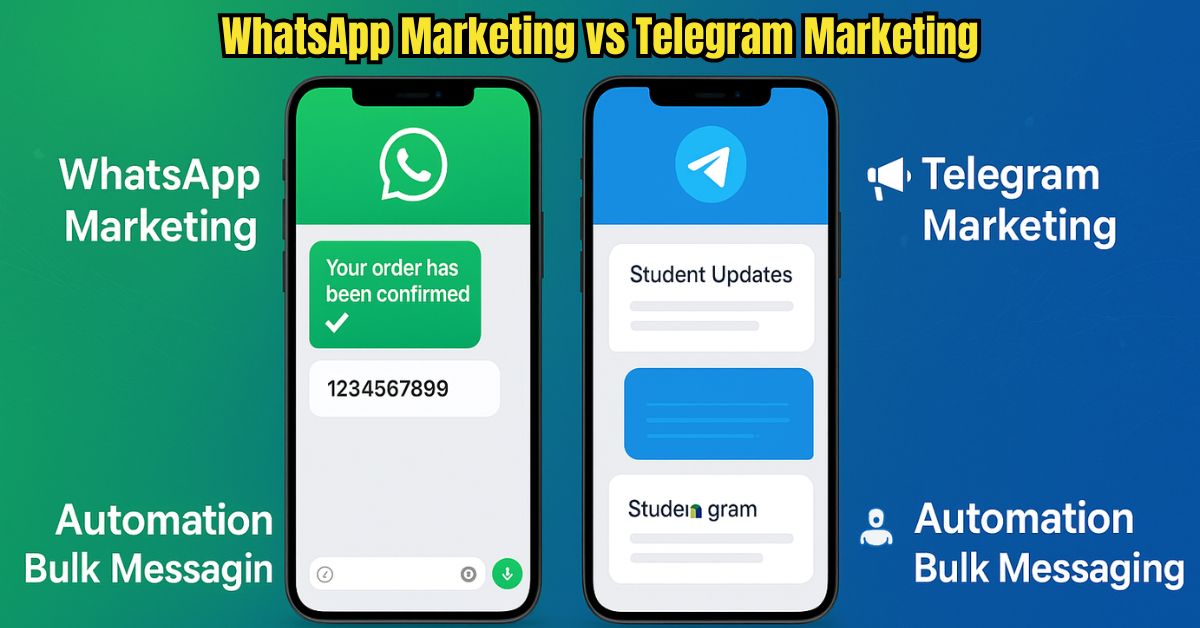
The Question Every Marketer Asks If you’ve ever tried digital marketing in Bangladesh—or anywhere, really—you’ve probably faced this dilemma: Should I push harder on WhatsApp marketing, or start building a Telegram community? On the surface, both apps look similar. They’re both messaging platforms. Both allow you to send updates, build groups, and connect with people in real time. But once you dive deeper, they behave very differently—and those differences can make or break your campaign. I’ve worked with businesses that swore by WhatsApp, and others that found Telegram to be a lifesaver. Let’s break this down honestly, with examples, not just buzzwords. WhatsApp Marketing: The Familiar Giant Most people reading this probably already use WhatsApp every single day. In Bangladesh, it’s often the default way to confirm an order, share a tracking number, or answer a customer question. Why Businesses Love WhatsApp It feels natural. People don’t need an introduction to WhatsApp—it’s already on their phone. High open rates. If you send a WhatsApp message, chances are it gets read. In fact, open rates often reach 90–98%, which is unheard of in email marketing. Trust factor. Because it’s owned by Meta, people recognize the green tick on a business account and instantly feel safer. The Downsides But WhatsApp isn’t perfect. If you try sending bulk messages without using the official Business API, you’ll quickly hit restrictions. Spam control is strict, and accounts get banned if abused. Also, WhatsApp groups are small (only 256 members). For a brand looking to build a massive audience, that can be limiting. Example: One of our local e-commerce clients relies heavily on WhatsApp to confirm COD (Cash on Delivery) orders. It works brilliantly for fast, one-to-one communication, but when they tried to run “broadcast” campaigns, scaling became painful. Telegram Marketing: The Underdog With Big Muscles Now, Telegram is a different story. If WhatsApp is your cozy family living room, Telegram is more like a stadium where you can gather thousands of people at once.Why Some Marketers Prefer TelegramHuge group capacity. You can host up to 200,000 members in one group.Unlimited channel subscribers. Perfect for broadcasting without worrying about caps.Automation. Telegram bots can do everything from handling FAQs to selling products automatically.Fewer restrictions. Unlike WhatsApp, you’re not constantly worried about being flagged as spam.The Weak SpotsBut Telegram has its hurdles too. Many everyday users in Bangladesh still don’t have it installed. It’s popular among tech-savvy crowds—crypto traders, online learning groups, and digital communities—but your average local shopper? They may not even check it daily.Example: A coaching institute we worked with runs all their student updates through Telegram. It’s efficient because thousands of learners can be in one channel. But when the same brand tried Telegram for local admission campaigns, results were weaker compared to WhatsApp ads.Quick Comparison: WhatsApp vs Telegram for Marketing Feature WhatsApp Telegram User Base 2.7B+ (mainstream) 1B+ (tech-driven, global) Group Size 256 limit 200,000+ Broadcasting Restricted Unlimited Automation Limited (via API) Advanced (bots) Best For Customer service, local businesses, sales confirmations Communities, education, crypto, content broadcasting So, Which One Should You Choose?Here’s the honest truth: there’s no single winner.If your customers are local, everyday shoppers, WhatsApp is unbeatable. It’s where they already are, and it builds trust.If you’re building a community or global audience, Telegram offers freedom, scale, and automation.Smart businesses don’t treat it as WhatsApp versus Telegram. They use both together.WhatsApp for customer service and sales.Telegram for content sharing and long-term community building. Future Outlook in 2025 WhatsApp is moving towards payments, AI-driven chatbots, and deeper integration with Meta Ads. Imagine completing an entire purchase inside WhatsApp. Telegram is focusing on creator tools, monetization, and advanced bots. It may never beat WhatsApp’s numbers, but it will always have a loyal niche audience. ConclusionIf you came here asking “Which is better: WhatsApp or Telegram marketing?”, the answer depends on your audience:WhatsApp = Trust, mass adoption, customer service.Telegram = Scale, automation, niche communities.At Digivate IT, we help businesses set up both WhatsApp and Telegram campaigns—so you don’t have to choose one over the other.Want to see which platform works best for your business? Let’s talk Digivate IT's WhatsApp and Telegram Marketing Software TGTools TexApi TexSender WhatsApp CRM WASender WSTOOL BotMaster FAQs: WhatsApp vs Telegram Marketing 1. Which platform has better engagement? WhatsApp usually wins on engagement rates, but Telegram wins on community interaction. 2. Can I send bulk messages on WhatsApp? Yes, but only through the official WhatsApp Business API to avoid bans. 3. Is Telegram popular in Bangladesh? Not as much as WhatsApp, but it’s growing in tech and student circles. 4. Why do crypto businesses use Telegram? Because Telegram supports huge groups, bots, and unfiltered discussions. 5. Should I focus on one platform or both? If budget allows, use both—WhatsApp for conversions, Telegram for community building. WhatsApp usually wins on engagement rates, but Telegram wins on community interaction.Yes, but only through the official WhatsApp Business API to avoid bans.Not as much as WhatsApp, but it’s growing in tech and student circles.Because Telegram supports huge groups, bots, and unfiltered discussions.If budget allows, use both—WhatsApp for conversions, Telegram for community building.

3 min read Read Story
অ্যাডস্টেরা (Adsterra) থেকে ইনকাম ও লিংক মার্কেটিং করার টুলস
বাংলা
Sep 12, 2025
অ্যাডস্টেরা (Adsterra) থেকে ইনকাম ও লিংক মার্কেটিং করার টুলস

শুরু করি একটি প্রশ্ন দিয়েআপনি কি কখনও ভেবেছেন, “বাসায় বসে অনলাইনে একটু বাড়তি আয় করা যায় না?”অনেকেই ফেসবুক, ইউটিউব বা ব্লগ নিয়ে কাজ শুরু করেন, কিন্তু কিভাবে আয় বাড়ানো যায় তা বুঝে উঠতে পারেন না।আমার নিজের অভিজ্ঞতা বলছে, Adsterra এবং সঠিক লিংক মার্কেটিং টুলস ব্যবহার করলে আসলেই প্যাসিভ ইনকাম সম্ভব।Adsterra কেন বাংলাদেশি ক্রিয়েটরদের জন্য আকর্ষণীয়Adsterra মূলত একটি বিজ্ঞাপন নেটওয়ার্ক, তবে এর সবচেয়ে ভালো দিক হলো – বাংলাদেশ থেকেও সহজে সাইন আপ করা যায় এবং আয়ের টাকা PayPal, Bitcoin বা ব্যাংকের মাধ্যমে পাওয়া যায়।আমি প্রথম যখন এই প্ল্যাটফর্মে কাজ শুরু করি, দেখি ড্যাশবোর্ডটা খুবই ব্যবহারবান্ধব। নতুনদের জন্য একেবারে ঝামেলাহীন। আপনি চাইলে ব্লগ, নিউজ পোর্টাল, ইউটিউব চ্যানেল – যেখানেই ট্রাফিক আছে, সেখানেই বিজ্ঞাপন দিয়ে ইনকাম করতে পারেন।বাংলাদেশিদের জন্য আয়ের কয়েকটি বাস্তব পথPopunder Ads: আপনার ওয়েবসাইটে ভিজিটর এলে নতুন একটি উইন্ডো খুলে আয় হয়।Direct Link: ব্লগ বা ইউটিউবের বর্ণনায় ছোট্ট লিংক যুক্ত করে ক্লিক থেকে ইনকাম।Social Traffic: ফেসবুক, ইনস্টাগ্রাম, টিকটক থেকে ট্রাফিক এনে লিংকে পাঠিয়ে আয়।Referral Bonus: আপনার লিংক দিয়ে অন্য কেউ অ্যাকাউন্ট খুললে কমিশন পান।নতুনদের জন্য Direct Link এবং সোশ্যাল ট্রাফিক পদ্ধতি সবচেয়ে সহজ।Digivate IT-এর টুলস – কাজের সময় বাঁচানোর সঙ্গীলিংক মার্কেটিং-এ সময় বাঁচানো এবং স্মার্টভাবে কাজ করাই আসল।বাংলাদেশে যারা সিরিয়াসলি ইনকাম করতে চান, তারা Digivate IT-এর এই টুলগুলো ব্যবহার করতে পারেন:প্ল্যাটফর্মটুলব্যবহারTelegramTGToolsগ্রুপ ও চ্যানেলে অটো মার্কেটিংWhatsAppWaSender, WACRM, BotMasterবাল্ক মেসেজ, অটো রিপ্লাইInstagram / X (Twitter) / TikTokBot Softwareশিডিউল পোস্ট, ফলোয়ার এনগেজমেন্টEmail MarketingLetsExtract, Bulk Mailerইমেল কালেকশন ও বাল্ক পাঠানোLead GenerationLead Generation Toolsটার্গেটেড লিড সংগ্রহব্যক্তিগত অভিজ্ঞতা থেকে বলছি: এসব টুল ব্যবহার করলে শুধু সময়ই বাঁচে না, আয়ও ধীরে ধীরে বাড়ে।ধাপে ধাপে আমার শেখা প্রক্রিয়া1️⃣ অ্যাকাউন্ট খুলুন – Adsterra ওয়েবসাইটে গিয়ে সহজেই রেজিস্ট্রেশন করুন।2️⃣ Direct Link নিন – ড্যাশবোর্ড থেকে লিংক কপি করুন।3️⃣ লিংক প্রচার করুন –ব্লগের ভেতর স্বাভাবিকভাবে যুক্ত করুনফেসবুক পেজে পোস্ট দিনইউটিউব ভিডিওর বর্ণনায় রাখুনলিংক মার্কেটিং করার সেরা টুলসAdsterra থেকে ইনকাম বাড়াতে সঠিক টুল ব্যবহার জরুরি। নিচের টুলসগুলো সাহায্য করবে:টুলের নামব্যবহারসুবিধাBitlyলিংক শর্ট ও ট্র্যাকিংক্লিক সংখ্যা ও লোকেশন বিশ্লেষণCanvaভিজ্যুয়াল কন্টেন্ট ডিজাইনসোশ্যাল পোস্টে আকর্ষণীয় ছবিGoogle Analyticsভিজিটর ডেটা বিশ্লেষণকনভার্সন ট্র্যাকBuffer/Hootsuiteপোস্ট শিডিউলিংসময় বাঁচে, নিয়মিত শেয়ার সম্ভবUbersuggestকীওয়ার্ড রিসার্চসঠিক টার্গেট অডিয়েন্সে পৌঁছানোআয় বাড়ানোর জন্য ব্যক্তিগত পরামর্শকনটেন্টের মানে ফোকাস দিন; শুধু বিজ্ঞাপন দিলে হবে না।সোশ্যাল মিডিয়ায় বেশি মানুষের কাছে পৌঁছাতে ভিজ্যুয়াল (ছবি, ভিডিও) ব্যবহার করুন।SEO শিখে ব্লগের ভিজিটর বাড়ান।এক প্ল্যাটফর্মের উপর নির্ভর না করে বিভিন্ন জায়গায় লিংক শেয়ার করুন।যে ভুলগুলো নতুনরা প্রায়ই করেভুলকেন ক্ষতি হয়সমাধানঅনেক বেশি বিজ্ঞাপনদর্শক বিরক্ত হয়বিজ্ঞাপন পরিমিত রাখুনক্লিক বাড়ানোর জন্য ভুয়া পদ্ধতিঅ্যাকাউন্ট ব্যান হতে পারেনীতিমালা মেনে চলুনকীওয়ার্ড রিসার্চ না করাসঠিক অডিয়েন্স মেলে নাকনটেন্টের আগে রিসার্চ করুনউপসংহারবাংলাদেশে বসেই প্যাসিভ ইনকাম করা এখন বাস্তবতা। Adsterra-এর মত নির্ভরযোগ্য প্ল্যাটফর্ম এবং Digivate IT-এর টুলস ব্যবহার করলে ঘরে বসে আয় করা আর স্বপ্ন নয়। ধৈর্য আর নিয়মিত কাজের মাধ্যমে আয় ধীরে ধীরে বাড়বে – এটিই আমার অভিজ্ঞতা।আজই শুরু করুন, আর প্রয়োজনে Digivate IT থেকে টুল বা গাইডলাইন নিন।সাধারণ জিজ্ঞাসা (FAQs)১. বাংলাদেশ থেকে কি Adsterra ব্যবহার করা যায়? হ্যাঁ, এখানে কোনো দেশভিত্তিক সীমাবদ্ধতা নেই। ২. পেমেন্ট কিভাবে পাব? PayPal, Bitcoin, WebMoney, Paxum অথবা ব্যাংক ট্রান্সফারের মাধ্যমে। ৩. নতুনদের জন্য সবচেয়ে সহজ পদ্ধতি কোনটি? Direct Link এবং সোশ্যাল ট্রাফিক পদ্ধতি। ৪. আয় শুরু হতে কতদিন লাগে? ধারাবাহিক কাজ করলে সাধারণত ১–৩ মাসে ভালো রেজাল্ট আসে। ৫. মোবাইল থেকে কি সম্ভব? হ্যাঁ, ফোনের ব্রাউজার বা অ্যাপ দিয়ে কাজ করা যায়। ৬. SEO কি আবশ্যক? ব্লগ থাকলে অবশ্যই SEO শিখুন; আয় বাড়াতে সাহায্য করবে। ৭. কন্টেন্টের মান কেন জরুরি? মানসম্মত কনটেন্ট ছাড়া ক্লিক এলেও আয় টেকসই হয় না। ৮. লিড সংগ্রহের জন্য কোন টুল ভালো? Digivate IT-এর Lead Generation Tools খুব কার্যকর।হ্যাঁ, এখানে কোনো দেশভিত্তিক সীমাবদ্ধতা নেই।PayPal, Bitcoin, WebMoney, Paxum অথবা ব্যাংক ট্রান্সফারের মাধ্যমে।Direct Link এবং সোশ্যাল ট্রাফিক পদ্ধতি।ধারাবাহিক কাজ করলে সাধারণত ১–৩ মাসে ভালো রেজাল্ট আসে।হ্যাঁ, ফোনের ব্রাউজার বা অ্যাপ দিয়ে কাজ করা যায়।ব্লগ থাকলে অবশ্যই SEO শিখুন; আয় বাড়াতে সাহায্য করবে।মানসম্মত কনটেন্ট ছাড়া ক্লিক এলেও আয় টেকসই হয় না।Digivate IT-এর Lead Generation Tools খুব কার্যকর।

3 min read Read Story
How WhatsApp Marketing Can Increase Sales
English
Sep 11, 2025
How WhatsApp Marketing Can Increase Sales

Introduction: Why Businesses Everywhere Are Turning to WhatsAppA boutique in Barcelona used WhatsApp to share new arrivals with regulars and saw orders grow by 30% in a single quarter. A café chain in Toronto sends daily specials via WhatsApp and fills seats before lunchtime.Stories like these are happening worldwide because WhatsApp has more than 2.7 billion monthly users (Statista). Messages often reach people within minutes, giving businesses a direct, low-cost way to engage buyers.What Is WhatsApp Marketing? WhatsApp marketing means using the app to: Start conversations with prospects Share promotions or product updates Provide support before or after a purchase Unlike social feeds, WhatsApp sits in a personal space where people expect authentic chats. That closeness often leads to higher conversion rates than email or display ads. Tip: Always collect clear opt-in permission before sending marketing messages. It protects customer trust and complies with privacy laws like GDPR. Why WhatsApp Helps Increase Sales Globally Personal communication at scale – A quick, friendly note (“Hi Maria, your order ships today!”) feels personal even when sent to many. Speed of engagement – Business messages on WhatsApp are usually opened within minutes. Friction-free support – Customers can ask about stock, confirm sizing, and pay without leaving the chat. Budget-friendly outreach – Outside of staff time or API fees, WhatsApp marketing is inexpensive compared to paid ads. Recommended WhatsApp Marketing ToolsChoosing the right platform makes a big difference in how smooth and effective your campaigns are. Here are some popular options businesses use globally:ToolStand-out FeaturesIdeal ForWASenderSchedule bulk messages, filter valid numbers, track deliveryMarketers, resellers, and agenciesWACRMCustomer relationship management, order tracking, chat taggingBusinesses that need sales + support in one dashboardBotMasterAI-driven chatbots, automated flows, quick repliesCompanies handling large volumes of questionsWaFilterClean lists by removing inactive or invalid numbersTeams sending large broadcastsWaDefenderAnti-spam safeguards, account protection, compliance alertsBrands prioritizing security and reputationWhatsApp Business AppProduct catalog, quick replies, labelsSmall retailers or solo entrepreneursWhatsApp Business APIMulti-agent access, automation, CRM integrationMedium and large organizationsTip: Before investing, map your goals (bulk outreach, customer support, analytics, or security) and choose a tool that matches those needs.You can explore verified solutions on Digivate IT’s WhatsApp tools page for updated pricing and features. WaDefender Software WhatsApp CRM WA Filter WASender BotMaster Actionable Strategies for Every Market 1. Grow an Opt-In Contact List Add a “Chat on WhatsApp” button to your website. Display QR codes on receipts, packaging, or in-store signage. Offer small perks—discounts, guides, or priority access—to encourage sign-ups. 2. Write Messages That Add Value Greet by name and keep it concise. Lead with a benefit (“Enjoy free delivery today”). Finish with a single call-to-action. 3. Blend Automation With Personal Replies Use bots to answer FAQs or confirm orders, but step in for nuanced conversations or upselling. 4. Segment Your Audience Organize contacts by region, buying history, or interests to send highly relevant offers. 5. Use Visual Content Wisely Short videos, product shots, or quick tutorials can raise click-through rates. Keep file sizes reasonable for smooth delivery.Best Practices From Experienced MarketersTime messages carefully: Lunchtime works well for retail; early morning for B2B reminders.Test before sending: Make sure links and images load correctly.Stay human: Emojis, short sentences, and a warm tone resonate globally.Measure ROI: Track responses and sales per campaign in a CRM or analytics tool. Common Mistakes to Avoid Messaging users without permission Overloading chats with lengthy paragraphs Failing to reply quickly to interested buyers Relying solely on bots with no human follow-up Conclusion: Build Conversations That Convert WhatsApp isn’t just a messaging app—it’s a global sales channel. Whether you run a small ecommerce store or manage an international brand, you can: Reach customers instantly Provide friendly, real-time support Turn everyday chats into steady revenue Start today: choose the right tools from Digivate IT, invite customers to connect, and refine your approach as you go. FAQs: WhatsApp Marketing Worldwide 1. Is WhatsApp marketing legal everywhere? Yes, as long as you respect local data-protection laws and send messages only to people who opted in. 2. Which WhatsApp version suits my business size? The free Business App fits freelancers and small shops; the API is designed for larger teams or high message volumes. 3. How quickly should I respond to inquiries? Aim for 5–15 minutes during working hours; speed shows reliability. 4. Do photos and videos help sales? Usually. A short demo or lifestyle image can boost engagement significantly. 5. What results should I measure? Response rate, click-through, and confirmed sales give a clear ROI picture. Yes, as long as you respect local data-protection laws and send messages only to people who opted in.The free Business App fits freelancers and small shops; the API is designed for larger teams or high message volumes.Aim for 5–15 minutes during working hours; speed shows reliability.Usually. A short demo or lifestyle image can boost engagement significantly.Response rate, click-through, and confirmed sales give a clear ROI picture.

3 min read Read Story
SMS vs WhatsApp Marketing
English
Aug 01, 2025
SMS vs WhatsApp Marketing

Introduction: The Messaging Dilemma for Modern MarketersImagine trying to connect with your customers, but half your messages are never seen, or worse—ignored. That’s a real frustration many Bangladeshi businesses face daily.Two tools dominate the field:SMS – Simple, accessible to everyone.WhatsApp – Interactive and multimedia-friendly.But which one should you invest in? In this article, we’ll share first-hand insights, Bangladeshi market-specific guidance, and real user scenarios to help you decide.What We Mean by SMS Marketing SMS marketing is nothing new. It’s been used by local retailers, telecoms, and banks for years. You’ve likely received a flash sale alert or OTP code via SMS. What Makes SMS Powerful: Works without internet – especially in rural areas Delivers fast (usually within seconds) Simple call-to-action (e.g., "Show this SMS and get 10% off") Real-world example: A small restaurant in Dhaka sends out daily lunch deals via SMS, hitting thousands of phones instantly. WhatsApp Marketing: A Game Changer for Interactive Brands WhatsApp isn’t just for chatting anymore. In Bangladesh, with millions of daily users, it’s fast becoming a go-to tool for customer engagement.Why It Works:Supports images, PDFs, voice notes, and buttonsShows your verified business name, not just a numberEnables two-way conversations that feel personalLocal use case: An online clothing store sends order updates and size confirmations via WhatsApp, drastically reducing return rates.SMS vs WhatsApp: Which One Does What Better? Feature SMS Marketing WhatsApp Marketing Reach Works on all phones Requires smartphone + WhatsApp Speed Instant (no internet needed) Fast (internet required) Engagement Basic replies only Rich, two-way conversations Cost (in Bangladesh) As low as 0.25 BDT/SMS Session-based, starts higher Content Format Text only Text, image, video, PDF Best For Urgent alerts, mass campaigns Customer support, interactive offers When You Should Stick with SMS SMS still makes sense for certain campaigns: Your audience is mostly offline or using feature phones You need to send short-time offers, OTPs, or alerts Pros: Universally supported Doesn’t require app downloads Inexpensive at scale Cons: Often ignored or mistaken as spam No media or branded experience Why WhatsApp May Be Your Marketing Superpower < If you want to build a relationship, WhatsApp wins.Customers can replyYou can send rich product imagesBots can automate queries, even in BanglaPros:Highly engagingFeels personal and trustworthyIdeal for Bangladeshi SMEs with Facebook shopsCons:Can’t message without user consentPricing depends on conversation windowsLocal Regulations and Best PracticesYou need to stay on the right side of local law.SMS Marketing in Bangladesh:Governed by BTRC guidelinesMust respect DND (Do Not Disturb) listsWhatsApp Marketing:Follows Meta’s business policiesYou need opt-in consent,Cost Considerations: What You Should Budget SMS Campaigns: Cost: 0.25–0.50 BDT/SMS Ideal for flash sales, OTP delivery, and mass notices WhatsApp: Session starts around 0.80 BDT/message (depends on template) Best for customer support, personalized deals, follow-ups Bottom Line: Use SMS when budget is tight. Use WhatsApp when experience and trust matter more. Real Stories from the Field Local Pharmacy: Sends refill reminders via SMS; follows up on WhatsApp for delivery confirmation. Boutique Shop in Chittagong: Runs a WhatsApp broadcast for Eid collections with image carousels. ROI doubled vs SMS-only promos. Coaching Center: Sends SMS to all guardians; uses WhatsApp to share results, fees, and attendance. Practical Tips from a Bangladeshi MarketerDon’t over-message. Keep SMS short, relevant, and timely.On WhatsApp, don’t spam. Use chatbots smartly.Always get opt-in permission, even informally (via website forms, in-store offers, or Facebook DM).Final Verdict: Don't Choose—Combine Wisely Here’s the truth: SMS and WhatsApp serve different roles. SMS is the starter. WhatsApp is the closer. Want the best of both worlds? Use SMS for mass outreach and pull users into WhatsApp for deeper engagement. Looking to implement this smart combo for your business? 👉 Reach out to Digivate IT – We specialize in local digital automation. Our Best WhatsApp &amp; SMS Marketing Software SMS Blaster WhatsApp CRM WASender BotMaster FAQs: SMS vs WhatsApp in Real Bangladeshi Scenarios 1. Which works better for rural audiences? SMS, since it doesn’t require internet or smartphones. 2. Can I use Bangla in SMS and WhatsApp marketing? Yes! Unicode SMS supports Bangla. WhatsApp also displays Bangla flawlessly. 3. Is bulk WhatsApp messaging legal in Bangladesh? Yes, if you follow Meta&#8217;s guidelines and get opt-in. 4. Can I automate replies on WhatsApp? Yes, using chatbots or business tools like WASender or Gupshup. 5. Can I use both for the same customer? Absolutely. Send SMS alerts and redirect to WhatsApp for full support. SMS, since it doesn’t require internet or smartphones.Yes! Unicode SMS supports Bangla. WhatsApp also displays Bangla flawlessly.Yes, if you follow Meta's guidelines and get opt-in.Yes, using chatbots or business tools like WASender or Gupshup.Absolutely. Send SMS alerts and redirect to WhatsApp for full support.

3 min read Read Story
Mailchimp Alternatives
English
Jul 26, 2025
Mailchimp Alternatives

Looking for the Best Mailchimp Alternatives? Does Mailchimp feel too pricey or confusing? You're not alone. Over one-third of small businesses switch their email tool within a year. Whether you want more features, lower prices, or an easier tool, this guide lists the best Mailchimp alternatives, both free and paid. Let's find the right email tool for your needs. Why Look for Mailchimp Alternatives? Many people leave Mailchimp because: Prices rise as your list grows Basic plans have fewer features Templates are limited The dashboard can be confusing Strict rules may lock your account If that sounds familiar, it’s time for a better option. Best Free Mailchimp Alternatives  1. MailerLite – Simple and PowerfulFree Plan: 1,000 contacts &amp; 12,000 emails/monthBest For: Bloggers, freelancers, small teamsWhat You Get:Easy drag-and-drop designEmail automationForms and landing pagesStats tracking2. Brevo (Sendinblue) – More Than Just EmailFree Plan: Unlimited contacts, 300 emails/dayBest For: Startups, online shops, agenciesTop Features:Email, SMS, and WhatsApp in oneSmart contact groupingInstant reportsBuilt-in customer toolsWhy It's Better: More tools, plus a free CRM.3. Moosend – Smart Automation for FreeFree Trial: 30 days (no card needed)Best For: Tech-savvy usersFeatures:Smart email suggestionsVisual automationsEcommerce tools4. Benchmark Email – Quick and EasyFree Plan: 500 contacts &amp; 3,500 emails/monthBest For: Freelancers, charitiesYou Get:Mobile-friendly designsLive editingClean contact lists Best Paid Mailchimp Alternatives 1. ConvertKit – Great for Creators Starts at: $15/month (300 contacts) Best For: Creators, writers, YouTubers Top Tools: Visual email paths Easy forms Affiliate tools 2. ActiveCampaign – Full Power Automation Starts at: $29/month Best For: Growing businesses Why Use It: Actions based on behavior Built-in sales tools Site and email tracking Heads-Up: It takes time to learn. 3. GetResponse – Full Marketing Toolkit Starts at: $19/month Best For: Online shops, webinars Included: Webinars Page builder Funnels for sales 4. AWeber – Trusted and Easy Starts at: $20/month Known For: Support and simplicity What You Get: Ready-made automation Email tests (A/B) Live help by phone or chat Compare Mailchimp AlternativesToolFree PlanBest ForPaid PlanAutomationMailerLiteYesBeginners$10/moGoodBrevoYesShops, agencies$25/moStrongConvertKitLimitedCreators$15/moAdvancedActiveCampaignNoLarge businesses$29/moPro-levelMoosendTrialEcommerce pros$9/moAdvancedGetResponseLimitedWebinars, funnels$19/moAdvancedAWeberYesSmall teams$20/moModerate Our Email Marketing Qualify Bulk Mailer July 14, 2025 LetsExtract January 29, 2024 Globo Mail Verifier January 29, 2024 Social Email Extractor January 29, 2024 How to Choose the Right Tool Ask these questions before you switch: How big is your email list? What’s your monthly budget? Do you need automation or sales tools? Does it work with your website? Is it easy to use? Pick a tool that grows with you. Final ThoughtsYou don’t have to stick with Mailchimp.There are better tools—free and paid—that may suit you more.Try MailerLite or Brevo for free.Choose ConvertKit or ActiveCampaign for more power.Pick based on what you need now and later. FAQs – Mailchimp Alternatives 1. What’s the best free Mailchimp alternative? MailerLite and Brevo offer strong free plans. 2. Which tool has the best automation? ActiveCampaign offers top-level automations. 3. Can I move contacts from Mailchimp? Yes. Most tools have simple import options. 4. What’s best for online stores? Brevo and GetResponse are great choices. 5. What’s the easiest tool to use? MailerLite is very beginner-friendly. 6. Should I still use Mailchimp? It’s okay—but others offer more value. 7. Can I do affiliate marketing? Yes. Just check each platform’s rules. 8. Which tool has built-in CRM? Brevo and ActiveCampaign have this. 9. What’s good for content creators? ConvertKit was made for them. 10. Are small platforms safe? Yes—if they follow privacy laws like GDPR. MailerLite and Brevo offer strong free plans.ActiveCampaign offers top-level automations.Yes. Most tools have simple import options.Brevo and GetResponse are great choices.MailerLite is very beginner-friendly.It’s okay—but others offer more value.Yes. Just check each platform’s rules.Brevo and ActiveCampaign have this.ConvertKit was made for them.Yes—if they follow privacy laws like GDPR.

3 min read Read Story
Verify Email Address Without Sending Email
English
Jul 21, 2025
Verify Email Address Without Sending Email

Introduction: How to Check if an Email Is Real Without Sending OneYou’re not alone. Whether you're building a list or verifying contacts, sending test emails can damage your sender reputation.The good news? You can verify if an email is valid—without sending anything.This guide will show you how to do it safely, for free, and with zero technical expertise.Why You Shouldn’t Send Test Emails Sending test emails might seem like a simple solution—but it can backfire. Here’s why: Damages your sender score: You might get flagged as spam. Time-consuming: Sending emails one by one is inefficient. Risk of blacklisting: Some addresses are spam traps. A better alternative? Use tools that verify email status without sending anything. How These Tools Work (Without Sending Emails)Email verification tools work quietly in the background—no messages are actually sent. 1. Format CheckDoes the email follow a proper structure, like [email protected]?2. Domain CheckDoes the domain exist and respond properly?3. SMTP PingThe tool “pings” the email server to check if the inbox exists—without sending a message.4. Catch-All CheckSome domains accept all emails, even fake ones. Good tools will flag this for you.No real emails are sent during these checks, so your reputation stays safe.Free Tools to Check Email ValidityHere are some free tools you can use to verify email addresses without sending messages:Tool NameWhat It DoesFree TierHunter.ioChecks server status and email formatting25 emails/monthNeverBounceCleans lists and offers real-time API verification1,000 emails/monthVerifyEmailAddress.orgQuick checks, no sign-up requiredUnlimited (but slow)EmailListVerifyIdentifies fake and temporary email addresses100 emails/dayMailboxValidatorDetects spam traps and fake domains300 emails/monthNeed more email verifications? Try the Digivate IT Verifier Tool.3 Easy Steps to Check an Email (Using Hunter.io) Visit the Hunter Email Verifier. Enter the email address you want to check. Click “Verify” to see the results. The tool will tell you if the email is valid, invalid, catch-all, or unknown. What the Results Mean StatusWhat It MeansValidSafe to send — the inbox exists and is reachable.InvalidThe email is fake, mistyped, or doesn't exist.Catch-AllThe domain accepts all emails, even fake ones — use caution.UnknownThe server didn’t respond — consider trying a different tool.What About Gmail? Can You Still Check?Yes, but it's a bit tricky.Gmail often hides whether an address is real, so some tools may return an “unknown” result.For better results with Gmail, try these tools:MailboxValidatorEmailListVerifyTip: Use more than one tool to double-check Gmail addresses. How to Avoid Fake or Spam EmailsHere’s how to spot suspicious or low-quality emails: Look for emails from free or temporary domains like @mailinator.com Watch out for odd usernames like a2j39x@ Check the domain age using Whois Avoid emails from senders with: New or questionable domains No email servers (missing MX records) Spammy or random-looking address patterns Need to Check Many Emails at Once? You can perform bulk email checks using these tools: NeverBounce API — for real-time, live verification Hunter API — great for integrating with your CRM Digivate IT’s Email Verifier Tool — ideal for checking email lists Final Tips: Clean Lists = Better Email ResultsVerifying emails without sending them is the smart, safe approach.It protects your sender reputation, saves time, and boosts your overall deliverability.Need to clean large email lists quickly? Try the Digivate IT Verifier — built for marketers and agencies. Frequently Asked Questions 1. Can I check emails without sending? Yes. Use tools that ping the mail server. 2. Are free tools accurate? Most are 85–90% accurate. Paid tools do better. 3. Is this legal? Yes, as long as you don’t misuse data. 4. What’s “Catch-All”? A domain that accepts all emails—even fake ones. 5. What does “Unknown” mean? The server didn’t reply. Try another checker. 6. Can I check many emails at once? Yes! Use Digivate IT or other bulk tools. 7. Can I find out who owns an email? No — you’ll need a different tool for that. Yes. Use tools that ping the mail server.Most are 85–90% accurate. Paid tools do better.Yes, as long as you don’t misuse data.A domain that accepts all emails—even fake ones.The server didn’t reply. Try another checker.Yes! Use Digivate IT or other bulk tools.No — you’ll need a different tool for that.

3 min read Read Story
Top Strategies to Build Quality Comment Backlinks for Free
English
Jul 11, 2025
Top Strategies to Build Quality Comment Backlinks for Free

Introduction: Are Comment Backlinks Still Effective?Yes, they are—but only if done right. While many dismiss comment backlinks as outdated or spammy, Google still rewards quality, relevant backlinks from authoritative sites—including those from comments. The key is strategy, not spam.If you're looking for free, effective ways to build backlinks, especially as a beginner or small business in Bangladesh, comment backlinks are a smart place to start.Let’s dive into the best strategies to create comment backlinks that actually work, without violating Google's guidelines.What Are Comment Backlinks? Comment backlinks are links you leave within the comment section of blogs, forums, or community platforms. These can be: Dofollow links (pass link juice—rare) Nofollow links (still valuable for traffic and indexing) Even nofollow links can boost visibility, brand exposure, and indexing speed. These backlinks are usually part of a larger SEO plan and provide secondary benefits such as audience building, brand awareness, and content promotion. Many bloggers, SEO professionals, and digital marketers use comment backlinks to introduce their expertise and opinions, and naturally integrate relevant content from their own site or blog. When done right, comment backlinks don’t just serve SEO—they help you connect with like-minded professionals and potential customers. Why Google Still Values Smart Comment BacklinkingGoogle continues to reward backlinks that appear natural, relevant, and engaging. Here’s why:Natural link diversity: Your backlink profile shouldn’t be filled only with guest posts or homepage links. A mix of sources, including blog comments, shows organic link growth.Contextual relevance: If your comment adds value to the content and includes a relevant link, it’s seen as helpful—not manipulative.User engagement signals: Google pays attention to interaction. A blog post that receives real discussions is a quality indicator.Key takeaway: It’s not about volume, it’s about relevance and context.By focusing on relevance and real engagement, you can use comment backlinks to gain both SEO value and community trust. Top Strategies to Build Quality Comment Backlinks for Free1. Target High-Authority, Niche-Relevant BlogsStart by identifying websites that:Have High Domain Authority (DA &gt; 50)Regularly publish content in your nicheAllow comments and have an active communityUse the following search footprints to find them:"Leave a reply" + your keyword"Comment on this post" + your niche"Discussion" + "blog"Examples:SEO-focused blogs like Moz, Backlinko, and AhrefsTech blogs like HubSpot and Neil PatelUsing tools like MozBar, Ahrefs, or SEMrush, you can filter sites by authority and relevance.2. Write Value-Packed, Thoughtful CommentsDon’t comment just for the sake of backlinks. Instead:Read the full articleAddress key points or stats mentionedAdd insights or personal experiencesAsk follow-up questions or share a counterpointBad example: “Thanks for the post! Really helpful.”Good example:“I love how you broke down the technical aspects of site speed. We recently implemented image compression and saw a 17% bounce rate drop. Have you explored lazy loading in combination with CDNs?”3. Engage in Industry Forums and CommunitiesComment backlinks aren’t limited to blogs. They’re equally valuable in forums, Q&amp;A sites, and community platforms.Target platforms:Reddit (join specific subreddits like r/SEO, r/DigitalMarketing)Quora (answer relevant questions with added links)GrowthHackers, Indie Hackers, and similar platformsNiche Facebook and LinkedIn groupsAlways ensure your contributions answer the query first, and then link to your content if it's relevant.4. Use Google Alerts for Fresh OpportunitiesSet up alerts for keywords related to your niche or content. Examples:“Best B2B lead generation tools”“Top SEO strategies 2025”When new blog posts are published, you’ll be among the first to comment. Early comments tend to rank higher, giving your link more visibility.You can also monitor competitors’ backlinks using tools like Ahrefs and identify where they’re commenting. This gives you ideas for new backlink targets.5. Leverage YouTube Comments for Brand MentionsCommenting on YouTube videos is another untapped backlink strategy. Focus on:Tutorials in your nicheReviews of tools or services similar to yoursQ&amp;A or explainer videosEngage thoughtfully:“Great breakdown of WhatsApp automation! We implemented similar tools at our agency in Dhaka—game-changer for response rates.”Then, link to a blog post or guide on your site (if allowed).YouTube may not offer clickable links in comments, but they still provide visibility and potential traffic if your comment stands out.6. Use a Comment Backlink TrackerTo ensure your efforts aren’t wasted, track your backlinks. Key tools:Google Search Console – monitor backlinks and trafficUbersuggest – see domain score and referring pagesLinkody – monitor backlinks and alert if they’re removedSmall SEO Tools – free backlink checkerTracking lets you prioritize what’s working and refine your strategy over time.7. Automate Smartly with Backlink ProManual commenting is effective but time-consuming. That’s whereBacklink Pro by Digivate IT comes in.It’s an auto comment backlink software designed to:Search relevant blogs and forums with open comment sectionsAutomatically post smart, non-spammy commentsInclude anchor text and links based on your keywordsProvide analytics on link placement and engagementBest use cases:Digital agencies managing multiple clientsFreelancers handling multiple niche sitesBloggers growing multiple content hubsBacklink Pro combines scale and intelligence, ensuring your backlinks appearnatural, relevant, and impactful.You can also read these blogs.Difference Between Blog Comment Backlinks and Guest PostsIs Blog Comment Backlink White hat or Black hat Seo? Bonus Tips for Better Backlink ResultsRotate anchor texts: Don’t use the same keyword in every link.Use branded links: “Digivate IT” or “this guide by Digivate IT” feels natural.Update old comments: Revisit posts where you’ve commented to reply and stay visible.Engage with replies: Build relationships with blog authors and commenters.Use a backlink spreadsheet: Log every link, platform, date, DA, and result. Real Examples of High-Value Comment Backlinks Platform Type Benefit Example Comment Style Moz Blog Nofollow SEO authority, engagement Value-add + case reference Backlinko Nofollow Visibility + niche audience Expert opinion or results Neil Patel Nofollow Brand awareness Personal result or question Quora Dofollow Traffic + trust Answer with link to guide Common Mistakes to Avoid Copy-pasting the same comment on multiple blogs Using fake identities or keywords in name fields Linking to irrelevant or salesy pages Ignoring blog rules or moderation policies Over-automating without personalization How Many Comment Backlinks Should You Build? There’s no fixed number, but consistency is key: 3–5 valuable comments/week = good start Focus on niche variety—don’t rely on one site Use tools like Backlink Pro to scale safely Key Benefits of Smart Comment BacklinkingImproved indexing speed for new blog postsHigher domain authority with diverse linksNiche traffic from real discussionsCost-effective SEO—especially for startupsTrust-building through authentic engagement Conclusion: Smart Commenting Is the New SEO Hack Comment backlinks are not dead—they’ve just evolved. When done properly, they help you: Rank higher in search Drive relevant traffic Establish authority Build real connections Start small, stay consistent, and choose quality platforms. Use a mix of manual and automated tools like Backlink Pro for best results. Ready to grow your SEO game the right way? Explore the complete range of backlink and lead-gen tools on Digivate IT to accelerate your digital growth. FAQs About Comment Backlinks 1. Are comment backlinks dofollow or nofollow? Most are nofollow, but still valuable for visibility and indexing. 2. Can I get penalized for comment backlinks? Only if you spam. Focus on relevance and value to stay safe. 3. How long does it take for comment backlinks to show results? Usually 2–6 weeks, depending on indexing and domain strength. 4. Are comment backlinks better than guest posts? Not better—just different. They’re faster and easier, but offer less authority. 5. Can I use tools to automate comment backlinks? Yes—but only trusted ones like Backlink Pro. Avoid shady bots. 6. What’s the best way to find comment-friendly blogs? Use Google footprints like: “Leave a comment” + your keyword. 7. Should I include my keyword in my name field? No. Use your real name to build genuine trust. 8. Can comment backlinks help local SEO? Yes—especially on location-relevant or local niche blogs. 9. What is the ideal anchor text for comment backlinks? Use branded or natural phrases, not exact match keywords. 10. Is it worth tracking comment backlinks? Absolutely. Tools like GSC, Ubersuggest, or Linkody can help monitor impact. Most are nofollow, but still valuable for visibility and indexing.Only if you spam. Focus on relevance and value to stay safe.Usually 2–6 weeks, depending on indexing and domain strength.Not better—just different. They’re faster and easier, but offer less authority.Yes—but only trusted ones like Backlink Pro. Avoid shady bots.Use Google footprints like: “Leave a comment” + your keyword.No. Use your real name to build genuine trust.Yes—especially on location-relevant or local niche blogs.Use branded or natural phrases, not exact match keywords.Absolutely. Tools like GSC, Ubersuggest, or Linkody can help monitor impact.

3 min read Read Story